
Free Online Course · Self-paced

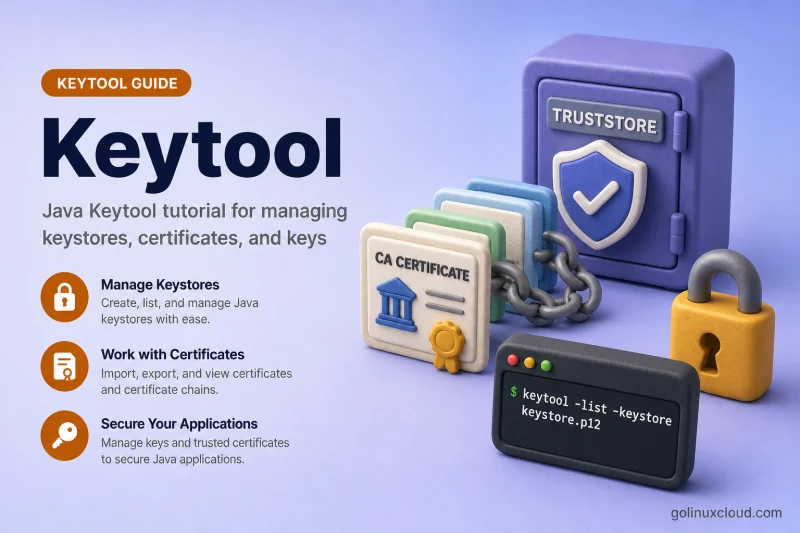
Keytool & Java Keystore Tutorial for Beginners

Complete keytool tutorial for Java keystores and truststores - generate PKCS12 keys, import CA-signed chains, automate truststore imports with Bash, sign and verify JAR files with jarsigner, build mTLS keystores and truststores, renew expired certificates, find the correct cacerts file, import into app-specific truststores, configure javax.net.ssl.trustStore and keyStore, fix PKIX and import errors, configure Spring Boot and Tomcat HTTPS, and ship trust in Docker and Kubernetes. 34 hands-on lessons tested on Linux.

  • 34 parts
  • ~286 min total
  • Beginner to Intermediate
  • Updated Jul 2026
Keytool & Java Keystore Tutorial for Beginners
By Last updated

This tutorial walks you through Java keystores and truststores with keytool — the CLI that ships with every JDK. You will learn the difference between a keystore (server identity) and a truststore (who you trust), build PKCS12 files on Linux, import CA-signed certificate chains in the right order, and fix the errors that show up in real logs: Invalid keystore format, No subject alternative names present, Certificate not imported, alias already exists, Input not an X.509 certificate, Keystore was tampered with, or password was incorrect, UnrecoverableKeyException: Cannot recover key, Failed to establish chain from reply, Public keys in reply and keystore don't match, and PKIX path building failed.

Every command is tested on Ubuntu with OpenJDK and uses PKCS12 as the default format. On workstations where keytool is missing, start with install keytool on Ubuntu. For PEM-centric PKI workflows that complement Java, see the OpenSSL & PKI tutorial.

Click Start the course to begin with keystore fundamentals, or jump to the section you need — chain import, PKIX troubleshooting, and Spring Boot/Tomcat HTTPS are the three most-bookmarked chapters.

What you'll learn

  • Create PKCS12 keystores and truststores with keytool on Linux
  • Generate CSRs with SAN, import CA-signed replies, sign and verify JAR files with jarsigner, renew expired certificates, and build full certificate chains
  • Diagnose and fix common keytool errors (PKIX, chain reply, public key mismatch, wrong password, UnrecoverableKeyException, X.509 import format, alias already exists, No subject alternative names, Invalid keystore format) and find which cacerts file a JVM actually loads
  • Export certificates in PEM/DER, import PKCS12/PFX and PEM private keys
  • Configure Spring Boot and Tomcat HTTPS with the same keystore files
  • Use custom truststores instead of editing cacerts, automate idempotent certificate imports with Bash, set javax.net.ssl.trustStore and keyStore JVM properties, build Java mTLS keystores and truststores for mutual TLS, import into app-specific bundled JRE truststores, and ship trust in Docker and Kubernetes

Prerequisites

  • OpenJDK 11+ (OpenJDK 21 or 25 tested) with keytool on PATH
  • Comfortable on the Linux command line
  • Basic TLS concepts (certificate, private key, CA chain) — see the OpenSSL PKI primer if needed

Syllabus

8 chapters · 34 lessons · ~286 min of reading

  1. 1 Fundamentals and Setup 3 lessons
    1. Part 1 Install keytool on Ubuntu 9 min read
    2. Part 2 Keystore vs truststore in Java 12 min read
    3. Part 3 keytool vs OpenSSL — which tool to use 9 min read
  2. 2 Create Keys and Certificates 3 lessons
    1. Part 4 Self-signed certificate with localhost and IP SAN 7 min read
    2. Part 5 Create a CSR and import a CA-signed certificate 8 min read
    3. Part 6 Renew or replace an expired certificate 8 min read
  3. 3 Import Certificate Chains 2 lessons
    1. Part 7 Import root, intermediate, and server chain 7 min read
    2. Part 8 Sign and verify a JAR with jarsigner 9 min read
  4. 4 Troubleshooting keytool Errors 9 lessons
    1. Part 9 Fix PKIX path building failed 10 min read
    2. Part 10 Fix failed to establish chain from reply 10 min read
    3. Part 11 Fix public keys in reply and keystore don't match 6 min read
    4. Part 12 Fix keystore tampered or password incorrect 9 min read
    5. Part 13 Fix UnrecoverableKeyException cannot recover key 7 min read
    6. Part 14 Fix Input not an X.509 certificate 9 min read
    7. Part 15 Fix Certificate not imported alias already exists 7 min read
    8. Part 16 Fix No subject alternative names present 9 min read
    9. Part 17 Fix Invalid keystore format 9 min read
  5. 5 Inspect, Export, and Convert 6 lessons
    1. Part 18 List and inspect keystore entries 6 min read
    2. Part 19 Export certificate in PEM and DER 7 min read
    3. Part 20 Import PEM certificate and private key 7 min read
    4. Part 21 Import PKCS12/PFX into Java keystore 6 min read
    5. Part 22 Convert JKS to PKCS12 7 min read
    6. Part 23 Change alias, password, and delete entries 7 min read
  6. 6 Truststores and System CAs 7 lessons
    1. Part 24 Configure javax.net.ssl.trustStore and keyStore 9 min read
    2. Part 25 Create Java mTLS keystore and truststore 11 min read
    3. Part 26 Custom truststore vs editing cacerts 8 min read
    4. Part 27 Import certificate into app-specific truststore 10 min read
    5. Part 28 Automate certificate import in Bash 7 min read
    6. Part 29 Find the correct Java cacerts file 10 min read
    7. Part 30 Import certificate into Java cacerts on Linux 7 min read
  7. 7 Spring Boot, Tomcat, and Containers 3 lessons
    1. Part 31 Configure Spring Boot HTTPS with keytool 8 min read
    2. Part 32 Configure Tomcat SSL with keytool 7 min read
    3. Part 33 Java truststore in Docker and Kubernetes 9 min read
  8. 8 Reference 1 lesson
    1. Part 34 keytool command cheat sheet 15 min read
Deepak Prasad

R&D Engineer

Founder of GoLinuxCloud with more than 15 years of expertise in Linux, Python, Go, Laravel, DevOps, Kubernetes, Git, Shell scripting, OpenShift, AWS, Networking, and Security. With extensive experience, he excels across development, DevOps, networking, and security, delivering robust and efficient solutions for diverse projects.

  • Go (programming language)
  • Python (programming language)
  • DevOps
  • Computer Security
  • Cloud Computing
  • Kubernetes
  • Linux
  • Ansible (software)
