
Free Online Course · Self-paced

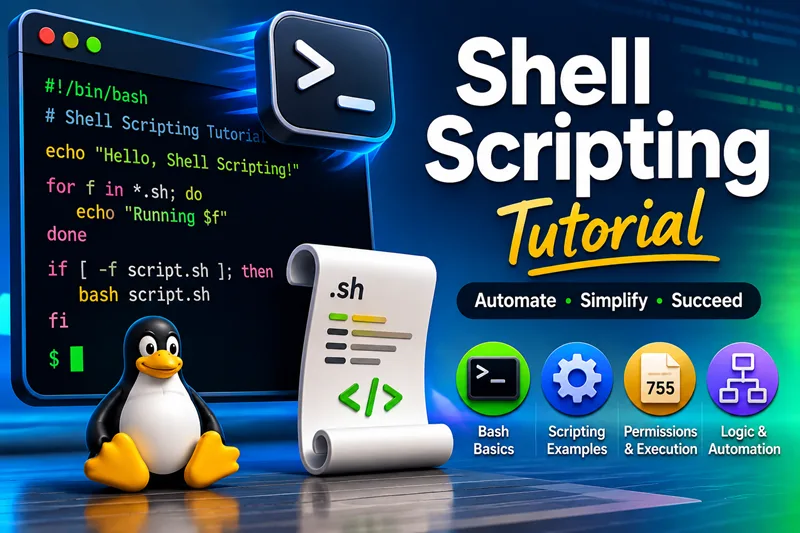
Shell Scripting & Bash Tutorial (Free Course)

Free Bash and shell scripting course for Linux — arguments, variables, loops, functions, arrays, real scripts, and automation patterns. 30+ hands-on lessons organized into chapters; examples tested on Bash on RHEL, Rocky, and Ubuntu.

  • 38 parts
  • ~171 min total
  • Beginner to Intermediate
  • Updated Aug 2026
Shell Scripting & Bash Tutorial (Free Course)
By Last updated

This free shell scripting course walks you through Bash on Linux from first scripts to patterns you will reuse in automation, cron jobs, and one-off admin tasks. Each lesson is self-contained, but the chapters build in a sensible order: start with arguments and branching, strengthen variables and loops, then move into getopts, arrays, and small real-world utilities.

Use Start the course to open the first lesson, or jump to any chapter if you already know the basics. Every guide is written for copy-paste examples on common distros (RHEL family and Ubuntu).

If you landed here from an old Shell scripting category link on the site, this hub is the new home for that learning path.


How to use this course

Work through the chapters in order if you are new to Bash. Each lesson is short enough to finish in one sitting and includes commands you can run on a lab VM or your daily workstation. If you already script in another language, skim Getting Started and jump to Loops and Functions or Parsing Options with getopts when you need those patterns.

Keep a scratch directory for the examples. Name scripts with a .sh extension, mark them executable with chmod +x, and run them with an explicit interpreter (bash script.sh) until you are confident about the shebang line. When a lesson references Linux file permissions or redirection and pipes, those concepts are covered in the linked guides rather than repeated here.


What you need installed

Requirement Notes
Bash 4+ Default on RHEL, Rocky, AlmaLinux, Ubuntu, and Debian
A text editor vim, nano, or VS Code with a shell extension
Optional: shellcheck Catches quoting and portability issues before you deploy a script

Examples assume a normal user account with sudo when the task requires root. Cron, systemd timers, and bulk user creation lessons call out privilege requirements in the article body.


Topics covered in this course

Chapter theme What you will practice
Arguments and branching Positional parameters, if/case, exit codes
Variables and loops Strings, arithmetic, for/while, functions
Parsing and arrays getopts, indexed and associative arrays
Real-world utilities Calculators, progress bars, parallel job runners
Processes and timing Lock files, execution timers, resource checks
Environment basics .bashrc vs profile, login vs non-login shells

When you outgrow one-off scripts, the natural next courses are Python for larger tooling and Ansible for fleet-wide automation.

What you'll learn

  • Write safe scripts with proper arguments, quoting, and exit codes
  • Use variables, strings, numbers, loops, and functions the way Bash expects
  • Work with arrays, getopts, and parallel jobs for real automation tasks
  • Build small utilities — calculators, progress output, timing, and file checks

Prerequisites

  • A Linux or WSL environment with Bash 4+ (any recent distro is fine)
  • Ability to open a terminal, edit a text file, and run chmod +x on a script
  • Optional — basic familiarity with cd, ls, and mkdir

Syllabus

9 chapters · 38 lessons · ~171 min of reading

  1. 1 Getting Started 4 lessons
    1. Part 1 Script arguments ($0, $1, $@) for beginners 4 min read
    2. Part 2 Get script name and path reliably 4 min read
    3. Part 3 If / else and branching in Bash 4 min read
    4. Part 4 case statement (switch case) for arguments and menus 10 min read
  2. 2 Variables, Strings, and Numbers 7 lessons
    1. Part 5 Increment and update variables 3 min read
    2. Part 6 Concatenate strings safely 3 min read
    3. Part 7 Compare strings in Bash 5 min read
    4. Part 8 Compare numbers in Bash 5 min read
    5. Part 9 Counters and running totals 3 min read
    6. Part 10 unshift-style patterns in Bash 3 min read
    7. Part 11 echo, printf, and newline control 3 min read
  3. 3 Loops and Flow Control 4 lessons
    1. Part 12 For loops (ranges, lists, C-style) 5 min read
    2. Part 13 While loops 6 min read
    3. Part 14 Until vs while — when to use which 4 min read
    4. Part 15 Run a loop until a specific time 3 min read
  4. 4 Functions, Options, and Signals 4 lessons
    1. Part 16 Bash functions and return values 4 min read
    2. Part 17 Parse flags with getopts 8 min read
    3. Part 18 Multiple arguments and patterns 4 min read
    4. Part 19 Trap Ctrl+C and clean up (trap) 4 min read
  5. 5 Arrays and Text Manipulation 5 lessons
    1. Part 20 Split strings into arrays 6 min read
    2. Part 21 Remove array elements by value 3 min read
    3. Part 22 Tabs, spaces, and field splitting 3 min read
    4. Part 23 Count words or patterns in files 5 min read
    5. Part 24 Print text after a pattern match 4 min read
  6. 6 Files, Checks, and Text Parsing 3 lessons
    1. Part 25 Test if files and directories exist 8 min read
    2. Part 26 Detect digits in strings 4 min read
    3. Part 27 Find duplicate files with hashing 4 min read
  7. 7 Practical Scripts 4 lessons
    1. Part 28 Interactive calculator script 3 min read
    2. Part 29 Loan EMI / interest calculator 5 min read
    3. Part 30 Progress bar in the terminal 4 min read
    4. Part 31 Thousands separators in output 5 min read
  8. 8 Processes, Timing, and the System 6 lessons
    1. Part 32 Run tasks in parallel and collect exit codes 4 min read
    2. Part 33 Measure script execution time 3 min read
    3. Part 34 Prevent duplicate script instances 4 min read
    4. Part 35 Top CPU and memory consumers from a script 6 min read
    5. Part 36 Login history and success / failed logins 6 min read
    6. Part 37 Create many users from a data file 4 min read
  9. 9 Environment and Shell Basics 1 lesson
    1. Part 38 .bashrc vs .bash_profile — what runs when 5 min read
Deepak Prasad

R&D Engineer

Founder of GoLinuxCloud with more than 15 years of expertise in Linux, Python, Go, Laravel, DevOps, Kubernetes, Git, Shell scripting, OpenShift, AWS, Networking, and Security. With extensive experience, he excels across development, DevOps, networking, and security, delivering robust and efficient solutions for diverse projects.

  • Go (programming language)
  • Python (programming language)
  • DevOps
  • Computer Security
  • Cloud Computing
  • Kubernetes
  • Linux
  • Ansible (software)
