
Free Online Course · Self-paced

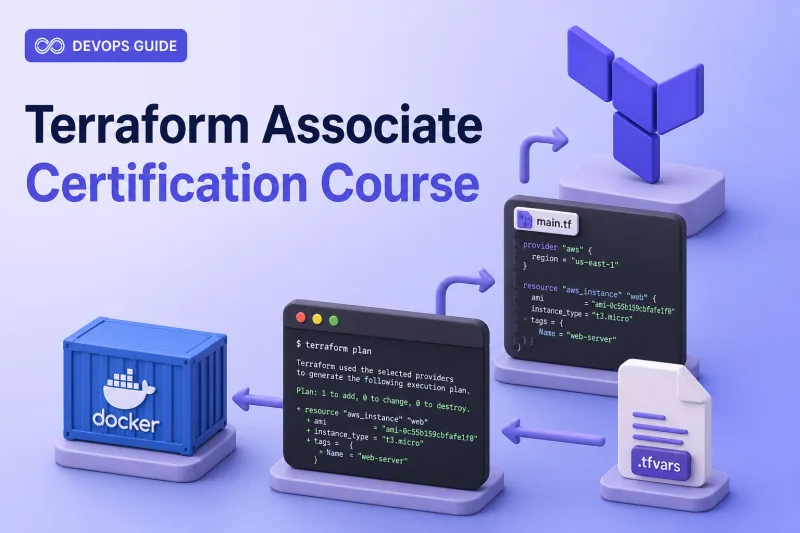
Terraform Associate Certification Course

Free Terraform Associate certification course aligned to HashiCorp Associate 004 — Ubuntu lab setup, full exam blueprint, and hands-on init, plan, apply, modules, state, and HCP Terraform lessons without cloud credentials.

  • 51 parts
  • ~687 min total
  • Beginner to Intermediate
  • Updated Aug 2026
Terraform Associate Certification Course
By Last updated

This syllabus tracks the HashiCorp Terraform Associate (004) objectives for Terraform 1.12. You start with foundation and lab setup on a single Ubuntu VM, then work through the full exam blueprint plus certification resources. Published lessons in the syllabus link to hands-on tutorials you can repeat without cloud credentials.

Open Before You Begin first if you still need a lab VM, Docker, and Terraform installed. The walkthroughs use hashicorp/local, hashicorp/random, and Docker providers on one Ubuntu machine — the same pattern HashiCorp recommends when provider-specific knowledge is not required for the exam.


What the Terraform Associate exam expects

The competency summaries below paraphrase the current Associate 004 blueprint. Confirm the live exam content list before you schedule.

Infrastructure as Code with Terraform

  • Explain what Infrastructure as Code is and why teams adopt it
  • Describe advantages of IaC patterns over manual infrastructure changes
  • Explain how Terraform supports multi-cloud, hybrid, and service-agnostic workflows

Terraform Fundamentals

  • Install and constrain provider versions with the lock file
  • Describe how Terraform uses providers and multiple provider configurations
  • Explain what state is, why Terraform needs it, and how it maps to real infrastructure

Core Terraform Workflow

  • Initialize a working directory and download providers
  • Format and validate configuration before planning
  • Generate and review execution plans, apply changes, and destroy managed resources

Terraform Configuration

  • Use resource and data blocks, references, variables, outputs, and complex types
  • Write expressions, functions, count, for_each, and dynamic blocks
  • Manage dependencies, lifecycle rules, custom conditions, and sensitive or ephemeral values

Terraform Modules

  • Source modules locally and from the public Registry
  • Pass inputs, read outputs, and constrain module versions

Terraform State Management

  • Configure local and remote backends, state locking, and drift detection
  • Refactor resources with moved and removed blocks without unnecessary recreation

Maintain Infrastructure with Terraform

  • Import existing infrastructure into Terraform management
  • Use verbose logging and structured troubleshooting for init, plan, and apply failures

HCP Terraform

  • Run Terraform through HCP Terraform with CLI integration
  • Organize workspaces and projects, manage variable sets, and describe governance features

Use Start the course to open Before You Begin, or jump to any published lesson in the syllabus.

What you'll learn

  • Explain Infrastructure as Code, declarative workflows, and how Terraform manages multi-cloud infrastructure
  • Install Terraform on Ubuntu from the official HashiCorp apt repository and configure providers for local labs
  • Run the core workflow — init, fmt, validate, plan, apply, and destroy — with Docker and local providers
  • Write production-shaped HCL — variables, outputs, expressions, lifecycle rules, and validation blocks
  • Build and consume modules from local paths and the public Terraform Registry
  • Manage state, backends, locking, drift, import, and refactor with moved and removed blocks
  • Use HCP Terraform for remote operations, workspaces, variables, and governance concepts
  • Review commands and HCL patterns with the Terraform cheat sheet before the Associate exam

Prerequisites

  • Comfortable Linux command line on Ubuntu — file editing, package install, and environment variables
  • One Ubuntu 26.04 LTS VM (24.04 supported) with 4 GiB RAM minimum and outbound HTTPS
  • Docker Engine for container provider labs — no AWS, Azure, or GCP account required for the core syllabus
  • Willingness to work through init, plan, apply, and destroy cycles in isolated working directories

Syllabus

11 chapters · 51 lessons · ~687 min of reading

  1. 1 Before You Begin — Foundation and Lab Setup 2 lessons
    1. Part 1 Terraform Lab Environment on Ubuntu 13 min read
    2. Part 2 Install Terraform on Ubuntu 11 min read
  2. 2 Infrastructure as Code with Terraform 2 lessons
    1. Part 3 What is Terraform? Infrastructure as Code Explained 9 min read
    2. Part 4 Terraform Architecture — How Terraform Works 11 min read
  3. 3 Terraform Fundamentals 4 lessons
    1. Part 5 Terraform HCL Syntax and Configuration Files 10 min read
    2. Part 6 Terraform Providers: Configuration and Aliases 13 min read
    3. Part 7 Terraform Provider Version Constraints and Lock File 15 min read
    4. Part 8 Terraform State Explained 10 min read
  4. 4 Core Terraform Workflow 6 lessons
    1. Part 9 Terraform init Command 12 min read
    2. Part 10 terraform validate Command with Examples 11 min read
    3. Part 11 terraform fmt Command with Examples 11 min read
    4. Part 12 Terraform plan Command 13 min read
    5. Part 13 Terraform apply Command 12 min read
    6. Part 14 Terraform destroy Command 11 min read
  5. 5 Terraform Configuration 14 lessons
    1. Part 15 Terraform Resources: resource Block with Examples 15 min read
    2. Part 16 Terraform Data Sources with Examples 14 min read
    3. Part 17 Terraform Resource References and Dependencies 11 min read
    4. Part 18 Terraform Variables: Types, tfvars and Precedence 14 min read
    5. Part 19 Terraform Output Values 9 min read
    6. Part 20 Terraform Local Values 8 min read
    7. Part 21 Terraform Data Types: List, Set, Map, Tuple and Object 10 min read
    8. Part 22 Terraform Expressions and Operators 13 min read
    9. Part 23 Terraform Functions with Examples 14 min read
    10. Part 24 Terraform count vs for_each 16 min read
    11. Part 25 Terraform Dynamic Blocks 10 min read
    12. Part 26 Terraform Lifecycle Meta-Arguments 13 min read
    13. Part 27 Terraform Validation, Preconditions, Postconditions and Check Blocks 15 min read
    14. Part 28 Manage Secrets and Sensitive Data in Terraform 17 min read
  6. 6 Terraform Modules 4 lessons
    1. Part 29 Terraform Modules: Create and Use Local Modules 9 min read
    2. Part 30 Terraform Registry Modules 8 min read
    3. Part 31 Terraform Module Inputs and Outputs 9 min read
    4. Part 32 Terraform Module Sources and Version Constraints 11 min read
  7. 7 Terraform State Management 6 lessons
    1. Part 33 Terraform Backends and Remote State 14 min read
    2. Part 34 Terraform State Locking 10 min read
    3. Part 35 Terraform State Commands 10 min read
    4. Part 36 Terraform Drift Detection and Refresh-Only Mode 9 min read
    5. Part 37 Refactor Terraform Resources with moved and removed Blocks 9 min read
    6. Part 38 Terraform Workspaces (recommended enrichment) 12 min read
  8. 8 Maintain Infrastructure with Terraform 3 lessons
    1. Part 39 Terraform Import: Import Existing Infrastructure 24 min read
    2. Part 40 Terraform Logging and Debugging 22 min read
    3. Part 41 Terraform Troubleshooting Guide 21 min read
  9. 9 HCP Terraform 5 lessons
    1. Part 42 HCP Terraform Tutorial: CLI and Remote Runs 22 min read
    2. Part 43 HCP Terraform Workspaces and Projects 19 min read
    3. Part 44 HCP Terraform Variables and Variable Sets 21 min read
    4. Part 45 Migrate Local Terraform State to HCP Terraform 14 min read
    5. Part 46 HCP Terraform Teams, Policies and Governance 11 min read
  10. 10 Advanced Terraform 4 lessons
    1. Part 47 terraform console Command with Examples 22 min read
    2. Part 48 Terraform Graph and Dependency Visualization 10 min read
    3. Part 49 Terraform Test Framework 14 min read
    4. Part 50 Terraform CI/CD Pipeline with GitHub Actions 36 min read
  11. 11 Certification Resources 1 lesson
    1. Part 51 Terraform Cheat Sheet 9 min read
Deepak Prasad

R&D Engineer

Founder of GoLinuxCloud with more than 15 years of expertise in Linux, Python, Go, Laravel, DevOps, Kubernetes, Git, Shell scripting, OpenShift, AWS, Networking, and Security. With extensive experience, he excels across development, DevOps, networking, and security, delivering robust and efficient solutions for diverse projects.

  • Go (programming language)
  • Python (programming language)
  • DevOps
  • Computer Security
  • Cloud Computing
  • Kubernetes
  • Linux
  • Ansible (software)
