
| Tested on | Kali GNU/Linux Rolling 2026.2 (kali-rolling) |
|---|---|
| Package | dvwa 2.5-0kali1 (Kali package on port 42001) |
| Lab environment | Pentest lab |
| Cert prep | CompTIA PenTest+ PT0-003 — web application testing concepts and manual validation (not a exploit cookbook) |
| Privilege | sudo for dvwa-start; browser session for module practice |
| Scope | What DVWA is for, how to open the lab, security levels, module practice workflow, source comparison, vulnerability learning map, short Burp pointer, Juice Shop comparison, and browser-side troubleshooting. Does not duplicate the install guide or walk through SQLi, XSS, CSRF, or other exploit steps. |
| Related guides | Web app fuzzing tools |
Damn Vulnerable Web Application (DVWA) is a deliberately vulnerable PHP web app for practicing common web flaws at different difficulty levels. This page is the practice hub for our web pentest cluster: what DVWA is for, how security levels work, which module to open next, and where the focused attack lessons live.
42001 to a production LAN or the public Internet.
What is DVWA and what is it for?
The official DVWA project describes a PHP and MariaDB web application where you practice common vulnerabilities in a controlled environment. Each module isolates one flaw class with four security levels on the same page.
What you can practice in DVWA:
- One vulnerability type at a time without hunting through a large application
- How defenses change when you raise the security slider on the same module
- Comparing insecure and secure code paths at Impossible
- Manual request inspection before you automate with sqlmap or fuzzers
DVWA is a training range, not a production benchmark. It runs locally, keeps modules short, and exposes an explicit Low / Medium / High / Impossible control so you can compare behavior on the same page.
Open DVWA and prepare the lab
Full install screenshots, Docker Compose, Apache paths, and service troubleshooting live in the install guide. To start practicing, you only need the app reachable on loopback.
Start the Kali package stack:
sudo dvwa-startThen in the browser:
- Open
http://127.0.0.1:42001(package home URL only) - On first run, left menu → Setup / Reset DB → Create / Reset Database
- Log in with
admin/password - Left menu → DVWA Security → set Low → Submit
Use the left menu for every module after login. Deep paths such as /vulnerabilities/... need an authenticated session and often fail if you paste them cold.
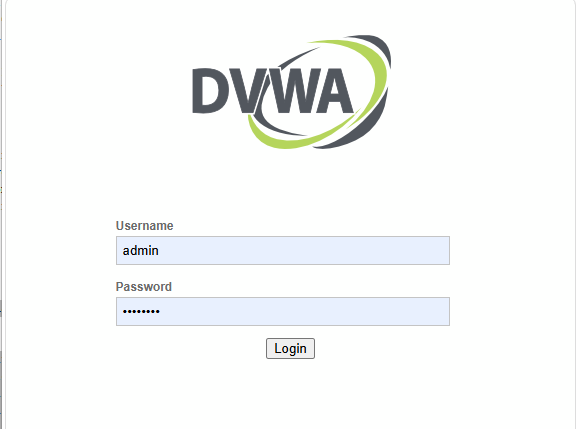
After database setup, the login page should show the DVWA logo and the default credential fields:
Explore the DVWA modules
After login, the left menu lists every practice module. DVWA 2.5 groups authentication, injection, cross-site scripting, file handling, sessions, access control, client-side logic, and API flaws into separate pages.
The complete module-to-lesson map is in the next sections — you do not need to memorize the menu names first.
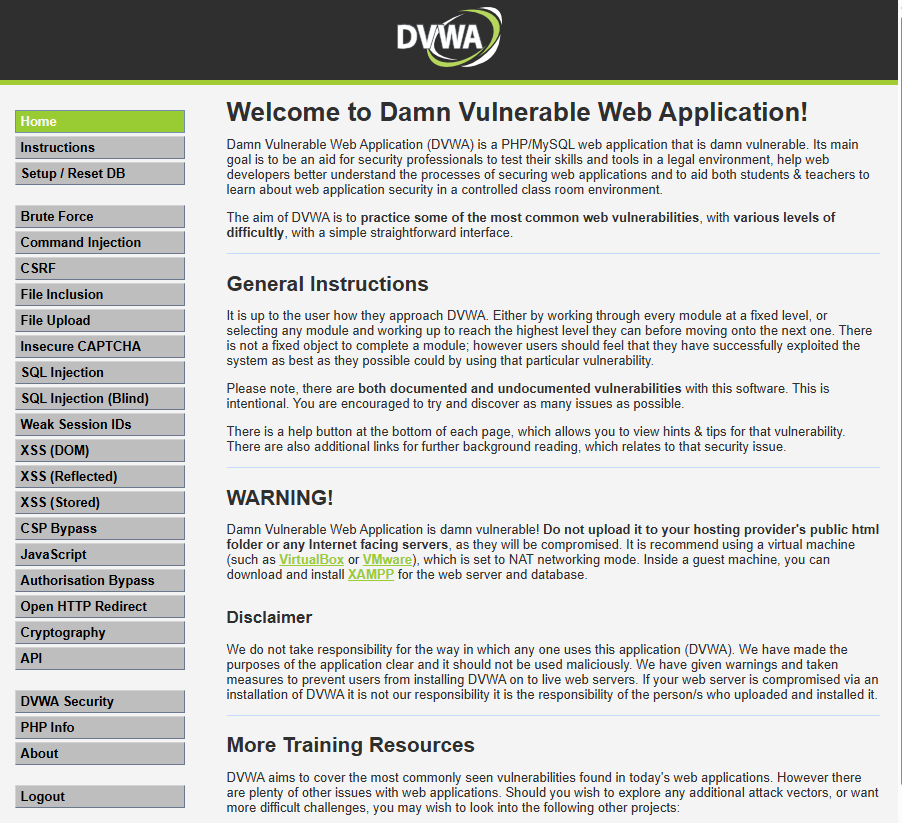
Pick one module and one security level per session. Use the learning map below to choose where to go after Low.
Understand DVWA security levels
DVWA does not only make modules “easier” or “harder.” Each level changes how input is validated, how errors are shown, and which mitigations are active.
| Level | What changes | What you learn |
|---|---|---|
| Low | Deliberately weak implementation intended to expose the flaw clearly | See the raw flaw and normal request/response behavior |
| Medium | Partial or flawed defense that still leaves an exploitable condition | Learn why incomplete mitigations fail |
| High | More restrictive implementation that usually requires a different testing approach | Compare how the same vulnerability behaves when the obvious path no longer works |
| Impossible | Reference mitigation intended to demonstrate how that module should be defended | Name the control that blocks the vulnerable behavior |
The exact control differs by module. CSRF may use a referrer check at Medium, a token at High, and current-password verification at Impossible. The CSP module uses different mechanisms entirely. Use the module behavior and View Source output rather than assuming every Medium or High level applies the same type of filtering.
Left menu → DVWA Security: the dropdown should list Low, Medium, High, and Impossible. Set Low before your first module run:
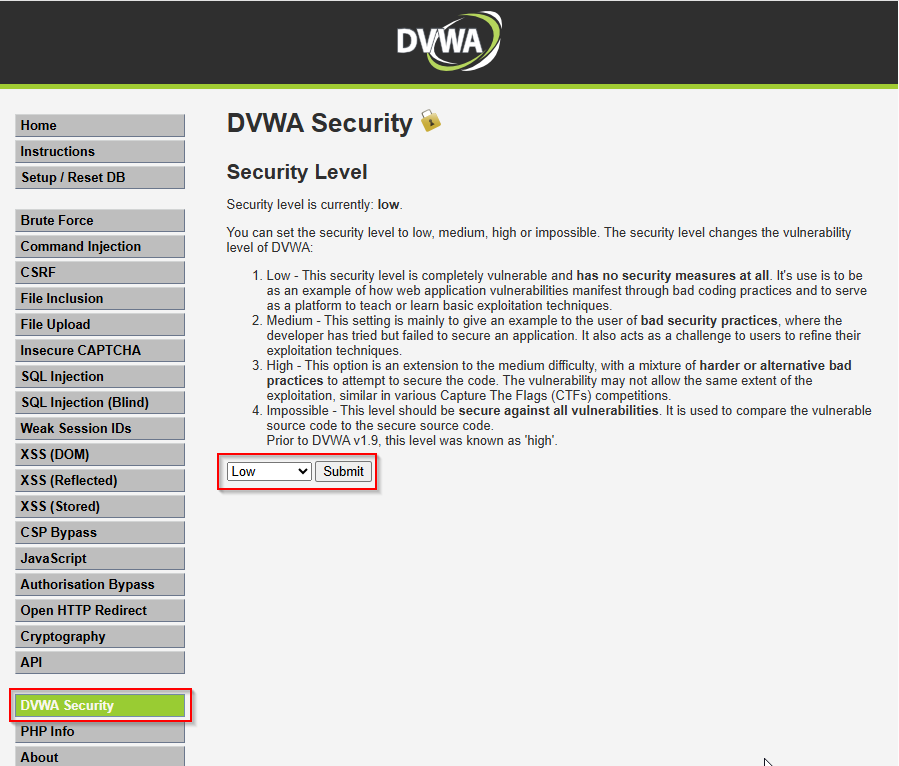
The status line above the dropdown should read Security level is currently: low when you are ready to practice.
How to practice a DVWA module
Treat each module as a small, repeatable exercise rather than trying random payloads immediately.
Start with one normal request so you understand what the page expects. Identify the input you control — for example a query parameter, form field, cookie, or header — and note the normal response before changing anything.
Then follow this workflow:
- Submit normal input — confirm how the page behaves before testing the flaw.
- Identify the controllable input — note the parameter, cookie, header, or form field involved.
- Observe the response — check status code, page content, errors, redirects, or reflected input. Use browser DevTools or Burp HTTP history when the request is easier to inspect through a proxy.
- Form a hypothesis — decide what vulnerability class the module is intended to demonstrate.
- Open the focused lesson — use the DVWA vulnerability learning map below for the actual validation steps.
- Repeat at Medium and High — run the same test again and note which behavior or defense changed.
- Compare with Impossible — identify the mitigation that prevents the vulnerable behavior.
For each security level, record three things:
- what still worked;
- what stopped working;
- which control changed the result.
The goal of this page is to teach that workflow. The separate vulnerability guides own the actual payloads, exploitation steps, and proof of impact.
Compare vulnerable and secure code
DVWA’s View Source button on each module shows the PHP behind the current security level. The levels matter most when you connect behavior to code.
After you test at Low:
- Open View Source on the module
- Read how user input reaches the database, shell, file path, or HTML output
- Switch to Impossible, repeat the same input, and open View Source again
- Name the mitigation — parameterized query, output encoding, token check, path allowlist, and so on
Do not memorize payloads from Low. Understand why Impossible changed the code path. That habit transfers to real applications where you will not get a labeled difficulty slider.
DVWA vulnerability learning map
Use this table as the hub for the web section of the CompTIA PenTest+ course. When a focused lesson exists, the last column links to it. Rows marked Practice in DVWA are module-only until a dedicated guide is published.
| DVWA module | What you learn | Recommended starting level | Focused lesson |
|---|---|---|---|
| Brute Force | Login request and credential guessing | Low | Brute force attack on web forms |
| Command Injection | User input passed to an OS command | Low | OS command injection |
| CSRF | State-changing requests without user intent | Low | CSRF attack tutorial · Bypass CSRF protection |
| File Inclusion | Unsafe include of local (or remote) files via page |
Low | Local file inclusion attack |
| File Upload | Dangerous file types and weak validation | Low | Practice in DVWA |
| Insecure CAPTCHA | Weak bot checks and bypass patterns | Low | Practice in DVWA |
| SQL Injection | Parameter-to-database query behavior | Low | SQL injection with sqlmap on DVWA |
| SQL Injection (Blind) | Boolean and time-based inference | Low | Same SQLi lesson (blind module) |
| Weak Session IDs | Predictable session identifiers | Low | Practice in DVWA |
| XSS (DOM) | DOM-based script execution | Low | Same XSS lesson (DOM module) |
| XSS (Reflected) | Reflected input in HTML context | Low | XSS attack tutorial |
| XSS (Stored) | Persistent script in stored data | Low | Same XSS lesson (stored module) |
| CSP Bypass | Weak Content Security Policy configurations | Medium | Practice in DVWA |
| JavaScript | Client-side logic and validation flaws | Low | Practice in DVWA |
| Authorisation Bypass | Horizontal and vertical access control gaps | Low | Practice in DVWA |
| Open HTTP Redirect | Unvalidated redirect parameters | Low | Practice in DVWA |
| Cryptography | Weak encoding and token handling | Low | Practice in DVWA |
| API | REST-style API abuse and auth gaps | Low | Practice in DVWA |
If you are new to DVWA, choose one simple module at Low, understand its normal behavior, then open the matching focused lesson from the map. Good first modules include Brute Force, SQL Injection, or XSS (Reflected). Server-side template injection is not a DVWA module; practice it on the SSTI lab instead.
Use Burp Suite with DVWA
DVWA works in a normal browser, but Burp makes it easier to inspect and replay requests. Use the Burp Suite proxy tutorial for Proxy, HTTP history, target scope, Repeater, and Intruder.
On this page, Burp is only a supporting tool. Vulnerability-specific request manipulation belongs in the focused attack guides.
DVWA vs OWASP Juice Shop
Neither target is universally better. They teach overlapping skills with different ergonomics.
| DVWA | OWASP Juice Shop | |
|---|---|---|
| App style | PHP modules, one flaw class per page | Modern SPA with a challenge scoreboard |
| Learning model | Explicit security-level slider on each module | CTF-style challenge progression |
| Security levels | Low / Medium / High / Impossible per module | Challenge difficulty, not the same slider model |
| Best use | Isolated flaw practice and defense comparison | Broader modern-app surface and challenge hunting |
Start with DVWA when you want short modules and clear level sliders. Add Juice Shop when you want a wider challenge set on the same isolated lab.
Common DVWA browser and practice problems
| Symptom | Likely cause | Fix |
|---|---|---|
| Login fails after setup | Wrong password or stale session | Default admin / password; clear cookies for 127.0.0.1:42001 |
| CSRF token errors on login or setup | Expired session or double-submit | Reload the page; submit once with a fresh user_token |
| Security level seems stuck | Old security cookie |
Clear site data; set the level again on DVWA Security |
| Module page blank or behaves oddly | Stale session after level change | Log out and back in; confirm security=low in cookies |
| Burp shows no DVWA traffic | Browser not proxied | Use Burp Open Browser or set proxy to 127.0.0.1:8080 |
| Burp request missing session | PHPSESSID not sent |
Log in through the proxied browser; copy cookies from HTTP history |
| Progress lost after database reset | Create / Reset Database wiped app data | Re-login and set security to Low again |
Service start failures, MariaDB errors, port mismatches, and install paths belong in the install guide.
What to learn next
After you can log in, set security levels, and pick modules from the map, continue in this order:
- SQL injection with sqlmap on DVWA — manual proof plus automation
- Burp Suite proxy tutorial — intercept, Repeater, and Intruder on the same target
- Local file inclusion attack — then return to DVWA File Inclusion
- How to bypass CSRF protection — pair with DVWA CSRF at Medium and High
- Web app fuzzing tools — when manual testing feels slow
- Install OWASP Juice Shop on Kali — second web target in the lab
Summary
DVWA is the practice hub for web application testing in this course. It packages common vulnerabilities into short modules with four security levels so you can compare insecure handling against improved defenses on the same page.
Open the lab with dvwa-start, complete setup once, set Low, and use the learning map to route each module to a focused lesson. Compare Low through Impossible with View Source so you understand mitigations — not just payloads.
Keep the instance on localhost or host-only, document what changes when you raise the security slider, and leave exploit walkthroughs to the per-vulnerability guides.
References
- DVWA project site: https://dvwa.co.uk/
- DVWA GitHub repository: https://github.com/digininja/DVWA
- OWASP Web Security Testing Guide: https://owasp.org/www-project-web-security-testing-guide/
- OWASP Juice Shop: https://owasp.org/www-project-juice-shop/
Frequently Asked Questions
What is DVWA used for?
DVWA is an intentionally vulnerable web application for learning manual web penetration testing. Each module targets one vulnerability class with adjustable Low, Medium, High, and Impossible settings.
What can I practice in DVWA?
You can practice SQL injection, XSS, CSRF, file inclusion, file upload, command injection, brute force, session issues, and other common web flaws in isolated modules before you move to larger apps or automation tools.
Which security level should beginners use?
Start at Low on each new module so you can see verbose errors and minimal filtering. Move to Medium and High to learn how defenses change the testing path, then compare Impossible to see mitigation behavior.
DVWA or Juice Shop first?
Start with DVWA if you want isolated modules and clear security levels. Add Juice Shop when you want a modern SPA surface and CTF-style challenges. Both can run on the same isolated lab VM.
What should I learn after installing DVWA?
Log in, set security to Low, pick one module, and follow the vulnerability learning map on this page. Brute Force, SQL Injection, and XSS (Reflected) are reasonable first modules at Low security.
Is it legal to run DVWA?
Yes, when you run it on systems you own or are explicitly authorized to test. Running DVWA against networks or hosts without permission is illegal in most jurisdictions.
Why did my DVWA progress reset?
Running Create / Reset Database on the setup page wipes application data. Log in again, set security to Low, and reopen the module you were practicing.
