
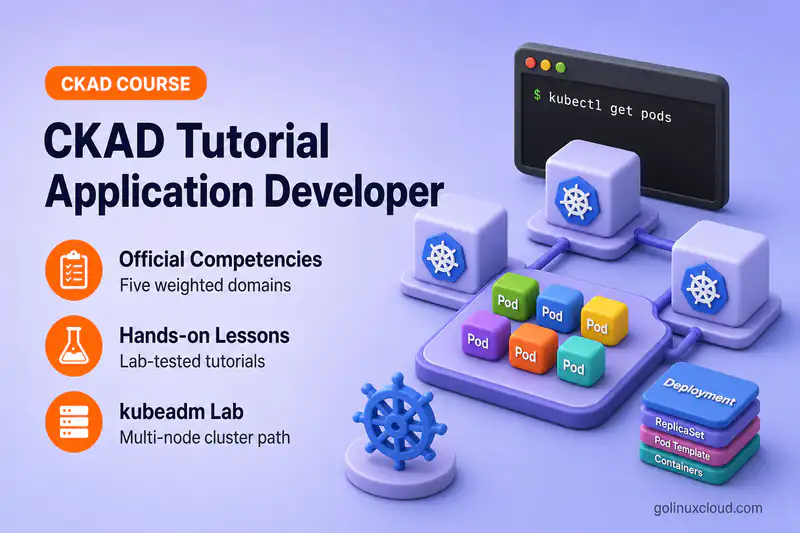
Free Online Course · Self-paced · Hands-on

CKAD Tutorial: Certified Kubernetes Application Developer Course

Free CKAD exam prep course covering all five Linux Foundation domains, with hands-on labs, 25 practice tasks, and a cheat sheet tested on Kubernetes 1.36.

  • 7 chapters
  • 65 lessons
  • ~24h
  • Intermediate
  • Tested with Kubernetes (kubeadm, kubectl) 1.36.x
  • Updated Sep 2026
CKAD Tutorial: Certified Kubernetes Application Developer Course
By Last updated

About this course

This is a free, self-paced course that takes you from writing your first Pod manifest to being ready for the Certified Kubernetes Application Developer (CKAD) exam from the Linux Foundation and CNCF. The syllabus covers all five domains of the current CKAD curriculum and ends with a practice chapter, so you finish with the objectives covered and a way to test yourself against them.

The CKAD is a timed, hands-on exam, so knowing the objects is not enough if you are slow to produce the YAML. That is why each lesson has you generate, edit, and debug manifests with kubectl on a real multi-node cluster instead of copying finished files. When a Pod crashes or an image will not pull, you see the same events and exit codes you would see at work, and you learn to read them quickly.

If Kubernetes is new to you, start with Before You Begin and go in order. If you already deploy to a cluster, jump to blue-green and canary deployments, the Application Environment, Configuration and Security chapter (the heaviest domain at 25%), or straight to the practice tasks to find your weak spots.

What you'll learn

  • Build and push container images, pull them from private registries, and choose the right workload resource
  • Design multi-container Pods with init containers and sidecars, and mount persistent and ephemeral volumes
  • Roll out changes with rolling updates, blue-green and canary releases, Helm, and Kustomize
  • Find and fix failing applications with probes, logs, events, kubectl top, and kubectl debug
  • Migrate manifests off deprecated APIs before an upgrade removes them
  • Configure applications with ConfigMaps, Secrets, environment variables, requests, limits, and quotas
  • Run workloads with least privilege using ServiceAccounts, RBAC, SecurityContext, and Linux capabilities
  • Expose applications with Services and Ingress, and limit traffic between them with NetworkPolicy

Who this course is for

  • Application developers who ship containers and now have to write the Kubernetes manifests themselves
  • Backend engineers who want to debug their own failing Pods instead of waiting on the platform team
  • DevOps engineers who deploy with Helm and Kustomize and want the objects underneath to make sense
  • Anyone booked on, or considering, the Linux Foundation CKAD exam

Prerequisites

  • Comfortable Linux command line and basic networking (ports, DNS, HTTP)
  • Experience building and running container images locally with Podman or Docker
  • A kubeadm lab of two or three Linux VMs (8 GB host RAM for two, 16 GB for three), or any cluster you can reach with kubectl
  • Basic YAML, since you write Pod, Deployment, and Service manifests in almost every lesson

Exam objectives covered

Certified Kubernetes Application Developer (CKAD) blueprint — 5 domains · official objectives

  1. Application Design and Build20%

    • Define, build and modify container images
    • Choose and use the right workload resource (Deployment, DaemonSet, CronJob, etc.)
    • Understand multi-container Pod design patterns (e.g. sidecar, init and others)
    • Utilize persistent and ephemeral volumes
  2. Application Deployment20%

    • Use Kubernetes primitives to implement common deployment strategies (e.g. blue/green or canary)
    • Understand Deployments and how to perform rolling updates
    • Use the Helm package manager to deploy existing packages
    • Kustomize
  3. Application Observability and Maintenance15%

    • Understand API deprecations
    • Implement probes and health checks
    • Use built-in CLI tools to monitor Kubernetes applications
    • Utilize container logs
    • Debugging in Kubernetes
  4. Application Environment, Configuration and Security25%

    • Discover and use resources that extend Kubernetes (CRD, Operators)
    • Understand authentication, authorization and admission control
    • Understand requests, limits, quotas
    • Understand ConfigMaps
    • Define resource requirements
    • Create & consume Secrets
    • Understand ServiceAccounts
    • Understand Application Security (SecurityContexts, Capabilities, etc.)
  5. Services and Networking20%

    • Demonstrate basic understanding of NetworkPolicies
    • Provide and troubleshoot access to applications via services
    • Use Ingress rules to expose applications

Versions and testing environment

Every command in this course was run on this stack

ComponentVersionNotes
Kubernetes (kubeadm, kubectl) 1.36.x Multi-node kubeadm cluster; kubectl 1.36 on the workstation for every lesson
Rocky Linux 10.2 Workstation and cluster nodes
Podman 5.8.x Builds, tags, and pushes images in the Application Design and Build lessons
Helm 3.21.x Chart install, upgrade, and rollback in the Application Deployment chapter
Calico 3.32.x Pod network plugin that enforces the NetworkPolicy examples

Syllabus

7 chapters · 65 lessons · ~24h of reading

  1. 1 Before You Begin — Foundation and Lab Setup 9 lessons · ~2h 12m
    1. Part 1 Install Kubernetes with kubeadm (multi-node cluster) 25 min read
    2. Part 2 Install kubectl and configure kubeconfig 15 min read
    3. Part 3 kubectl commands and YAML examples 14 min read
    4. Part 4 Kubernetes namespaces with kubectl examples 12 min read
    5. Part 5 Labels and selectors 23 min read
    6. Part 6 Kubernetes annotations 9 min read
    7. Part 7 Labels vs annotations 7 min read
    8. Part 8 Taints and tolerations 15 min read
    9. Part 9 API resources and kubectl explain 12 min read
  2. 2 Application Design and Build — 20% 18 lessons · ~3h 38m
    1. Part 10 Build, tag, and push container images 19 min read
    2. Part 11 Private registries and imagePullSecrets 13 min read
    3. Part 12 Choose a Kubernetes workload resource 12 min read
    4. Part 13 Kubernetes Pods and Pod lifecycle 17 min read
    5. Part 14 Pod vs Deployment 10 min read
    6. Part 15 Kubernetes ReplicaSet with examples 12 min read
    7. Part 16 Kubernetes StatefulSet with examples 13 min read
    8. Part 17 Deployment vs StatefulSet 9 min read
    9. Part 18 Kubernetes DaemonSet with examples 16 min read
    10. Part 19 Deployment vs DaemonSet 8 min read
    11. Part 20 Init containers with examples 11 min read
    12. Part 21 Sidecar and multi-container patterns 12 min read
    13. Part 22 Kubernetes Jobs with examples 12 min read
    14. Part 23 Kubernetes CronJobs with examples 11 min read
    15. Part 24 Job vs CronJob 8 min read
    16. Part 25 Kubernetes volumes with practical examples 10 min read
    17. Part 26 subPath volume mounts 10 min read
    18. Part 27 PersistentVolume and PVC 15 min read
  3. 3 Application Deployment — 20% 5 lessons · ~1h 4m
    1. Part 28 Deployments, rolling updates, and rollbacks 15 min read
    2. Part 29 Blue-green and canary deployments 12 min read
    3. Part 30 Deploy applications with Helm 12 min read
    4. Part 31 Kustomize: bases, overlays, and patches 13 min read
    5. Part 32 Manage resources with apply, edit, patch, and replace 12 min read
  4. 4 Application Observability and Maintenance — 15% 12 lessons · ~2h 43m
    1. Part 33 API deprecations and manifest migration 11 min read
    2. Part 34 Liveness, readiness, and startup probes 11 min read
    3. Part 35 kubectl logs, Events, and describe 18 min read
    4. Part 36 Monitor resources with kubectl top 12 min read
    5. Part 37 Kubernetes Pod troubleshooting workflow 12 min read
    6. Part 38 Debug Pods with kubectl exec and kubectl debug 9 min read
    7. Part 39 Fix CrashLoopBackOff 17 min read
    8. Part 40 Fix ImagePullBackOff and ErrImagePull 14 min read
    9. Part 41 Fix Pending and ContainerCreating Pods 14 min read
    10. Part 42 Fix OOMKilled and exit code 137 22 min read
    11. Part 43 Delete a stuck or Terminating Pod 12 min read
    12. Part 44 Fix Deployment not creating Pods 11 min read
  5. 5 Application Environment, Configuration and Security — 25% 13 lessons · ~2h 43m
    1. Part 45 Kubernetes ConfigMap with examples 13 min read
    2. Part 46 How ConfigMap and Secret updates reach running Pods 11 min read
    3. Part 47 Kubernetes Secrets with examples 12 min read
    4. Part 48 Commands, args, environment variables, and Downward API 15 min read
    5. Part 49 Requests, limits, and QoS classes 16 min read
    6. Part 50 ResourceQuota and LimitRange 13 min read
    7. Part 51 Authentication, authorization, and admission control 11 min read
    8. Part 52 Kubernetes ServiceAccounts with examples 10 min read
    9. Part 53 Kubernetes RBAC with examples 10 min read
    10. Part 54 SecurityContext with practical examples 12 min read
    11. Part 55 Linux capabilities in Kubernetes 10 min read
    12. Part 56 CRDs and custom resources 16 min read
    13. Part 57 Kubernetes Operators explained 14 min read
  6. 6 Services and Networking — 20% 6 lessons · ~1h 37m
    1. Part 58 Services, Endpoints, and EndpointSlices 17 min read
    2. Part 59 Service DNS and name resolution 18 min read
    3. Part 60 Troubleshoot a Service that is not working 15 min read
    4. Part 61 kubectl port-forward with Pods, Deployments, and Services 11 min read
    5. Part 62 Ingress rules with host, path, and TLS examples 16 min read
    6. Part 63 NetworkPolicy with examples 20 min read
  7. 7 CKAD Exam Preparation 2 lessons · ~48 min
    1. Part 64 CKAD practice tasks by exam domain 33 min read
    2. Part 65 CKAD command cheat sheet 15 min read

Hands-on labs

6 guided builds you run yourself

  1. Pull images from a private registry

    Run a private registry, push an image to it, and pull it into a Pod with an imagePullSecret.

  2. Ship blue-green and canary releases

    Switch Service selectors between two Deployments, send mixed traffic to a canary, then promote or roll back.

  3. Deploy and roll back with Helm

    Install and customize a chart, upgrade and roll back the release, then package and test a chart of your own.

  4. Fix a CrashLoopBackOff

    Work from restart counts, events, previous logs, and exit codes to the real reason a container keeps dying.

  5. Lock down a Pod with SecurityContext

    Run containers as a non-root user with fsGroup, a read-only root filesystem, no privilege escalation, and the RuntimeDefault seccomp profile.

  6. Work through 25 practice tasks

    Solve timed scenarios grouped by exam domain, each with verification steps, hints, and a worked solution.

Where to go after this course

  • CKAD Cheat Sheetkubectl shortcuts for dry-run YAML, rollouts, JSONPath, and Helm to review in the week before your exam.
  • Book the CKAD examConfirm the live domains, price, and Kubernetes version on the Linux Foundation page before you schedule.
  • CKA courseThe next step if you want to own the cluster as well as the workloads, and the prerequisite for the CKS.
  • Kubernetes Operator courseBuilding Operators is outside the CKAD. This course starts where using CRDs and installed Operators ends.

Frequently Asked Questions

What is the CKAD exam format?

The CKAD is an online, proctored, performance-based exam. You get two hours to solve a set of tasks in a command line, and you need 66% to pass. Tasks are available in English, Simplified Chinese, and Japanese. The exam environment currently runs Kubernetes v1.35, and the Linux Foundation moves it to the newest minor release within about four to eight weeks of each Kubernetes release. Check the official CKAD page before you book.

How much does the CKAD cost, and how long is it valid?

The exam-only registration is listed at $445. It includes two exam attempts, two sessions on the Killer.sh exam simulator, and 12 months to schedule and sit the exam. A CKAD earned now is valid for two years (certifications earned before April 1, 2024 were valid for three), and you renew it by passing the exam again before it expires. Confirm the current price and bundles on the official CKAD page.

What documentation can I use during the CKAD exam?

You can open the Kubernetes documentation at kubernetes.io/docs, the Kubernetes blog, and the Helm documentation, plus any links a task provides in its Quick Reference box. You may use the search box on kubernetes.io, but you must not open external search results. The Gateway API documentation is allowed for the CKA only. See the Linux Foundation's resources allowed page for the full rules.

Do I need to be a programmer to pass the CKAD?

No programming language appears in the curriculum. The Linux Foundation says the exam assumes working knowledge of container runtimes and microservice architecture, and that you should be comfortable with OCI-compliant container images, cloud native application concepts, and writing and validating Kubernetes resource definitions. In practice that means YAML, kubectl, and a container build tool, which is what this course uses.

Should I take the CKAD or the CKA first?

Neither exam is a prerequisite for the other. If you mostly write and ship applications, start here. If you run clusters, or you want the CKS later, the CKA course comes first, because the CKS requires a passed CKA. The two courses share their foundation lessons, so whichever you finish first shortens the other.

Deepak Prasad

R&D Engineer

Founder of GoLinuxCloud with 15+ years of expertise in Linux, Python, Go, Laravel, DevOps, Kubernetes, Git, Shell scripting, OpenShift, AWS, Networking, and Security. With extensive experience, he excels across development, DevOps, networking, and security, delivering robust and efficient solutions for diverse projects.

  • Go (programming language)
  • Python (programming language)
  • DevOps
  • Computer Security
  • Cloud Computing
  • Kubernetes
  • Linux
  • Ansible (software)