
Free Online Course · Self-paced · Hands-on

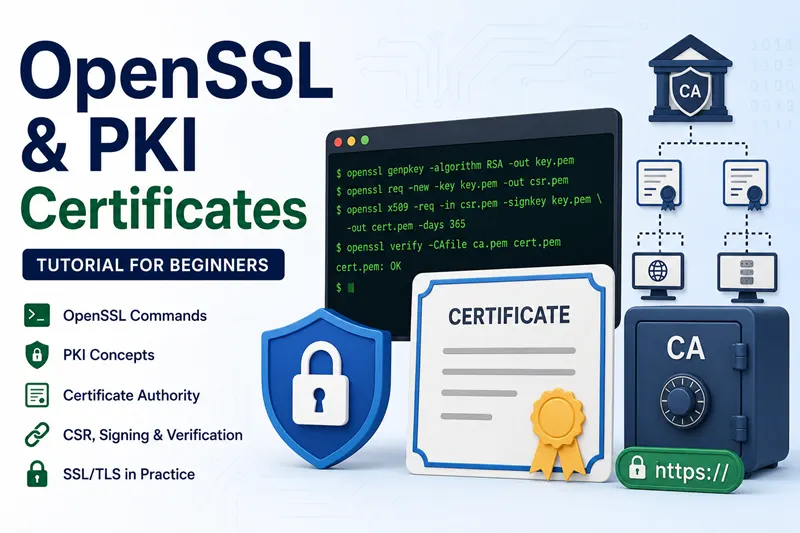
OpenSSL & PKI Certificates Tutorial for Beginners

Free OpenSSL and PKI tutorial: generate keys and CSRs, build a root and intermediate CA, issue SAN certificates, set up mTLS, then renew and revoke.

  • 9 chapters
  • 25 lessons
  • ~9h
  • Beginner to Intermediate
  • Tested with OpenSSL 3.5.x
  • Updated Sep 2026
OpenSSL & PKI Certificates Tutorial for Beginners
By Last updated

About this course

This is a free, hands-on course on OpenSSL and public key infrastructure, from what a certificate authority actually does to running a small internal CA of your own. It follows the OpenSSL 3.x command set through the full certificate lifecycle: keys and CSRs, a two-tier CA, SAN and ECC certificates, mutual TLS, renewal, and revocation.

The lessons use real openssl.cnf files instead of one-line commands you cannot reproduce later, so every certificate you issue carries extensions you chose on purpose. That is also where most of the confusion starts. Both openssl ca and openssl x509 can sign a CSR, and the comparison lesson explains which one keeps a proper CA database.

If PKI is new to you, start with the fundamentals chapter and build the CA before you issue anything. If you only need one task, jump to SAN certificates, renewal, or the CRL workflow. Each lesson lists its own setup.

What you'll learn

  • Explain how PKI, certificate authorities, and OCSP work, and when to use openssl ca rather than openssl x509
  • Create a root CA and an intermediate CA, and build a certificate chain that clients can verify
  • Generate private keys and CSRs, and issue certificates with SAN entries, ECC keys, and the x509 extensions you need
  • Create and renew self-signed certificates, and script certificate generation in Bash
  • Issue client and server certificates, set up mutual TLS, and install a certificate on Nginx
  • Inspect and decode certificates, and create duplicate certificates from an existing key
  • Renew server certificates and an expired root CA, and revoke certificates with a CRL

Who this course is for

  • Sysadmins who run internal HTTPS services and want to understand the certificate commands they have been copying
  • DevOps and Kubernetes engineers who need a private CA for service-to-service TLS and mTLS
  • Security engineers who have to audit, rotate, or explain an internal PKI
  • Developers chasing certificate errors in web servers, VPNs, or API clients

Prerequisites

  • A Linux machine with OpenSSL 3.x. OpenSSL 1.1.1 still runs most of the commands but no longer gets public security fixes
  • Comfortable on the command line and editing an openssl.cnf file
  • A rough idea of public and private keys. The PKI fundamentals chapter covers certificates, CAs, and OCSP before any commands
  • Nginx or Apache on the same VM for the web server lessons. No paid CA is needed, because you sign everything with your own CA

Versions and testing environment

Every command in this course was run on this stack

ComponentVersionNotes
OpenSSL 3.5.x RHEL 10.2 package openssl-3.5.5, used in the certificate chain lesson. 3.5 is the current LTS release
OpenSSL 3.4.x Ubuntu 25.04 package, used in the install lesson and the cheat sheet
OpenSSL 3.0.x Output in some older lessons, such as the root CA guide, was captured on 3.0.2
Ubuntu 25.04 Workstation for the newer lessons
RHEL and Rocky Linux 10.2 Used for the RHEL-family lessons

Syllabus

9 chapters · 25 lessons · ~9h of reading

  1. 1 PKI Fundamentals 3 lessons · ~39 min
    1. Part 1 PKI, Certificate Authority, and OCSP explained 11 min read
    2. Part 2 openssl ca vs openssl x509 - when to use which 15 min read
    3. Part 3 OpenSSL vs LibreSSL vs BoringSSL - which TLS library to choose 13 min read
  2. 2 Build Your Certificate Authority 2 lessons · ~34 min
    1. Part 4 Create a Root CA on Linux 13 min read
    2. Part 5 Build the certificate chain (Root + Intermediate) 21 min read
  3. 3 Generate Keys, CSRs and Certificates 6 lessons · ~53 min
    1. Part 6 Generate a private key and CSR with OpenSSL 7 min read
    2. Part 7 Things to consider when creating a CSR 11 min read
    3. Part 8 Generate a SAN certificate (multiple hostnames) 9 min read
    4. Part 9 Subject Alternative Name (SAN) - examples and config 6 min read
    5. Part 10 Add x509 extensions to a certificate 11 min read
    6. Part 11 Generate an ECC (Elliptic Curve) certificate 9 min read
  4. 4 Self-Signed Certificates 3 lessons · ~25 min
    1. Part 12 Generate a self-signed certificate 8 min read
    2. Part 13 Renew a self-signed certificate 6 min read
    3. Part 14 Shell script to automate certificate generation 11 min read
  5. 5 Client-Server and Mutual TLS 3 lessons · ~39 min
    1. Part 15 Create client and server certificates 16 min read
    2. Part 16 Mutual TLS (mTLS) authentication - end-to-end 15 min read
    3. Part 17 Install an SSL certificate on Nginx 8 min read
  6. 6 Inspect and View Certificates 2 lessons · ~21 min
    1. Part 18 View and decode certificates with openssl 13 min read
    2. Part 19 Generate duplicate certificates with the same key 8 min read
  7. 7 Renew and Manage Certificates 3 lessons · ~30 min
    1. Part 20 Renew an SSL/TLS server certificate 16 min read
    2. Part 21 Renew an expired Root CA certificate 6 min read
    3. Part 22 Manually expire a certificate (for testing) 8 min read
  8. 8 Revoke Certificates and CRL Workflow 2 lessons · ~18 min
    1. Part 23 Revoke a certificate and generate a CRL 12 min read
    2. Part 24 Revoke a lost or missing certificate 6 min read
  9. 9 Reference / Cheat Sheet 1 lesson · ~16 min
    1. Part 25 OpenSSL command cheat sheet 16 min read

Hands-on labs

6 guided builds you run yourself

  1. Build a root and intermediate CA

    Create a root CA, sign an intermediate with a path length limit, issue a leaf certificate, and verify fullchain.pem.

  2. Issue one certificate for several hostnames

    Generate a CSR with Subject Alternative Names from the command line and sign it so clients accept every listed name.

  3. Set up mutual TLS between client and server

    Issue client and server certificates from the same CA, configure both ends, and verify that each side authenticates the other.

  4. Serve HTTPS from Nginx

    Install the certificate and key on Nginx, enable HTTPS, and check the certificate the server presents.

  5. Revoke a certificate and publish a CRL

    Revoke a certificate in the CA database, generate a CRL, and watch openssl verify -crl_check reject it.

  6. Replace an expired root CA certificate

    Create a new root certificate from the existing private key so the certificates it already signed still verify.

Where to go after this course

  • OpenSSL cheat sheetEvery command from the course on one page, for when you remember the task but not the flags.
  • OpenSSL 3.5 manual pagesThe upstream reference for every subcommand and option in the current LTS release.
  • keytool courseLoad the certificates you issued here into Java keystores and truststores for Tomcat and Spring Boot.
  • Keycloak coursePut your own CA to work. The Keycloak HTTPS lesson needs exactly this kind of certificate.

Frequently Asked Questions

Which OpenSSL version should I use?

Use a supported 3.x release, and on servers prefer the one your distribution ships and patches. OpenSSL 3.5 is the current long-term support release, supported until April 2030. OpenSSL 4.0 came out in April 2026 as a regular release with a shorter support window, and 3.0 and 1.1.1 no longer receive public security fixes. The release strategy page lists the current support dates.

Should I use OpenSSL or keytool?

It depends on who reads the files. Nginx, Apache, HAProxy, and most Linux services read PEM files, and OpenSSL is the natural tool for those and for debugging a live TLS connection with s_client. Java applications read keystores and truststores, which keytool manages. Many teams use both: OpenSSL for the CA and PEM work, keytool for the final Java import. keytool vs OpenSSL goes through the overlap task by task.

What is the difference between PEM, DER, and PFX files?

They are different containers for the same kinds of data:

  • PEM is Base64 text between -----BEGIN and -----END lines, and can hold a certificate, a key, or a whole chain.
  • DER is the same certificate or key in binary form, common on Windows and in Java.
  • PFX or PKCS#12 (.pfx, .p12) is a password-protected bundle holding a private key, its certificate, and usually the chain.

Convert DER to PEM with openssl x509 -inform DER -in cert.der -out cert.pem, and build a PFX from PEM files with openssl pkcs12 -export.

Are self-signed certificates safe to use?

The encryption is just as strong. The problem is trust, because nobody vouches for the certificate, so every client either shows a warning or has to be told to trust that exact certificate. That is fine for a lab or a single internal tool. Once you have several internal services, a private CA is easier, since clients trust one root and you can issue, renew, and revoke under it. Public websites still need a certificate from a public CA.

Why won't an older system import my OpenSSL 3 PFX file?

OpenSSL 3 encrypts PKCS#12 files with AES-256 and PBKDF2 by default, and some older systems, older Windows releases in particular, only understand the legacy algorithms. Re-export the file with the -legacy option of openssl pkcs12 for those systems, and keep the default for everything else.

Deepak Prasad

R&D Engineer

Founder of GoLinuxCloud with 15+ years of expertise in Linux, Python, Go, Laravel, DevOps, Kubernetes, Git, Shell scripting, OpenShift, AWS, Networking, and Security. With extensive experience, he excels across development, DevOps, networking, and security, delivering robust and efficient solutions for diverse projects.

  • Go (programming language)
  • Python (programming language)
  • DevOps
  • Computer Security
  • Cloud Computing
  • Kubernetes
  • Linux
  • Ansible (software)