
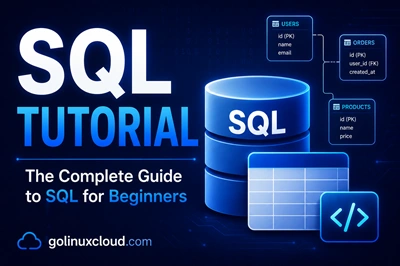
Free Online Course · Self-paced · Hands-on

SQL Tutorial for Beginners (Hands-On with Real Examples)

Free SQL tutorial with 80+ lessons on SELECT, JOINs, GROUP BY, window functions, CTEs, and transactions, with examples for MySQL, PostgreSQL, SQL Server.

  • 15 chapters
  • 84 lessons
  • ~15h
  • Beginner to Intermediate
  • Tested with MariaDB 11.4.x
  • Updated Sep 2026
SQL Tutorial for Beginners (Hands-On with Real Examples)
By Last updated

About this course

This free course starts with installing a database and writing your first SELECT, then works through inserts and updates, filtering, every JOIN type, GROUP BY and aggregates, constraints, built-in functions, window functions, CTEs, stored procedures, and transactions. The core syntax is the same on every relational engine, and when you need the full rules for a statement, the PostgreSQL documentation is a free, detailed reference to check against.

Refreshed lessons are run on three engines rather than one: MariaDB, PostgreSQL, and SQL Server. Where they disagree, for example LIMIT versus TOP, date arithmetic, or string concatenation, the lesson shows each spelling next to the others, so you can move a query from one database to another without guessing.

If SQL is new to you, go in order from Getting Started through the JOINs chapter, since the later chapters assume you can join two tables without thinking about it. If you already write queries every day, jump to ranking functions, CTEs, or transactions.

What you'll learn

  • Install a free SQL engine, connect it to VS Code, and import a .sql file
  • Create and alter tables with the right data types, defaults, and temporary tables
  • Write SELECT, INSERT, UPDATE, and DELETE statements, including updates and deletes that use a JOIN
  • Filter rows with WHERE, CASE, BETWEEN, IN, LIKE, and EXISTS, and stack results with UNION
  • Combine tables with INNER, LEFT, RIGHT, and FULL OUTER joins, including joins across several tables
  • Summarize data with GROUP BY, ORDER BY, LIMIT, and COUNT, SUM, AVG, MIN, and MAX
  • Enforce data rules with NOT NULL, CHECK, UNIQUE, and FOREIGN KEY constraints
  • Transform values with string, date, numeric, and NULL-handling functions, then rank rows, write CTEs, and run stored procedures and transactions

Who this course is for

  • Developers who write application code and want to understand the queries their ORM or teammates hand them
  • Data and BI analysts who pull reports straight from MySQL, PostgreSQL, or SQL Server
  • Sysadmins and DBAs who need to find, fix, and clean up data in a production database
  • Students preparing for technical interviews, where JOIN and GROUP BY questions come up constantly

Prerequisites

  • No programming background. If you can read a spreadsheet with rows and columns, you have the mental model SQL builds on
  • One free database engine, such as MySQL or MariaDB, PostgreSQL, or SQL Server Express or Developer edition
  • A SQL client such as VS Code with a SQL extension, DBeaver, pgAdmin, or MySQL Workbench
  • A terminal for installing the engine and importing .sql files. No paid tools or cloud accounts are needed

Versions and testing environment

Every command in this course was run on this stack

ComponentVersionNotes
MariaDB 11.4.x Stands in for MySQL. Refreshed lessons, such as ALTER TABLE, record the exact engine versions in a Tested on line
PostgreSQL 17.x Supported upstream until November 2029
Microsoft SQL Server 2022 The getting-started install steps still add the SQL Server 2019 repository on Ubuntu
VS Code — Used as the SQL client in the setup lessons. DBeaver, pgAdmin, or MySQL Workbench work just as well

Syllabus

15 chapters · 84 lessons · ~15h of reading

  1. 1 Getting Started 4 lessons · ~31 min
    1. Part 1 Getting started with SQL 16 min read
    2. Part 2 Connect a free SQL database to VS Code 7 min read
    3. Part 3 Add comments in SQL (-- and /* */) 5 min read
    4. Part 4 Import a .sql file into MySQL 3 min read
  2. 2 Data Types and Tables 10 lessons · ~1h 3m
    1. Part 5 SQL data types (INT, VARCHAR, DATE, etc.) 11 min read
    2. Part 6 CREATE TABLE statement 8 min read
    3. Part 7 ALTER TABLE and ADD COLUMN 6 min read
    4. Part 8 Add a column with a default value to an existing table 7 min read
    5. Part 9 DROP TABLE 7 min read
    6. Part 10 TRUNCATE TABLE 9 min read
    7. Part 11 Temporary tables (#temp / @table) Coming soon
    8. Part 12 INSERT INTO a temp table from a stored procedure 4 min read
    9. Part 13 Search the database for a column name 4 min read
    10. Part 14 Fix "ambiguous column name" errors 7 min read
  3. 3 SELECT Statement 7 lessons · ~59 min
    1. Part 15 SELECT TOP / LIMIT (first N rows) 8 min read
    2. Part 16 SELECT DISTINCT (remove duplicates) 8 min read
    3. Part 17 COUNT(DISTINCT col) - count unique values 16 min read
    4. Part 18 Select the first row in each group 5 min read
    5. Part 19 Select the row with the max value 8 min read
    6. Part 20 Find duplicate records 5 min read
    7. Part 21 IF / CASE WHEN inside SELECT 9 min read
  4. 4 INSERT, UPDATE, DELETE 9 lessons · ~1h 15m
    1. Part 22 INSERT INTO ... SELECT 8 min read
    2. Part 23 INSERT multiple rows in one statement 8 min read
    3. Part 24 UPDATE statement 14 min read
    4. Part 25 UPDATE from a SELECT 11 min read
    5. Part 26 UPDATE multiple columns at once Coming soon
    6. Part 27 UPDATE with a JOIN 7 min read
    7. Part 28 DELETE a row 6 min read
    8. Part 29 DELETE with a JOIN 4 min read
    9. Part 30 DELETE duplicate rows 17 min read
  5. 5 Filtering and Conditions 6 lessons · ~1h 9m
    1. Part 31 IF statement (SQL Server / MySQL) 8 min read
    2. Part 32 CASE WHEN ... THEN ... END 21 min read
    3. Part 33 BETWEEN ... AND ... 8 min read
    4. Part 34 BETWEEN with dates 10 min read
    5. Part 35 EXISTS (and NOT EXISTS) 9 min read
    6. Part 36 CONTAINS (full-text search) 13 min read
  6. 6 Operators 5 lessons · ~39 min
    1. Part 37 IN operator 8 min read
    2. Part 38 NOT IN operator 7 min read
    3. Part 39 NOT EQUAL (!= and <>) 7 min read
    4. Part 40 LIKE / NOT LIKE / wildcards 9 min read
    5. Part 41 UNION and UNION ALL 8 min read
  7. 7 JOINs 8 lessons · ~1h 37m
    1. Part 42 INNER JOIN 12 min read
    2. Part 43 LEFT JOIN 11 min read
    3. Part 44 LEFT OUTER JOIN 21 min read
    4. Part 45 LEFT JOIN with multiple tables 8 min read
    5. Part 46 RIGHT JOIN 18 min read
    6. Part 47 RIGHT OUTER JOIN 7 min read
    7. Part 48 OUTER JOIN explained 12 min read
    8. Part 49 FULL OUTER JOIN 8 min read
  8. 8 GROUP BY, ORDER BY, Aggregates 5 lessons · ~47 min
    1. Part 50 GROUP BY statement 8 min read
    2. Part 51 GROUP BY multiple columns 13 min read
    3. Part 52 ORDER BY 11 min read
    4. Part 53 LIMIT / OFFSET (pagination) 6 min read
    5. Part 54 COUNT, SUM, AVG, MIN, MAX 9 min read
  9. 9 Constraints 4 lessons · ~26 min
    1. Part 55 NOT NULL constraint 6 min read
    2. Part 56 CHECK, UNIQUE, and other domain constraints 7 min read
    3. Part 57 DROP CONSTRAINT 5 min read
    4. Part 58 FOREIGN KEY constraint 8 min read
  10. 10 String Functions 7 lessons · ~55 min
    1. Part 59 String concatenation (+, CONCAT, ||) 9 min read
    2. Part 60 CONCAT() function 8 min read
    3. Part 61 SUBSTRING() 10 min read
    4. Part 62 REPLACE() 8 min read
    5. Part 63 Remove characters from a string 10 min read
    6. Part 64 Combine rows into one string (STRING_AGG / GROUP_CONCAT) 6 min read
    7. Part 65 Escape single quotes in SQL 4 min read
  11. 11 Date and Time Functions 5 lessons · ~57 min
    1. Part 66 SQL date format 10 min read
    2. Part 67 SQL date functions 13 min read
    3. Part 68 SQL time functions 18 min read
    4. Part 69 GETDATE() - date only (no time) 8 min read
    5. Part 70 DATEADD() function 8 min read
  12. 12 Numeric and NULL-handling Functions 5 lessons · ~45 min
    1. Part 71 FLOOR() function 3 min read
    2. Part 72 ROUNDUP / round numbers in SQL 8 min read
    3. Part 73 COALESCE() function 8 min read
    4. Part 74 ISNULL() function 8 min read
    5. Part 75 SQL functions - overview 18 min read
  13. 13 Window Functions and CTEs 3 lessons · ~31 min
    1. Part 76 RANK() function 10 min read
    2. Part 77 RANK vs DENSE_RANK vs ROW_NUMBER 12 min read
    3. Part 78 WITH clause (Common Table Expressions) 9 min read
  14. 14 Stored Procedures and Triggers 2 lessons · ~9 min
    1. Part 79 Stored procedures - examples 9 min read
    2. Part 80 Triggers in SQL Coming soon
  15. 15 Transactions and Advanced 4 lessons · ~39 min
    1. Part 81 SQL transactions explained (ACID) 7 min read
    2. Part 82 Mapping cardinality (1:1, 1:N, N:M) 11 min read
    3. Part 83 Build a related-tags search in MySQL 9 min read
    4. Part 84 Send an email at a specific time (SSRS) 12 min read

Hands-on labs

6 guided builds you run yourself

  1. Set up a free database and query it from VS Code

    Pick a free engine such as MySQL or SQLite, connect VS Code to it, and run your first queries from the editor.

  2. Find and delete duplicate rows

    Identify duplicates with GROUP BY and joins, then delete the extra copies while keeping one row of each.

  3. Rank rows with window functions

    Compare RANK, DENSE_RANK, and ROW_NUMBER on the same data and see how each one handles ties.

  4. Break a long query into CTEs

    Name intermediate results with WITH blocks so a long query reads top to bottom and each step can be checked on its own.

  5. Commit and roll back a transaction

    Group statements into one unit with COMMIT, ROLLBACK, and SAVEPOINT, and see the ACID properties in action.

  6. Build a tag search in MySQL

    Store tags as a comma-separated column and then as a relational association table, and compare how each one searches.

Where to go after this course

  • PostgreSQL documentationEach SQL command page ends with a Compatibility section that tells you which parts are standard SQL and which are PostgreSQL extensions.
  • Python courseRun your queries from application code and scripts instead of a SQL client.
  • Pandas coursePull query results into DataFrames for reshaping, cleaning, and plotting.

Frequently Asked Questions

What is the difference between SQL and MySQL?

SQL is the language. MySQL is one database server that understands it, alongside PostgreSQL, SQL Server, MariaDB, Oracle Database, and SQLite. They share the same core statements, so a SELECT with a JOIN and a GROUP BY reads the same everywhere. The differences show up in date and string functions, row limiting, and stored procedure syntax, which is why the lessons call them out.

Which database should I learn SQL on first?

Use the one your job or course already uses, because the core carries over. If you have no preference, PostgreSQL follows the SQL standard closely and is free on every platform. MySQL and MariaDB are common on web hosting and PHP stacks, and SQL Server is the usual choice in Microsoft environments. Whichever you pick, the early chapters run with little or no change.

What is the difference between WHERE and HAVING?

WHERE filters individual rows before they are grouped. HAVING filters the groups after GROUP BY has built them and the aggregates are calculated. So "orders over 100" belongs in WHERE, while "customers whose orders add up to more than 1000" needs HAVING SUM(amount) > 1000.

Why does my query fail with "must appear in the GROUP BY clause"?

Every column in the SELECT list must either be inside an aggregate such as COUNT or MAX, or be listed in GROUP BY. Otherwise the database has several values per group and no rule for choosing one. PostgreSQL and SQL Server reject the query, and so does MySQL under its default ONLY_FULL_GROUP_BY mode. MariaDB accepts it by default and returns a value from an arbitrary row, which is worse because the result looks correct. Add the column to GROUP BY or wrap it in an aggregate.

Can I practise SQL without installing a database server?

Yes. SQLite stores the whole database in one file and needs no server process, so you can start with the sqlite3 command-line tool or a VS Code extension. It handles most of the SELECT, JOIN, and GROUP BY lessons. Move to MySQL, MariaDB, PostgreSQL, or SQL Server for the stored procedure lessons, since SQLite does not support stored procedures.

Deepak Prasad

R&D Engineer

Founder of GoLinuxCloud with 15+ years of expertise in Linux, Python, Go, Laravel, DevOps, Kubernetes, Git, Shell scripting, OpenShift, AWS, Networking, and Security. With extensive experience, he excels across development, DevOps, networking, and security, delivering robust and efficient solutions for diverse projects.

  • Go (programming language)
  • Python (programming language)
  • DevOps
  • Computer Security
  • Cloud Computing
  • Kubernetes
  • Linux
  • Ansible (software)