
| Tested on | Red Hat Enterprise Linux 10.2 (Coughlan) |
|---|---|
| Package | Helm v3.22.0codecentric/keycloakx chart 7.3.1 (app 26.7.3)quay.io/keycloak/keycloak:26.7.3mirror.gcr.io/library/postgres:16 |
| Applies to | Any Kubernetes cluster with Helm 3 and permission to create Deployments or StatefulSets, Services, and Secrets |
| Privilege | Namespace admin rights for the Helm release; cluster-admin when chart values request cluster-scoped RBAC |
| Lab environment | Existing Kubernetes cluster — commands were verified on a single-node kind cluster (Kubernetes v1.32.2) |
| Scope | Compare third-party Keycloak Helm charts with the official Keycloak Operator, install Keycloak 26.7.3 with the codecentric/keycloakx chart and external PostgreSQL, configure bootstrap admin credentials, upgrade and uninstall the release — not cluster creation, production Ingress/TLS, or realm import automation |
| Related guides | Install Keycloak with Docker Compose |
In this article we install Keycloak on Kubernetes with Helm — but first we answer a question many guides skip: Keycloak upstream does not publish an official Helm chart for the Keycloak server itself.
- The supported Kubernetes path from the Keycloak project is the Keycloak Operator
- Helm remains useful when you deliberately choose a maintained community chart and accept third-party packaging trade-offs
When you finish this walkthrough:
- Keycloak
26.7.3runs from acodecentric/keycloakxHelm release backed by PostgreSQL - You can sign in to the Admin Console through
kubectl port-forward - You can decide when a community Helm chart fits your platform versus the Keycloak Operator path
If you only need the finished values YAML, jump to Create the Keycloak values file.
Does Keycloak have an official Helm chart?
No. As of Keycloak 26.7.x, upstream distributes Kubernetes support through the Keycloak Operator, not through a first-party Helm chart for the Keycloak server.
The official install paths are:
- Operator Lifecycle Manager (OLM) on OpenShift or clusters that already run OLM
- Kustomize manifests from the
keycloak/keycloak-k8s-resourcesrepository, for examplekubectl apply -k 'github.com/keycloak/keycloak-k8s-resources/kubernetes?ref=26.7.3'
Third parties publish Helm charts that wrap Keycloak as a StatefulSet or Deployment. Some charts wrap the Operator instead of the server. Those charts are not maintained by the Keycloak core team, and their defaults, images, and upgrade behavior differ from the Operator path.
If your search query is "Keycloak Helm chart Kubernetes", you are usually looking for one of those community charts — or you may actually want the Operator guide linked above.
Keycloak Helm chart options
Because Keycloak does not publish its own server Helm chart, choosing a Helm chart also means choosing who maintains the packaging around Keycloak.
Helm chart quality changes over time. Check chart version, app version, default container image, and last update before you pin a release in production.
| Chart | Maintainer | Default Keycloak image | Database | Example chart/app version when reviewed | Update posture |
|---|---|---|---|---|---|
codecentric/keycloakx |
codecentric AG (community) | quay.io/keycloak/keycloak (official Quay image) |
External PostgreSQL via database.* values; dev H2 if unset |
7.3.1 / 26.7.3 |
Active; chart appVersion tracks recent Keycloak releases |
bitnami/keycloak |
Broadcom Bitnami | Bitnami-packaged Keycloak image (historical images may appear under bitnamilegacy/*) |
Optional bundled PostgreSQL subchart | 25.4.0 / 26.3.3 |
26.3.3 application version when reviewed; behind Keycloak 26.7.x. Verify current chart and image availability before adopting |
adfinis/keycloak (and similar) |
Community / vendor | Installs the Keycloak Operator, not a standalone server chart | Via Operator CR | Varies | Different goal — Operator install via Helm, not direct Keycloak Pod chart |
This guide deliberately installs codecentric/keycloakx because it:
- Uses the official Quay Keycloak image
- Ships current
26.7.xchart versions - Documents a plain PostgreSQL-backed
startdeployment
Treat bitnami/keycloak as a separate decision: compare Bitnami licensing, image lineage, and chart freshness against your Keycloak version target before you adopt it.
List current chart versions before you install. If Helm releases are new to you, Deploy Applications on Kubernetes with Helm explains repositories, helm install, upgrades, and rollbacks.
Helm repositories are indexes from which the Helm CLI discovers downloadable charts. Add codecentric's repository so Helm can locate keycloakx:
helm repo add codecentric https://codecentric.github.io/helm-chartsRefresh the local chart index:
helm repo updateSearch for the pinned chart line:
helm search repo codecentric/keycloakx --versions | head -n 5Sample output:
NAME                 	CHART VERSION	APP VERSION	DESCRIPTION
codecentric/keycloakx	7.3.1        	26.7.3     	Keycloak.X - Open Source Identity and Access Ma...
codecentric/keycloakx	7.3.0        	26.7.2     	Keycloak.X - Open Source Identity and Access Ma...
codecentric/keycloakx	7.2.3        	26.6.4     	Keycloak.X - Open Source Identity and Access Ma...
codecentric/keycloakx	7.2.2        	26.6.4     	Keycloak.X - Open Source Identity and Access Ma...
codecentric/keycloakx	7.2.0        	26.6.2     	Keycloak.X - Open Source Identity and Access Ma...
The chart version identifies the Helm packaging, while APP VERSION identifies the Keycloak version that chart release is designed to deploy.
Choose a chart release whose app version matches the Keycloak version you intend to run.
Helm vs Keycloak Operator
Both paths run Keycloak on Kubernetes, but they optimize for different operators.
| Topic | Helm (codecentric/keycloakx) |
Keycloak Operator (official) |
|---|---|---|
| Deployment lifecycle | Helm release owns StatefulSet, Services, Secrets | Operator reconciles Keycloak custom resources |
| Upgrades | helm upgrade with chart + values diff |
Change CR spec or Operator version; Operator rolls Pods |
| Configuration | Chart values, extraEnv, command args |
CR fields (spec.http, spec.hostname, database secret refs, …) |
| Database | You provision PostgreSQL (or rely on dev defaults) | You provision PostgreSQL; CR references Secrets |
| Realm imports | Manual job or chart-specific automation | Operator provides a documented KeycloakRealmImport workflow |
| Upstream support | Community chart; verify issues on chart repo | Keycloak project's documented Kubernetes integration |
| Complexity | Familiar to teams already standardized on Helm | Extra CRD + Operator install, closer to upstream docs |
- Use the Operator when you want Keycloak's first-party Kubernetes lifecycle tooling and documentation
- Use a community Helm chart when your platform deliberately standardizes on Helm and you accept the chart's separate maintenance lifecycle
What this Helm lab creates
At the end of this lab you will have:
- Namespace
keycloak-helmwith a PostgreSQL StatefulSet and Servicekeycloak-db-postgresql - Helm release
keycloakfrom chartcodecentric/keycloakx7.3.1 - Keycloak Pod
keycloak-keycloakx-0usingquay.io/keycloak/keycloak:26.7.3 - ClusterIP Service
keycloak-keycloakx-httpfor HTTP on port80inside the cluster - Bootstrap admin user
adminwith password supplied through the chart'ssecretsvalues block
  ┌─────────────┐   JDBC :5432    ┌──────────────────────────┐
  │ Helm release│ ──────────────► │ PostgreSQL StatefulSet   │
  │ keycloak    │                 │ keycloak-db-postgresql   │
  └──────┬──────┘                 │ (emptyDir — lab only)    │
         │                        └──────────────────────────┘
         │ StatefulSet keycloak-keycloakx
         ▼
  ┌──────────────────────────┐      kubectl port-forward
  │ quay.io/keycloak/keycloak│ ───► http://127.0.0.1:8080/auth/
  └──────────────────────────┘
Keycloak stores its realm data in PostgreSQL rather than its embedded development database.
- The lab-tested PostgreSQL instance uses
emptyDir, so its data survives a container restart within the same Pod but is lost when the PostgreSQL Pod is replaced - Reinstalling only the Keycloak Helm release does not delete PostgreSQL
- Replacing the lab PostgreSQL Pod loses its database
Requirements
You need a working Kubernetes cluster and Helm 3 before any chart install.
- If
kubectlis not configured yet, see Install kubectl and configure kubeconfig - To build a multi-node lab cluster from scratch, follow install Kubernetes with kubeadm first
Confirm the API server answers:
kubectl get nodesSample output:
NAME                         STATUS   ROLES           AGE   VERSION
keycloak-lab-control-plane   Ready    control-plane   45m   v1.32.2
Ready in the STATUS column means the cluster API is reachable.
Confirm Helm 3 is available:
helm version --shortSample output:
v3.22.0+g144ca65The v3.x prefix confirms Helm 3, which this chart requires.
This guide pins codecentric/keycloakx chart version 7.3.1, whose appVersion is Keycloak 26.7.3.
Before using another chart version, run helm search repo codecentric/keycloakx --versions and verify the corresponding Keycloak application version. Allow about 4 GiB of free memory on small single-node labs while PostgreSQL and Keycloak start.
Choose how to configure Keycloak with Helm
A Helm chart is a collection of Kubernetes manifest templates. A values.yaml file supplies inputs to those templates.
Helm combines the chart templates with your values and generates Kubernetes resources such as StatefulSets, Services, and Secrets. The codecentric/keycloakx chart does not pass values.yaml itself to Keycloak. Instead, it converts relevant values into:
- Container arguments
- Environment variables
- Volumes
- Other Kubernetes configuration
Keycloak reads server options from environment variables with the KC_ prefix — for example, health-enabled becomes KC_HEALTH_ENABLED.
| Method | Example | Best suited for |
|---|---|---|
| Chart-specific values | database.vendor: postgres |
Settings the chart maps to KC_* variables for you |
command |
start, --http-port=8080, --hostname-strict=false |
Startup mode and CLI flags; outrank matching KC_* variables |
extraEnv |
KC_BOOTSTRAP_ADMIN_* from a Secret |
Additional KC_* variables when the chart has no dedicated value |
Mounted keycloak.conf |
Chart extraVolumes + extraVolumeMounts |
Advanced file-based configuration; see chart values and the Keycloak configuration guide |
You can combine methods — for example, database.* for JDBC settings and extraEnv for bootstrap credentials from a Kubernetes Secret.
The chart's command: value becomes the command executed inside the Keycloak container. In this lab it runs kc.sh start and passes additional Keycloak CLI options — not start-dev; see Keycloak start vs start-dev for why this walkthrough uses production start with external PostgreSQL.
extraEnvlets you add environment variables to the Keycloak container when the chart does not expose a dedicated value for what you needextraEnvis a template-rendered string in this chart, which is why Helm expressions such as{{ include "keycloak.fullname" . }}work inside it
This guide uses chart-specific values (database.*, command) plus extraEnv and the chart's secrets block for bootstrap admin credentials. The chart also injects defaults you did not set — for example KC_HTTP_RELATIVE_PATH=/auth, which is why the Admin Console URL includes /auth/ later.
For build-time vs runtime options, precedence, mounted keycloak.conf details, and troubleshooting, see Keycloak keycloak.conf configuration.
Configure PostgreSQL
Keycloak running with the production profile expects a real database. The chart's database section maps to Keycloak's --db-* settings.
Create the lab namespace:
kubectl create namespace keycloak-helmIf the namespace already exists, Kubernetes reports AlreadyExists; continue using the existing namespace if it belongs to this lab.
Lab-tested path — minimal ephemeral PostgreSQL StatefulSet
This walkthrough uses a single PostgreSQL Pod backed by emptyDir. That ephemeral volume type is covered in Kubernetes volumes.
- Data survives a container restart inside that Pod, but not replacement of the PostgreSQL Pod
- Use this only for a disposable lab
- For persistent Kubernetes storage, use a PersistentVolume and PVC or an externally managed PostgreSQL database
The manifest uses a StatefulSet because PostgreSQL is a stateful workload and the stable Pod name makes the lab predictable, but emptyDir deliberately keeps this example disposable. A production StatefulSet would normally use a volumeClaimTemplate or external database storage.
POSTGRES_USER, POSTGRES_PASSWORD, and POSTGRES_DB initialize PostgreSQL only when the data directory is empty. Changing them later does not automatically change an existing role or database name.
The manifest uses mirror.gcr.io/library/postgres:16 because the test cluster hit Docker Hub pull-rate limits. postgres:16 is the normal official image reference; use your organization's registry or mirror policy in real environments.
Save this manifest as keycloak-db-postgresql.yaml:
apiVersion: v1
kind: Service
metadata:
  name: keycloak-db-postgresql
  namespace: keycloak-helm
spec:
  ports:
  - port: 5432
    targetPort: 5432
  selector:
    app: keycloak-db-postgresql
---
apiVersion: apps/v1
kind: StatefulSet
metadata:
  name: keycloak-db-postgresql
  namespace: keycloak-helm
spec:
  serviceName: keycloak-db-postgresql
  replicas: 1
  selector:
    matchLabels:
      app: keycloak-db-postgresql
  template:
    metadata:
      labels:
        app: keycloak-db-postgresql
    spec:
      containers:
      - name: postgresql
        image: mirror.gcr.io/library/postgres:16
        imagePullPolicy: IfNotPresent
        ports:
        - containerPort: 5432
        env:
        - name: POSTGRES_USER
          value: dbusername
        - name: POSTGRES_PASSWORD
          value: dbpassword
        - name: POSTGRES_DB
          value: keycloak
        - name: PGDATA
          value: /var/lib/postgresql/data/pgdata
        readinessProbe:
          exec:
            command: ["sh", "-c", "pg_isready -U dbusername -d keycloak"]
          initialDelaySeconds: 5
          periodSeconds: 5
        volumeMounts:
        - name: pgdata
          mountPath: /var/lib/postgresql/data
      volumes:
      - name: pgdata
        emptyDir: {}
The Service selector matches the app: keycloak-db-postgresql label on the PostgreSQL Pod. That label-to-selector wiring is how Kubernetes Services route traffic; here, connections to the Service on port 5432 reach that Pod.
Apply the manifest:
kubectl apply -f keycloak-db-postgresql.yamlSample output:
service/keycloak-db-postgresql created
statefulset.apps/keycloak-db-postgresql created
Wait until the StatefulSet reports ready:
kubectl -n keycloak-helm rollout status statefulset/keycloak-db-postgresql --timeout=120sSample output:
Waiting for 1 pods to be ready...
partitioned roll out complete: 1 new pods have been updated...
The StatefulSet rollout completes after the PostgreSQL Pod becomes Ready. In this manifest:
- The readiness probe runs
pg_isready - Ready means PostgreSQL is accepting database connections with the configured database and user check
helm repo add bitnami https://charts.bitnami.com/bitnami, then install a separate release such as helm install keycloak-db bitnami/postgresql --namespace keycloak-helm --values keycloak-db-values.yaml and follow the chart documentation for credentials and Service naming. That path was not used in the lab output shown here.
Create the Keycloak values file
For Keycloak 26.7.x, reference bootstrap administrator credentials from a Kubernetes Secret through extraEnv. The database.* keys must match the PostgreSQL user, password, and database name you provisioned above.
The chart can run a small dbchecker init container before Keycloak starts. Its job is to wait until PostgreSQL accepts connections.
This lab disables it because:
- We already wait for PostgreSQL to become Ready before installing Keycloak
- The test environment encountered Docker Hub limits while pulling its BusyBox image
Point the Keycloak release at the PostgreSQL Service with this complete keycloak-server-values.yaml:
command:
  - "/opt/keycloak/bin/kc.sh"
  - "--verbose"
  - "start"
  - "--http-port=8080"
  - "--hostname-strict=false"

dbchecker:
  enabled: false

database:
  vendor: postgres
  hostname: keycloak-db-postgresql.keycloak-helm.svc.cluster.local
  port: 5432
  username: dbusername
  password: dbpassword
  database: keycloak

extraEnv: |
  - name: KC_BOOTSTRAP_ADMIN_USERNAME
    valueFrom:
      secretKeyRef:
        name: {{ include "keycloak.fullname" . }}-admin-creds
        key: user
  - name: KC_BOOTSTRAP_ADMIN_PASSWORD
    valueFrom:
      secretKeyRef:
        name: {{ include "keycloak.fullname" . }}-admin-creds
        key: password

secrets:
  admin-creds:
    stringData:
      user: admin
      password: ChangeMe!2026
values.yaml
↓
chart creates Kubernetes Secret
↓
extraEnv references keys in Secret
↓
Kubernetes injects KC_BOOTSTRAP_ADMIN_* into Keycloak Pod
↓
Keycloak creates temporary bootstrap administratorThe secrets.admin-creds block asks the chart to create a Kubernetes Secret. extraEnv references the user and password keys from that Secret and exposes them to Keycloak as KC_BOOTSTRAP_ADMIN_USERNAME and KC_BOOTSTRAP_ADMIN_PASSWORD.
For this lab:
- The chart creates a Kubernetes Secret from credentials stored in
values.yaml, andextraEnvreferences that Secret - This keeps the credentials out of the rendered Pod environment definition
- The password is still present in your Helm values and Helm release data
For production, use an externally managed Kubernetes Secret or another secrets-management workflow.
Kubernetes gives Services DNS names. In database.hostname:
keycloak-db-postgresql— Service namekeycloak-helm— namespacesvc.cluster.local— cluster Service DNS suffix
Because Keycloak and PostgreSQL are in the same namespace, the shorter hostname keycloak-db-postgresql would also work in a standard Kubernetes DNS setup; the full name makes the target explicit.
Save that file as keycloak-server-values.yaml and pass it to helm install or helm upgrade.
The chart's command: value runs kc.sh start and passes the CLI options shown above.
--hostname-strict=falseallows this local port-forward lab to run without configuring a fixed production hostname- Do not treat that flag as production hostname configuration
After Keycloak creates the master realm, bootstrap variables are ignored for day-to-day admin login. For a longer-lived setup, use the temporary account to establish normal administrative access, then follow the Keycloak bootstrap admin guide for the appropriate cleanup lifecycle.
database.vendor: postgres selects PostgreSQL as Keycloak's database vendor. The stock image used here handles this setting during startup; optimized production images normally set the database vendor while building the image.
For deeper database tuning and backup expectations, see Configure Keycloak with PostgreSQL.
Install the Keycloak Helm chart
helm install renders the chart with your values and submits the generated Kubernetes resources to the keycloak-helm namespace.
The release name keycloak is how Helm tracks this installation for later upgrades, history, rollback, and uninstall.
In this command:
- Release —
keycloak - Chart —
codecentric/keycloakx - Chart version —
7.3.1 - Namespace —
keycloak-helm - Values —
keycloak-server-values.yaml
Install Keycloak from the pinned chart version and the values file you just created:
helm install keycloak codecentric/keycloakx \
  --namespace keycloak-helm \
  --version 7.3.1 \
  --values keycloak-server-values.yaml
Sample output:
NAME: keycloak
LAST DEPLOYED: Mon Sep 14 22:53:18 2026
NAMESPACE: keycloak-helm
STATUS: deployed
REVISION: 1
STATUS: deployed means Helm successfully created or updated the release; it does not prove the Keycloak Pod is Ready. The next kubectl wait checks workload readiness.
Helm creates a StatefulSet named {release}-{chart} — here keycloak-keycloakx — plus ClusterIP Services for HTTP and headless discovery.
Wait until the Keycloak Pod reports Ready:
kubectl -n keycloak-helm wait --for=condition=Ready pod/keycloak-keycloakx-0 --timeout=180sSample output:
pod/keycloak-keycloakx-0 condition metFirst bootstrap on PostgreSQL commonly takes 60–90 seconds after the Pod starts. If kubectl wait times out, use kubectl logs, events, and describe to inspect the Pod before you change values.
Inspect Services and Pods:
kubectl -n keycloak-helm get svc,podsSample output:
NAME                                  TYPE        CLUSTER-IP      EXTERNAL-IP   PORT(S)
service/keycloak-db-postgresql        ClusterIP   10.96.254.157   <none>        5432/TCP
service/keycloak-keycloakx-headless   ClusterIP   None            <none>        80/TCP
service/keycloak-keycloakx-http       ClusterIP   10.96.131.165   <none>        9000/TCP,80/TCP,8443/TCP

NAME                           READY   STATUS    RESTARTS   AGE
pod/keycloak-db-postgresql-0   1/1     Running   0          6m
pod/keycloak-keycloakx-0       1/1     Running   0          3m
1/1 means the Pod has one container and Kubernetes currently considers that container Ready.
- Running alone is not enough; the Ready column shows Kubernetes considers the container ready to receive traffic
- For PostgreSQL, that includes the
pg_isreadyreadiness probe defined above
When both Pods show 1/1 Ready, PostgreSQL and Keycloak are up.
PostgreSQL shows 5432/TCP without a host mapping because this lab does not publish the database outside the cluster. Keycloak reaches PostgreSQL on port 5432 through the cluster Service DNS name in database.hostname.
The HTTP Service name {release}-keycloakx-http is what you port-forward below.
Access Keycloak
The chart exposes HTTP on Service port 80 with default relative path /auth. Reach it locally with kubectl port-forward:
kubectl -n keycloak-helm port-forward svc/keycloak-keycloakx-http 8080:80Port-forward prints no output when it binds; leave that terminal open. From another shell, check the HTTP response with curl:
curl -s -o /dev/null -w '%{http_code}\n' http://127.0.0.1:8080/auth/Sample output:
302HTTP 302 is a redirect response. Here it is expected: /auth/ redirects your browser toward Keycloak's login flow, so the response confirms that Keycloak is answering on the chart default path.
Open the Admin Console in a browser:
http://127.0.0.1:8080/auth/admin/Sign in with the bootstrap user from your values file (admin / ChangeMe!2026 here).
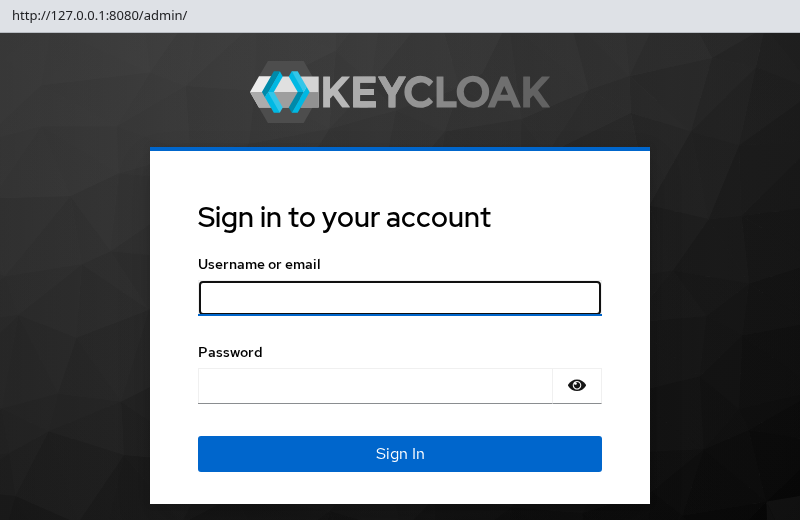
The login form confirms that the Admin Console is reachable.
Change Keycloak configuration after installation
After you change keycloak-server-values.yaml, apply the new settings with:
helm upgrade keycloak codecentric/keycloakx \
  --namespace keycloak-helm \
  --version 7.3.1 \
  --values keycloak-server-values.yaml
Sample output:
Release "keycloak" has been upgraded. Happy Helming!Helm stores each successful upgrade as a new revision.
- A Helm revision represents a stored release state created by an install, upgrade, or rollback
- Every successful install or upgrade increments the revision, which is why Helm can roll the release back to an earlier state — for example,
helm rollback keycloak 2 -n keycloak-helm
If the rendered StatefulSet Pod template changes, Kubernetes performs a StatefulSet rollout so the Keycloak Pod is recreated with the new configuration. A values change that does not alter the rendered Pod template will not necessarily restart the Pod.
Keep each setting in one delivery method:
- Arguments in
commandoutrankKC_*variables fromextraEnvor chart defaults - Do not set
--http-port=8080incommandand also addKC_HTTP_PORTtoextraEnv
Changing database.* credentials in values alone does not change passwords inside an existing PostgreSQL database. Update the role in PostgreSQL and match Keycloak's database.* settings, or rebuild the database on a disposable lab.
For resolved values and precedence rules, use the show-config workflow in the Keycloak configuration guide.
Review release history before and after changes:
helm history keycloak -n keycloak-helmSample output:
REVISION	UPDATED                 	STATUS    	CHART          	APP VERSION	DESCRIPTION
1       	Mon Sep 14 22:53:18 2026	superseded	keycloakx-7.3.1	26.7.3     	Install complete
2       	Mon Sep 14 22:55:33 2026	superseded	keycloakx-7.3.1	26.7.3     	Upgrade complete
3       	Mon Sep 14 22:59:06 2026	deployed  	keycloakx-7.3.1	26.7.3     	Upgrade complete
The latest row with deployed status is the active revision. Roll back with helm rollback keycloak <revision> -n keycloak-helm when an upgrade misbehaves.
Pin a new chart or app version with --version, read the Keycloak release notes before you upgrade production data, and watch Pod readiness the same way as the initial install.
Uninstall the Keycloak Helm release
Stop any running kubectl port-forward session first.
Uninstall the Keycloak Helm release:
helm uninstall keycloak -n keycloak-helmRemove PostgreSQL depending on how you installed it:
- Lab-tested manual StatefulSet:
kubectl delete -f keycloak-db-postgresql.yaml- Bitnami PostgreSQL chart:
helm uninstall keycloak-db -n keycloak-helmDelete the namespace when the lab is finished:
kubectl delete namespace keycloak-helm --wait=true --timeout=120sDeleting the namespace removes any remaining namespaced Secrets and other lab resources. Do not delete the namespace if it contains unrelated workloads.
Common Helm problems
| Symptom | Likely cause | Fix |
|---|---|---|
Init container dbchecker stuck in ImagePullBackOff |
Docker Hub rate limit on busybox |
Confirm PostgreSQL is ready; set dbchecker.enabled: false or mirror the init image |
Keycloak Pod CrashLoopBackOff after install or upgrade |
Keycloak startup failure: invalid option, database connection or migration error, incompatible image or config | kubectl logs -n keycloak-helm keycloak-keycloakx-0 --previous; inspect the actual Keycloak error before changing values |
| Admin login fails despite successful install | Wrong bootstrap Secret or realm already initialized with different password | Check {release}-keycloakx-admin-creds; recreate only on a fresh database |
helm upgrade shows no Pod change |
Values typo or change did not alter the Pod template | Run helm get values keycloak -n keycloak-helm to confirm stored values; use helm get manifest to inspect what the installed release rendered, or helm template to preview what a candidate values file would render; confirm your change reaches the StatefulSet Pod spec |
| Browser shows wrong host or redirect loop | hostname-strict or Ingress rules disagree with port-forward URL |
For local labs keep --hostname-strict=false; configure ingress.* for real hostnames |
| PostgreSQL connection errors | Service name or credentials mismatch | Match database.hostname to PostgreSQL Service DNS; verify username, password, and database name agree on both sides |
rendered manifests contain a resource that already exists |
Leftover Secret or Service from a prior install or manual kubectl create |
helm uninstall the old release, delete the conflicting object, or follow rendered manifests already exist for shared resources |
| Data missing after PostgreSQL Pod replacement | Lab PostgreSQL uses emptyDir |
Expected on this lab path; use a PVC or external PostgreSQL for durable storage |
Summary
Keycloak upstream ships the Operator for Kubernetes, not an official Keycloak server Helm chart. Community charts such as codecentric/keycloakx and bitnami/keycloak fill that gap with different images, freshness, and support expectations — and Operator-wrapper charts are a third category entirely.
In this lab we:
- Installed Keycloak
26.7.3withcodecentric/keycloakx7.3.1and ephemeral lab PostgreSQL - Stored bootstrap admin credentials in chart values and injected them through a chart-created Kubernetes Secret
- Verified HTTP through
kubectl port-forwardon the/auth/path - Used chart-specific values,
command, andextraEnvto deliver configuration to the Pod
Change settings with helm upgrade and roll back through Helm revision history when needed.
To tear down the lab:
- Run
helm uninstall keycloak - Delete the PostgreSQL manifest, or
helm uninstall keycloak-dbwhen you used the Bitnami chart - Delete the namespace
Helm does not remove PostgreSQL you installed outside the Keycloak release.
- Use the Operator when you want Keycloak's first-party Kubernetes lifecycle tooling
- Use Helm when your platform standardizes on chart releases and you accept the community chart's separate maintenance lifecycle
For the Operator walkthrough on the same Keycloak version, use the Operator guide linked in the scope alert at the top of this page.
References
- Keycloak Kubernetes guide
- Keycloak Operator documentation
- Keycloak server configuration
- codecentric keycloakx Helm chart
- Helm documentation
Frequently Asked Questions
Does Keycloak publish an official Helm chart for the server?
No. Upstream documents the Keycloak Operator for Kubernetes. Helm charts that install Keycloak Pods come from third-party maintainers such as codecentric or Bitnami.
Which Keycloak Helm chart does this guide install?
The codecentric/keycloakx chart pinned at version 7.3.1, deploying application version 26.7.3 with the official quay.io/keycloak/keycloak image.
Why does the Admin Console URL include /auth/?
The chart sets http.relativePath to /auth by default for compatibility with older Keycloak paths. Port-forward to the HTTP Service and open /auth/admin/.
Can I use the Bitnami Keycloak Helm chart instead?
You can, but verify before you adopt it:
- Chart app version and container image source
- Bitnami licensing and support model
- Bitnami changed its free image and catalog publishing model in 2025; historical images may be available through
bitnamilegacy
Does helm uninstall delete PostgreSQL?
No. PostgreSQL installed separately — Bitnami release or manual StatefulSet — remains until you delete that release or manifest.
