
| Tested on | Red Hat Enterprise Linux 10.2 (Coughlan) |
|---|---|
| Package | kubectl (stable channel)quay.io/keycloak/keycloak-operator:26.7.3quay.io/keycloak/keycloak:26.7.3postgres:16 |
| Applies to | Any Kubernetes cluster with kubectl access and permission to install cluster-scoped CRDs for the Operator |
| Privilege | Cluster-admin or equivalent permissions to install the Operator and cluster-scoped CRDs; sufficient namespace permissions to create Secrets, StatefulSets, Services, and Keycloak custom resources |
| Lab environment | Existing Kubernetes cluster — commands were verified on a single-node kind cluster (Kubernetes v1.32.2) |
| Scope | Install the Keycloak Operator, provision PostgreSQL separately, deploy a Keycloak custom resource with spec.bootstrapAdmin, verify pods and database connectivity, reach the Admin Console with kubectl port-forward, and remove the lab stack in reverse order — not cluster creation, Helm charts, Ingress/TLS production layout, or realm import |
The Keycloak Operator manages Keycloak on Kubernetes from a Keycloak custom resource. Instead of creating and maintaining Keycloak StatefulSets and Services yourself, you describe the Keycloak instance you want and let the Operator manage those resources.
This guide installs the Operator on an existing Kubernetes cluster, adds a small PostgreSQL database for the lab, and deploys Keycloak 26.7.3. We will access the Admin Console locally with kubectl port-forward. If you prefer a community Helm chart instead of the Operator, see Install Keycloak with Helm for chart options and a codecentric/keycloakx walkthrough.
Requirements
You need a working Kubernetes cluster before you run any step here. If kubectl is not configured yet, see Install kubectl and configure kubeconfig. To provision your own cluster first, use install Kubernetes with kubeadm.
Confirm the API server answers:
kubectl get nodesSample output:
NAME                         STATUS   ROLES           AGE   VERSION
keycloak-lab-control-plane   Ready    control-plane   38s   v1.32.2
Your node names and Kubernetes version will differ; the important signal is Ready in the STATUS column.
The Operator installs cluster-wide Custom Resource Definitions, so confirm your account can create CRDs:
kubectl auth can-i create customresourcedefinitions --all-namespacesSample output:
yesyes confirms your account can create Operator CRDs cluster-wide.
For this single-node lab, provide about 4 GiB of available memory. The Operator's default Keycloak container configuration alone requests about 1700Mi and limits memory to 2Gi; PostgreSQL, the Operator, and Kubernetes also need memory. One CPU is sufficient for this small lab. Production sizing depends on workload and replica count.
You also need permission to create Secrets, StatefulSets, Services, and Keycloak custom resources in your target namespace.
This guide uses namespace keycloak, Keycloak 26.7.3, and PostgreSQL 16. Pin the Operator manifest tag to the same Keycloak version.
How the Keycloak Operator works
Before you install the Operator, it helps to know what it adds to Kubernetes.
                Keycloak CRD
                     ↓
       adds "Keycloak" resource type
                     ↓
                Keycloak CR
                     ↓
    describes desired Keycloak instance
                     ↓
        Keycloak Operator watches it
                     ↓
creates/updates Keycloak workload + Services
The Operator installs a Custom Resource Definition (CRD) that adds Keycloak as a resource type Kubernetes understands.
Later, we'll create a Keycloak resource named keycloak-lab. That resource tells the Operator how many Keycloak Pods we want, which database to use, and how Keycloak should be exposed.
The Operator then keeps the actual Kubernetes resources in sync with that configuration. For example, if you change spec.instances from 1 to 2, the Operator creates the additional Keycloak Pod. This process is called reconciliation.
Install the Keycloak Operator
This guide installs the Operator directly with Keycloak's versioned Kustomize bundle, which works well for the existing Kubernetes cluster used here. Keycloak also supports installation through Operator Lifecycle Manager (OLM) on clusters where OLM is already available.
Create the namespace first:
kubectl create namespace keycloakIf the namespace already exists, Kubernetes reports AlreadyExists; continue only if the existing namespace is appropriate for this installation.
Keycloak publishes the Operator resources as a versioned Kustomize bundle.
The -k flag tells kubectl to process a Kustomize directory rather than a single YAML file. Here the directory comes directly from Keycloak's versioned GitHub repository, so one command installs the Operator Deployment, RBAC, CRDs, and related resources for that release.
Apply the Operator manifest pinned to Keycloak 26.7.3:
kubectl apply -k 'github.com/keycloak/keycloak-k8s-resources/kubernetes?ref=26.7.3'Sample output (trimmed):
customresourcedefinition.apiextensions.k8s.io/keycloaks.k8s.keycloak.org created
serviceaccount/keycloak-operator created
deployment.apps/keycloak-operator created
The CRD itself is cluster-scoped, which makes Kubernetes aware of the Keycloak resource type across the cluster. However, this default Operator installation reconciles Keycloak resources only in its watched namespace (keycloak). A separate cluster-wide installation mode exists when one Operator must manage multiple namespaces.
Wait until the Operator Deployment reports ready:
kubectl -n keycloak rollout status deployment/keycloak-operator --timeout=180sSample output:
deployment "keycloak-operator" successfully rolled outCheck the Operator Pod is Running:
kubectl -n keycloak get pods -l app.kubernetes.io/name=keycloak-operatorSample output:
NAME                                 READY   STATUS    RESTARTS   AGE
keycloak-operator-57fc56c5bb-7ql7h   1/1     Running   0          61s
Confirm the Keycloak CRDs registered:
kubectl get crd | grep keycloakSample output:
keycloaks.k8s.keycloak.org              2026-09-14T16:40:44Z
keycloakrealmimports.k8s.keycloak.org   2026-09-14T16:40:44Z
A Running Operator Pod and a registered keycloaks.k8s.keycloak.org CRD confirm the Operator is ready to watch Keycloak custom resources.
Create Keycloak database Secrets
The Keycloak Operator does not create or manage your database. You must run PostgreSQL (or another supported database) separately and point the Keycloak CR at it.
A Kubernetes Secret separates credentials from the Keycloak CR, but it is not automatically a complete secrets-management solution. Users with permission to read the Secret can retrieve the credentials. The literal values here are only for this lab.
We need two Secrets:
keycloak-db-secret— PostgreSQL username and password used by both PostgreSQL and Keycloakkeycloak-bootstrap-admin— temporary username and password for the first Admin Console login
These are unrelated credentials: the database password authenticates Keycloak to PostgreSQL, while the bootstrap password authenticates you to the Keycloak Admin Console.
Create the database Secret:
kubectl -n keycloak create secret generic keycloak-db-secret \
  --from-literal=username=keycloak \
  --from-literal=password='KcDb!2026'
The command prints secret/keycloak-db-secret created when it succeeds. The Keycloak CR references this Secret through spec.db.usernameSecret and spec.db.passwordSecret.
Create the bootstrap Secret:
kubectl -n keycloak create secret generic keycloak-bootstrap-admin \
  --from-literal=username=admin \
  --from-literal=password='ChangeMe!2026'
The command prints secret/keycloak-bootstrap-admin created when it succeeds.
Replace the placeholder passwords before you use this layout outside a lab. See Configure Keycloak with PostgreSQL for database setup for longer-lived deployments.
Provision PostgreSQL for Keycloak
For this lab, run one PostgreSQL Pod in the same keycloak namespace. PostgreSQL reads its database username and password from keycloak-db-secret. The Keycloak CR references the same Secret, so both sides agree on the credentials Keycloak uses to connect to PostgreSQL.
kubectl apply -f - <<'EOF'
apiVersion: apps/v1
kind: StatefulSet
metadata:
  name: postgresql-db
  namespace: keycloak
spec:
  serviceName: postgres-db
  selector:
    matchLabels:
      app: postgresql-db
  replicas: 1
  template:
    metadata:
      labels:
        app: postgresql-db
    spec:
      containers:
      - name: postgresql-db
        image: postgres:16
        ports:
        - containerPort: 5432
        env:
        - name: POSTGRES_USER
          valueFrom:
            secretKeyRef:
              name: keycloak-db-secret
              key: username
        - name: POSTGRES_PASSWORD
          valueFrom:
            secretKeyRef:
              name: keycloak-db-secret
              key: password
        - name: POSTGRES_DB
          value: keycloak
        - name: PGDATA
          value: /var/lib/postgresql/data/pgdata
        readinessProbe:
          exec:
            command:
            - pg_isready
            - -U
            - keycloak
            - -d
            - keycloak
          initialDelaySeconds: 5
          periodSeconds: 5
        volumeMounts:
        - name: pgdata
          mountPath: /var/lib/postgresql/data
      volumes:
      - name: pgdata
        emptyDir: {}
---
apiVersion: v1
kind: Service
metadata:
  name: postgres-db
  namespace: keycloak
spec:
  selector:
    app: postgresql-db
  ports:
  - port: 5432
    targetPort: 5432
EOF
This lab follows Keycloak's development-style pattern of running PostgreSQL as a single-replica StatefulSet.
- The example uses a StatefulSet because PostgreSQL is a stateful workload and the stable Pod name keeps the lab predictable
- The
emptyDirvolume intentionally avoids StorageClass/PVC setup, so the database is still disposable - Replacing the PostgreSQL Pod also deletes the Keycloak database
The Service selector matches the app: postgresql-db label on the PostgreSQL Pod. Kubernetes therefore sends connections to postgres-db:5432 to that Pod.
Keycloak uses the Service name postgres-db as its database hostname; it does not connect directly to the Pod name or Pod IP.
Starting the PostgreSQL container does not mean the database is ready immediately. The readiness probe runs pg_isready until PostgreSQL can accept connections; only then does Kubernetes mark the Pod Ready.
Wait for the StatefulSet rollout:
kubectl -n keycloak rollout status statefulset/postgresql-db --timeout=120sSample output:
partitioned roll out complete: 1 new pods have been updated...The StatefulSet rollout completes after the PostgreSQL Pod becomes Ready. Because this manifest's readiness probe runs pg_isready, completion here means that check is succeeding. The next command runs pg_isready manually so you can see the result directly.
Confirm the database accepts connections:
kubectl -n keycloak exec postgresql-db-0 -- pg_isready -U keycloak -d keycloakSample output:
/var/run/postgresql:5432 - accepting connectionsaccepting connections confirms that PostgreSQL is ready to receive database connections. Keycloak logs later in this guide show when Keycloak actually connected.
Create the Keycloak custom resource
The Operator reads the Keycloak resource and creates the StatefulSet, Services, and other resources needed to run it.
Apply the CR:
kubectl apply -f - <<'EOF'
apiVersion: k8s.keycloak.org/v2beta1
kind: Keycloak
metadata:
  name: keycloak-lab
  namespace: keycloak
spec:
  instances: 1
  db:
    vendor: postgres
    host: postgres-db
    database: keycloak
    usernameSecret:
      name: keycloak-db-secret
      key: username
    passwordSecret:
      name: keycloak-db-secret
      key: password
  http:
    httpEnabled: true
  ingress:
    enabled: false
  hostname:
    strict: false
  bootstrapAdmin:
    user:
      secret: keycloak-bootstrap-admin
EOF
Sample output:
keycloak.k8s.keycloak.org/keycloak-lab createdLike built-in Kubernetes resources, the custom resource has apiVersion, kind, metadata, and spec. The installed CRD makes kind: Keycloak valid, while spec describes the Keycloak instance the Operator should maintain.
The important settings in this resource are:
| Setting | What it does here |
|---|---|
instances: 1 |
Runs one Keycloak Pod |
db |
Connects Keycloak to the postgres-db Service using the database Secret |
httpEnabled: true |
Allows HTTP for this local lab |
ingress.enabled: false |
Prevents the Operator from creating an Ingress |
hostname.strict: false |
Lets Keycloak accept the hostname used through port-forward without requiring a fixed production hostname |
bootstrapAdmin |
Reads the temporary admin credentials from the Secret |
For bootstrapAdmin.user, bootstrapAdmin.user.secret points to one Secret containing both required keys, username and password; the password therefore does not appear directly in the Keycloak CR. That is why the Secret created earlier used exactly those key names.
These HTTP and hostname settings are intentionally relaxed for local port-forwarding; production deployments should use a real hostname and TLS.
If you omit spec.bootstrapAdmin, the Operator generates a Secret named <cr-name>-initial-admin with username temp-admin and a random password. We create the Secret ourselves so the examples can use the same username and password throughout. Details are in Keycloak bootstrap admin — Kubernetes with Keycloak Operator.
Wait for the Keycloak deployment
First startup initializes the master realm against PostgreSQL. Startup time depends on the cluster. On the kind cluster used for this guide, initial database and bootstrap setup completed in about 72 seconds.
Wait until the Operator marks the instance Ready:
kubectl -n keycloak wait --for=condition=Ready keycloak/keycloak-lab --timeout=600sSample output:
keycloak.k8s.keycloak.org/keycloak-lab condition metUnlike simply checking whether a Pod is Running, waiting on the Keycloak resource asks the Operator whether the managed Keycloak deployment has reached its expected Ready state. This is preferable to waiting on a hard-coded Pod name because the Keycloak CR represents the Operator-managed application rather than one particular Pod.
List the Pods the Operator created:
kubectl -n keycloak get podsSample output:
NAME                                 READY   STATUS    RESTARTS   AGE
keycloak-lab-0                       1/1     Running   0          9m20s
keycloak-operator-57fc56c5bb-7ql7h   1/1     Running   0          16m
postgresql-db-0                      1/1     Running   0          9m37s
1/1 means the Pod has one container and Kubernetes currently considers that container Ready. A Running Pod is not necessarily ready to receive traffic, so check both columns.
List the StatefulSets the Operator created:
kubectl -n keycloak get statefulsetThis shows the StatefulSets currently present in the namespace. keycloak-lab is Operator-managed; make changes through the Keycloak CR rather than editing or scaling this StatefulSet directly.
List the Services Keycloak and PostgreSQL expose:
kubectl -n keycloak get svcSample output:
NAME                     TYPE        CLUSTER-IP     EXTERNAL-IP   PORT(S)             AGE
keycloak-lab-service     ClusterIP   10.96.102.92   <none>        8080/TCP,9000/TCP   9m30s
keycloak-operator        ClusterIP   10.96.34.161   <none>        80/TCP              16m
postgres-db              ClusterIP   10.96.151.77   <none>        5432/TCP            9m47s
For this lab, keycloak-lab-service is the application Service you access, while postgres-db is the internal database Service. You do not need to connect to keycloak-operator directly.
Read the Keycloak Pod log until you see realm initialization and bootstrap creation:
kubectl -n keycloak logs keycloak-lab-0 --tail=20Sample output (trimmed):
2026-09-14 16:50:15,765 INFO  [org.keycloak.services] KC-SERVICES0050: Initializing master realm
2026-09-14 16:50:21,235 INFO  [org.keycloak.services] KC-SERVICES0077: Created temporary admin user with username admin
2026-09-14 16:50:21,836 INFO  [org.keycloak.services.resources.KeycloakApplication] Bootstrap completed in 72.127000 seconds
Initializing master realm shows that this is the first initialization of the Keycloak database, while KC-SERVICES0077 confirms the temporary bootstrap administrator was created.
Access the Keycloak Admin Console
The Operator creates a ClusterIP Service named <cr-name>-service. It is not published on your workstation by default.
Forward port 8080 to localhost in a separate terminal with kubectl port-forward:
kubectl -n keycloak port-forward svc/keycloak-lab-service 8080:8080The first 8080 is the port opened on your workstation; the second is the port exposed by the Keycloak Service inside Kubernetes.
Sample output:
Forwarding from 127.0.0.1:8080 -> 8080
Forwarding from [::1]:8080 -> 8080
Keep the kubectl port-forward command running in that terminal. It should print a line showing that local port 8080 is being forwarded to the Keycloak Service. From another terminal, confirm HTTP responds with curl:
curl -s -o /dev/null -w '%{http_code}\n' http://127.0.0.1:8080/Sample output:
302HTTP 302 is a redirect response. Here it is expected and confirms that Keycloak is answering HTTP requests through the port-forward.
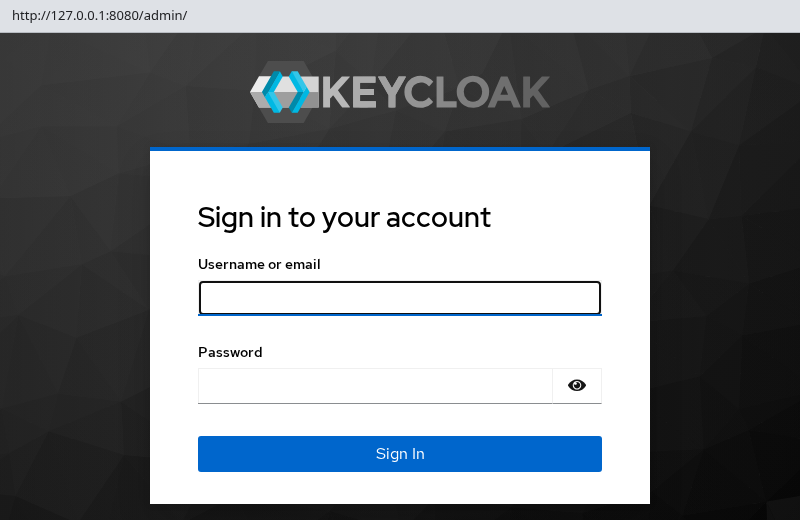
Open the Admin Console:
http://127.0.0.1:8080/admin/Sign in with the temporary administrator from the bootstrap Secret — username admin and password ChangeMe!2026. For a longer-lived installation, use it to create another administrator for ongoing use, then remove the temporary bootstrap account. See Keycloak bootstrap admin — what to do after the first admin login.
Change Keycloak configuration with the Operator
There is no keycloak.conf for you to edit here. The Keycloak CR is the main source of desired Keycloak configuration. Some CR fields reference Kubernetes Secrets or ConfigMaps for credentials and external configuration. Avoid editing files or environment variables directly inside Operator-managed Pods because the Operator can recreate those Pods during reconciliation.
The CR mirrors Keycloak's own option names. An option like https-port becomes the httpsPort field under spec.http, and db-url-host becomes host under spec.db. That is why the resource you applied reads like a structured version of the settings a ZIP install keeps in a file.
There are three main ways to express configuration through the CR:
| CR field | Use it for | Key format |
|---|---|---|
| First-class CR fields | Options the CRD models directly — examples include db, http, hostname, features, proxy, and cache |
camelCase field names |
spec.additionalOptions |
Server options with no dedicated field | Same kebab-case keys as keycloak.conf |
spec.env |
Plain container variables such as JAVA_OPTS_APPEND |
Environment variable names |
Keycloak server options that do not have a dedicated CR field can usually be supplied through additionalOptions using the same kebab-case names as keycloak.conf. The Keycloak Operator advanced configuration guide walks through CR field layout; the upstream All configuration page lists every underlying option name.
additionalOptions is the escape hatch for many Keycloak server options that the CRD does not model directly, including advanced options and SPI provider settings. Use a dedicated CR field when one exists; reach for additionalOptions only when the CRD has no matching field:
spec:
  additionalOptions:
    - name: log-level
      value: INFO
Quote numbers and booleans — the field takes strings.
additionalOptions also supports obtaining a value from a Secret. The following illustrates the Secret-reference syntax; in a real deployment, use this form for an option whose value actually needs to be kept outside the CR:
spec:
  additionalOptions:
    - name: spi-connections-http-client--default--connection-pool-size
      secret:
        name: http-client-secret
        key: poolSize
The referenced Secret must live in the same namespace as the Keycloak CR, which is why the database credentials earlier in this guide were created in keycloak alongside the resource.
Reserve spec.env for variables Keycloak's startup scripts read rather than Keycloak options. The Operator does not inspect spec.env when it reconciles, so a KC_* variable placed there can conflict with what the CR generates:
spec:
  env:
    - name: JAVA_OPTS_APPEND
      value: -Djava.net.preferIPv6Addresses=true
Apply a configuration change the same way you created the resource — edit the YAML and re-apply it, or use kubectl -n keycloak edit keycloak/keycloak-lab. The Operator reconciles the desired state and, when the change requires it, rolls the managed Pod to apply the new configuration. The Operator periodically checks referenced Secrets and ConfigMaps (approximately once per minute). When it detects a relevant change, it can trigger a rolling restart so the managed Pods receive the updated configuration.
To see what the Operator handed to the container, read the rendered StatefulSet rather than guessing:
kubectl -n keycloak get statefulset keycloak-lab -o yamlThe container's argument list and environment in that output are the Kubernetes equivalent of the CLI flags and KC_* variables other install methods pass by hand — and they follow the same precedence rules described in Keycloak keycloak.conf configuration.
Scale Keycloak with the Operator
This is only a reconciliation demonstration: it shows that changing spec.instances causes the Operator to update the managed workload. It is not a production high-availability design; the lab still has one ephemeral PostgreSQL Pod and no production ingress or load-balancing setup.
Because the Operator owns the Keycloak StatefulSet, scale Keycloak through the Keycloak resource rather than with kubectl scale. Change spec.instances, and the Operator updates the StatefulSet for you.
Scale to two instances:
kubectl -n keycloak patch keycloak keycloak-lab --type merge -p '{"spec":{"instances":2}}'Sample output:
keycloak.k8s.keycloak.org/keycloak-lab patchedThe patch updates spec.instances; the Operator creates the second Pod.
Wait until the Keycloak CR reports Ready again:
kubectl -n keycloak wait --for=condition=Ready keycloak/keycloak-lab --timeout=300sOnce the Keycloak CR is Ready again, list the Pods to see the workload created by the Operator:
kubectl -n keycloak get podsSample output:
NAME                                 READY   STATUS    RESTARTS   AGE
keycloak-lab-0                       1/1     Running   0          17m
keycloak-lab-1                       1/1     Running   0          2m
keycloak-operator-57fc56c5bb-7ql7h   1/1     Running   0          21m
postgresql-db-0                      1/1     Running   0          17m
When both Keycloak Pods show 1/1 in READY and Running in STATUS, both instances are available from Kubernetes's perspective.
Restore the single-replica lab layout:
kubectl -n keycloak patch keycloak keycloak-lab \
  --type merge \
  -p '{"spec":{"instances":1}}'
Sample output:
keycloak.k8s.keycloak.org/keycloak-lab patchedThe patch returns the instance count to one.
Wait until the Keycloak CR is Ready again before continuing:
kubectl -n keycloak wait --for=condition=Ready keycloak/keycloak-lab --timeout=300sDo not run kubectl scale on the Operator-created StatefulSet. The Operator reconciles that object back toward the value in your Keycloak CR.
Uninstall Keycloak from Kubernetes
Stop any running kubectl port-forward session first.
Delete the Keycloak CR:
kubectl -n keycloak delete keycloak keycloak-lab --wait=true --timeout=120sWait for the Keycloak CR deletion to finish before removing the Operator itself, so the Operator remains available to complete cleanup of its managed resources.
Remove PostgreSQL and lab Secrets:
kubectl -n keycloak delete statefulset postgresql-db
kubectl -n keycloak delete svc postgres-db
kubectl -n keycloak delete secret keycloak-db-secret keycloak-bootstrap-admin
Remove the Operator bundle only if no other Keycloak resources on this cluster still need those CRDs:
kubectl delete -k 'github.com/keycloak/keycloak-k8s-resources/kubernetes?ref=26.7.3'Delete the namespace when the lab is finished:
kubectl delete namespace keycloakDeleting the namespace removes any remaining namespaced Secrets and other lab resources. Do not delete the namespace if it contains unrelated workloads.
Common Keycloak Kubernetes problems
| Symptom | Likely cause | Fix |
|---|---|---|
| Operator Pod not Running | Insufficient cluster memory, image pull failure, or API connectivity from the Operator Pod | kubectl -n keycloak describe pod -l app.kubernetes.io/name=keycloak-operator; free node disk and memory; confirm kubectl get nodes shows Ready |
| Keycloak CR not Ready for a long time | PostgreSQL not reachable, wrong spec.db.host, or Secret mismatch |
kubectl -n keycloak describe keycloak keycloak-lab; read kubectl -n keycloak logs keycloak-lab-0; verify postgres-db Service exists and keycloak-db-secret keys match PostgreSQL credentials |
CrashLoopBackOff on Keycloak Pod |
Keycloak startup failure such as a database or configuration error, or OOM | Run kubectl -n keycloak describe pod keycloak-lab-0 and kubectl -n keycloak logs keycloak-lab-0 --previous; check the previous container state for OOMKilled and verify database credentials in the Secret |
| Bootstrap login fails after redeploy | Bootstrap credentials are only used while establishing the initial administrative access for a new master realm |
Create a permanent admin, or use recovery per Reset Keycloak admin password |
kubectl port-forward fails |
Keycloak Service unavailable, wrong Service name, or Pod not Ready | Verify kubectl -n keycloak get svc,pods, then forward svc/keycloak-lab-service 8080:8080 |
| TLS or hostname errors in production | This lab uses HTTP and hostname.strict: false only |
Set spec.hostname, TLS Secrets, and Ingress or a reverse proxy; replace the ephemeral PostgreSQL example with managed storage |
Summary
Keycloak now runs on the cluster through the Keycloak Operator, with PostgreSQL providing the database and kubectl port-forward providing local access to the Admin Console. Make future Keycloak configuration and scaling changes through the Keycloak CR so the Operator can reconcile them.
The PostgreSQL Pod in this guide uses temporary emptyDir storage. For production, use persistent or managed database storage and configure a real hostname, TLS, and appropriate ingress.
To tear down the lab, delete the Keycloak CR first so the Operator removes Keycloak Pods and Services, then delete PostgreSQL, Secrets, and optionally the Operator bundle before you drop the namespace. Deleting the Operator bundle removes cluster-scoped Keycloak CRDs, so skip that step if other Keycloak resources still depend on them.
References
- Keycloak Operator installation — OLM and
kubectl apply -kinstall paths - Basic Keycloak deployment — database, hostname, and CR examples
- Keycloak Operator advanced configuration —
spec.bootstrapAdminand update behavior - Configuring the database — supported vendors and JDBC settings
- Bootstrapping and recovering an admin account — bootstrap lifecycle outside the Operator
Frequently Asked Questions
Does the Keycloak Operator create PostgreSQL for me?
No. The Operator reconciles Keycloak Pods, Services, and related objects from a Keycloak CR. You must provision PostgreSQL (or another supported database) yourself and reference it through spec.db.
What happens if I omit spec.bootstrapAdmin?
The Operator creates a Secret named <keycloak-cr-name>-initial-admin with username temp-admin and a generated password. See Keycloak bootstrap admin for the commands to read those values.
Do bootstrap Secrets create a new admin on every Pod restart?
No. Bootstrap configuration applies when Keycloak initializes the master realm for the first time. Once master exists in the database, restarting or recreating the Keycloak Pod does not create another bootstrap administrator.
Can I use start-dev with the Keycloak Operator?
The Keycloak Operator manages Keycloak using its production server configuration rather than exposing a start-dev switch in the Keycloak CR. Setting httpEnabled: true or hostname.strict: false for this lab does not mean the Operator is running start-dev; these are explicit settings applied to the Operator-managed server. If you specifically want to experiment with start-dev, use a standalone container or a manually managed Kubernetes workload instead of the Operator.
Does deleting the Keycloak CR remove PostgreSQL?
No. The Operator reconciles only Keycloak workloads from the Keycloak CR. PostgreSQL is a separate StatefulSet you applied earlier, so delete that StatefulSet, its Service, and the database Secret when you no longer need lab data.
