
| Tested on | Red Hat Enterprise Linux 10.2 (Coughlan) |
|---|---|
| Package | quay.io/keycloak/keycloak:26.7.3 |
| Applies to | Any Keycloak 26.x deployment — realm, client, group, and Organization concepts are product features, not runtime-specific |
| Privilege | Keycloak admin access to create realms and users — bootstrap admin on a lab container is enough |
| Lab environment | Running Keycloak container — Install Keycloak with Podman |
| Scope | What a realm contains, isolation boundaries, the master realm, realm vs client vs group vs Organization, realm-per-tenant trade-offs, and when to create another realm — not a full Organizations tutorial or client registration walkthrough. |
| Related guides | Create and manage Keycloak users Keycloak start vs start-dev |
In this article we will explain Keycloak realms using the 26.7.3 Admin Console and Admin REST API on the lab container from the Podman baseline guide. The useful design question is not “one realm equals one tenant,” but when you need another realm versus groups or Organizations inside an existing realm.
Everything isolated per realm — users, clients, roles, identity providers, themes — shares one Keycloak process but not one namespace. The master realm is for administering Keycloak itself; application work belongs in a dedicated realm such as golinuxcloud. You will create a second realm via API and compare what crosses realm boundaries.
What a Keycloak realm contains
A realm is an isolation and security boundary. Everything an application needs for identity and access management lives inside one realm:
Realm
├── Users
├── Groups
├── Roles (realm roles and client roles)
├── Clients (applications and services)
├── Client scopes
├── Identity providers
├── User federation (LDAP, Kerberos, …)
├── Authentication flows and required actions
├── Sessions
└── Realm settings (tokens, login, security, Organizations toggle)
Users authenticate inside a realm. Clients registered in that realm receive tokens for users who belong to it. Two realms on the same Keycloak server do not share user records, role mappings, or client configuration unless you duplicate them or federate from a common upstream directory.
What realm isolation actually means
Keycloak keeps realms isolated from one another. Each realm manages and authenticates its own users with its own settings, keys, and clients.
alice in realm-a and alice in realm-b are separate identities:
- Different internal user IDs
- Different passwords and credentials
- Different group and role memberships
- Different sessions — logging into one realm does not create a session in the other
A user cannot “switch realms” with one login the way they pick an account in a multi-account SaaS product. Each realm is its own identity domain.
Verify isolation in the lab
If you completed Install Keycloak with Podman, Keycloak is already listening on http://127.0.0.1:8080/. The steps below use the curl command against the Admin REST API to create two realms and the same username in each.
Request a master-realm token for the bootstrap admin:
TOKEN=$(curl -s -X POST 'http://127.0.0.1:8080/realms/master/protocol/openid-connect/token' \
  -H 'Content-Type: application/x-www-form-urlencoded' \
  -d 'username=admin' \
  -d 'password=ChangeMe!2026' \
  -d 'grant_type=password' \
  -d 'client_id=admin-cli' | python3 -c 'import sys,json; print(json.load(sys.stdin)["access_token"])')
Create realm-a and realm-b:
curl -s -o /dev/null -w 'realm-a %{http_code}\n' -X POST 'http://127.0.0.1:8080/admin/realms' \
  -H "Authorization: Bearer ${TOKEN}" -H 'Content-Type: application/json' \
  -d '{"realm":"realm-a","enabled":true}'
Post realm-b the same way with "realm":"realm-b" in the JSON body. HTTP 201 on each call means the realm was created.
Create user alice in both realms (same username, different passwords):
curl -s -o /dev/null -w 'alice in realm-a %{http_code}\n' -X POST 'http://127.0.0.1:8080/admin/realms/realm-a/users' \
  -H "Authorization: Bearer ${TOKEN}" -H 'Content-Type: application/json' \
  -d '{"username":"alice","enabled":true}'
Repeat for realm-b, then set passwords with separate reset-password calls (AliceA!2026 in realm-a, AliceB!2026 in realm-b).
List alice in each realm and compare IDs:
curl -s 'http://127.0.0.1:8080/admin/realms/realm-a/users?username=alice' -H "Authorization: Bearer ${TOKEN}" | python3 -c 'import sys,json; print("realm-a id:", json.load(sys.stdin)[0]["id"])'Run the same query against realm-b:
curl -s 'http://127.0.0.1:8080/admin/realms/realm-b/users?username=alice' -H "Authorization: Bearer ${TOKEN}" | python3 -c 'import sys,json; print("realm-b id:", json.load(sys.stdin)[0]["id"])'Sample output:
realm-a id: 3a438a64-3b64-4e5a-94d2-ba60a6f197ff
realm-b id: 708d1db4-ae3d-4004-b58c-0d37e857553b
The UUIDs differ even though the username matches. Keycloak treats them as unrelated accounts.
What is the master realm?
master is the built-in administrative realm. It exists so you can create and manage other realms, configure server-level settings, and sign into the Admin Console.
Use master for:
- Bootstrap and break-glass admin accounts
- Creating, enabling, and deleting other realms
- Cross-realm administration when your operators need one admin entry point
Do not treat master as the realm where ordinary application end users live. Application users, clients, and login themes belong in an application realm such as golinuxcloud or production.
After bootstrap login, the Admin Console shows the current realm in the top-left selector. On a fresh install that label reads master:
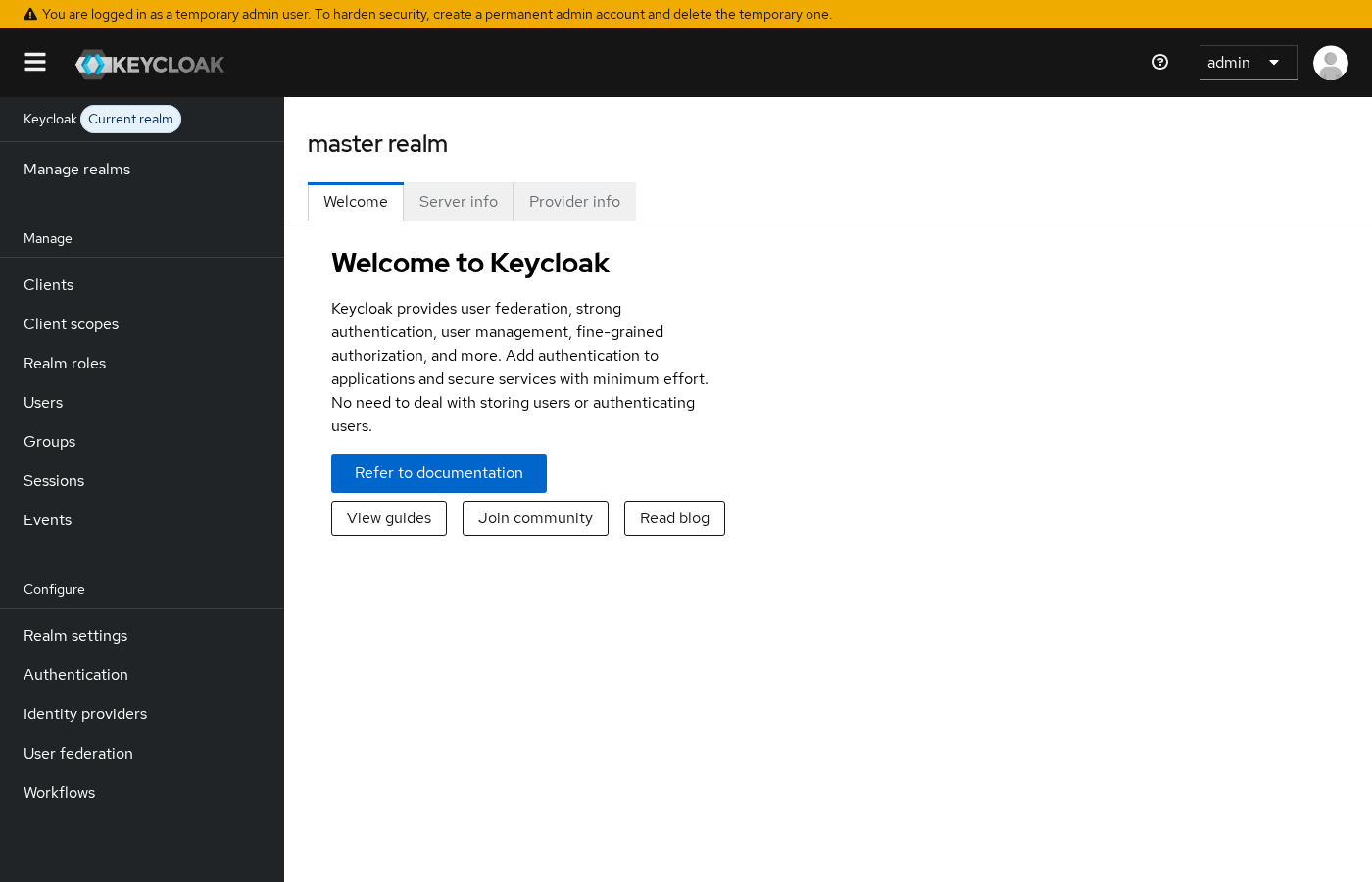
The yellow temporary-admin banner is normal on a first start-dev container. You are in the right place when the left navigation lists Manage realms, Clients, and Realm settings.
Should every application get its own realm?
Usually not merely because a new application exists.
Multiple applications can register as clients inside the same realm and share single sign-on (SSO). When two apps trust the same realm, a user who authenticates once can access both without a second login — subject to client scopes and consent settings.
Create a new realm when you need a hard boundary between identity domains, not when you ship another microservice. A second web app that serves the same customer base often becomes another client in the existing realm.
| Situation | Typical approach |
|---|---|
| Second product for the same user population | New client in the existing realm |
| Partner company with its own IdP and admin team | Organization inside a shared realm (Keycloak 26+) or a separate realm when isolation requirements are strict |
| Regulated environment that forbids shared token keys | Separate realm |
| Internal admin UI vs customer-facing apps | App realm for users; keep operators out of end-user realms where possible |
Realm vs client
| Realm | Client | |
|---|---|---|
| What it is | Identity and security domain | Application or service that requests tokens from a realm |
| Examples | production, staging, realm-a |
web-app, mobile-api, batch-job |
| Holds users? | Yes | No — clients consume tokens for realm users |
| SSO scope | Across clients in the same realm | Per client configuration |
| URL shape | /realms/{realm-name}/… |
Client ID in OIDC/SAML settings |
A realm answers “who can log in here and under which policies?” A client answers “which application is requesting access on behalf of that user?”
See Keycloak clients explained for public vs confidential clients, redirect URIs, and grant types. Realm design comes first; client registration sits inside the realm you chose.
Realm vs group
| Realm | Group | |
|---|---|---|
| Scope | Entire identity domain | Users within one realm |
| Isolation | Strong — separate user stores | None across realms |
| Typical use | Separate security domains, keys, and admin boundaries | Department, team, or permission buckets inside a company |
| Affects login URL | Yes — realm is in every OIDC path | No — group is a user attribute for authorization |
Groups organize users inside a realm. They do not replace realm boundaries. Putting two companies in different groups but the same realm means they still share realm keys, authentication flows, and many realm settings.
Keycloak groups and nested groups covers hierarchy and LDAP group mapping.
Realm vs Organization (Keycloak 26+)
Starting with Keycloak 26, Organizations are a supported feature for B2B and multi-tenant scenarios inside a realm. An Organization represents a third party — customer, partner, or business unit — whose members you onboard and authenticate with organization-aware flows.
Keycloak server
└── Realm (security + token boundary)
    ├── Clients (shared or per-app)
    ├── Groups (realm-wide user buckets)
    └── Organizations (B2B tenants inside the realm)
            ├── Members
            ├── Organization groups
            ├── Domain-based routing / IdP links
└── Invitation and onboarding flows| Realm | Organization | |
|---|---|---|
| Boundary | Largest isolation unit on the server | Logical tenant inside one realm |
| User identity | Realm-local user record | Member linked to a realm user |
| SSO across tenants | No — realms do not SSO together | Yes — members can share realm clients |
| Custom clients per tenant | Straightforward per realm | Organizations share realm clients; per-org IdP brokering is supported |
| Admin model | Realm admin sees entire realm | Organization admin manages one org’s members |
| Best fit | Regulatory separation, distinct auth policies | Many B2B customers on one product realm |
Organizations add member management, invitation links, identity-first login, organization-specific identity providers, and optional organization claims in tokens. They do not replace realms when you need cryptographic or policy isolation at the realm level.
Enable Organizations under Realm settings for the target realm, then open the Organizations section in the Admin Console:
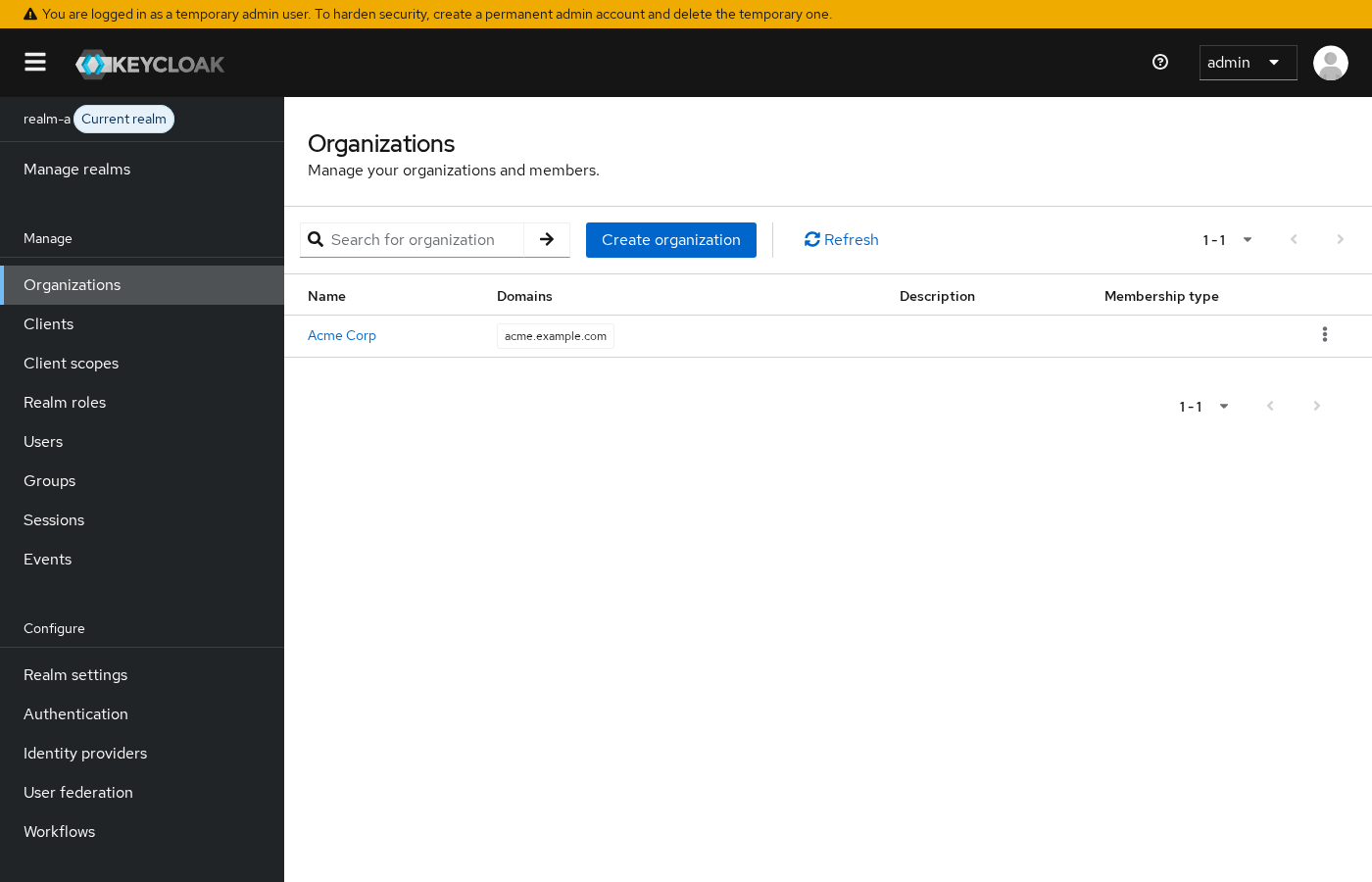
This article establishes the distinction only. A dedicated Organizations deep-dive can follow as the feature matures.
Realm-per-tenant vs Organization-based multi-tenancy
There is no universal winner. The right model depends on isolation requirements, how many tenants you operate, and whether tenants must share SSO.
| Criterion | Separate realm per tenant | Organizations in one realm |
|---|---|---|
| Isolation strength | Highest — separate keys, flows, and admins | Logical — shared realm configuration |
| SSO across tenants | No | Yes, when product design allows it |
| Shared users across tenants | No native shared realm user | Same human can join multiple orgs |
| Configuration duplication | High — copy clients, flows, scopes per realm | Lower — one realm baseline |
| Administration at scale | Hundreds of realms become heavy | Better fit for many B2B customers |
| Tenant-specific IdP | Per realm | Per organization (Keycloak 26+) |
| Operational complexity | More realms to upgrade and backup | Fewer realms; org count grows instead |
| Regulatory / data-boundary needs | Often required | May be insufficient alone |
SaaS platforms with many similar B2B customers often start with one product realm + Organizations. Highly regulated tenants that demand separate signing keys, separate admin teams, or hard configuration isolation may still need realm-per-tenant.
Can users be shared across realms?
Not as a single native realm user identity. Keycloak does not link alice in realm-a to alice in realm-b automatically.
Practical patterns:
- Duplicate provisioning — create the same person in each realm with separate IDs (what the lab demonstrated).
- Shared upstream directory — point multiple realms at the same LDAP or AD through user federation; each realm still materializes its own user record and sessions.
- Shared external IdP — broker the same Google or Okta tenant into two realms; the user signs in through the IdP twice with different realm client configurations.
Upstream identity equality does not merge realm-local sessions or role mappings. Each realm remains its own security domain.
When to create another realm
Good reasons:
- You need strong isolation between security domains (production vs internal tools with different admin teams)
- Authentication policy must diverge completely (passwordless in one realm, legacy SAML-only in another)
- Compliance requires separate signing keys, token settings, or audit boundaries
- You operate unrelated products that should never share SSO or admin visibility
Weak reasons:
- “We deployed another microservice.” → Add a client.
- “We need a department folder.” → Add a group.
- “We onboard another B2B customer.” → Consider an Organization before spawning another realm.
Open Manage realms in the Admin Console to see every realm on the server and create a new one:
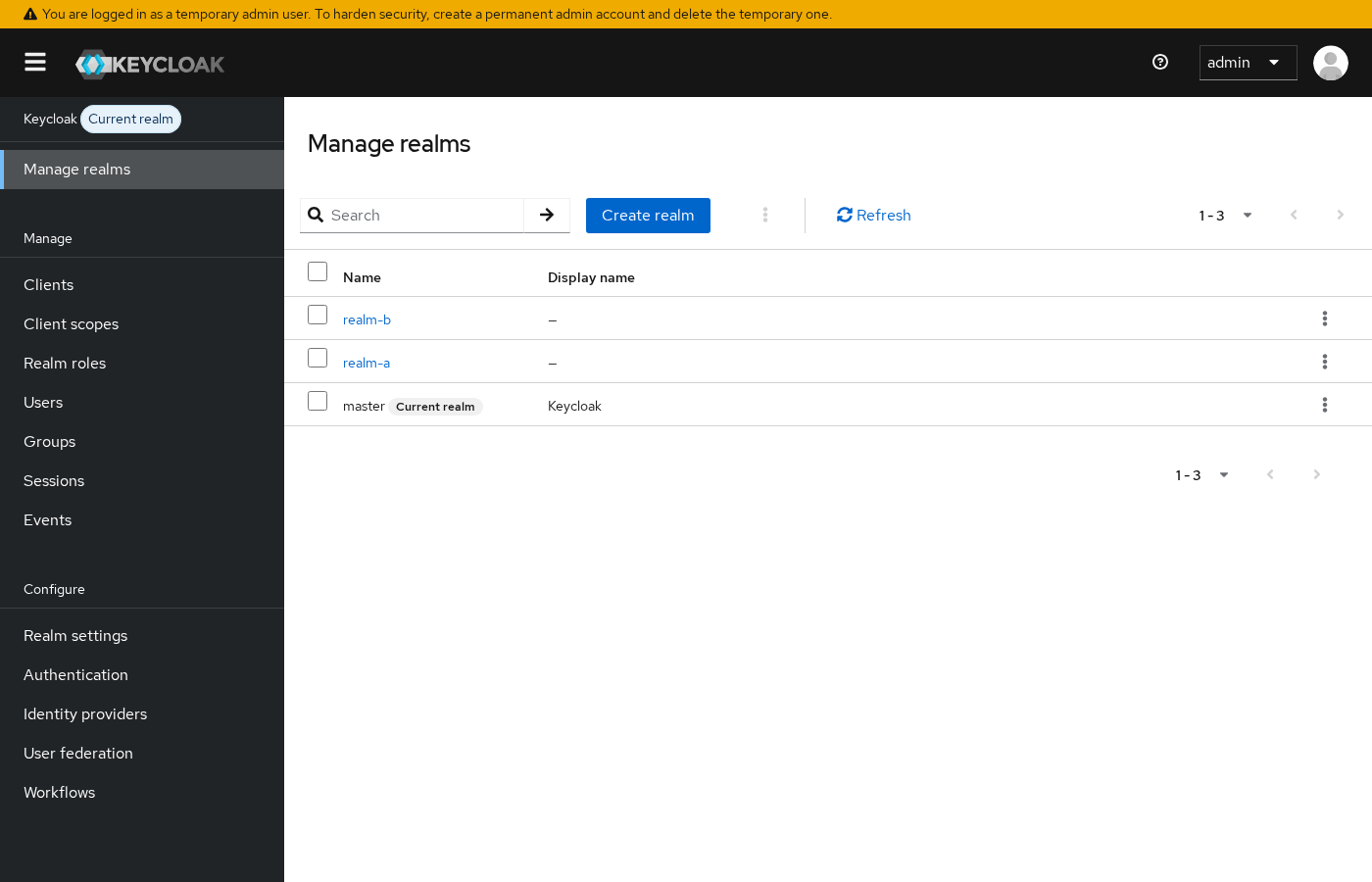
The realm menu in the top-left switches your admin context. Changing realms changes which users, clients, and settings you are editing.
Common problems
| Symptom | Likely cause | Fix |
|---|---|---|
| Application users mixed with Keycloak admins | End users created in master |
Create an application realm; reserve master for administration |
| New app required a new realm | Confused realm with client | Register a new client in the existing realm for SSO |
| B2B customers each got their own realm | Pre-Organizations habit | Evaluate Organizations in one product realm before multiplying realms |
| Same username, different behavior per environment | Same person is different users in different realms | Expected — provision per realm or use federation consistently |
| SSO broken between two apps | Apps registered in different realms | Move both clients into one realm or accept separate logins |
| Organization menu missing | Feature disabled for the realm | Enable Organizations in Realm settings |
Cannot admin realm-a after login to master |
Admin Console context is realm-scoped | Use a master-realm admin with rights to manage other realms, or assign realm-admin roles in the target realm |
Summary
A Keycloak realm is an isolation boundary for users, credentials, roles, groups, clients, identity providers, and authentication configuration — not merely a label for “one tenant.” Realms on the same server do not share user identities; alice in two realms is two different accounts with different IDs.
The master realm exists for administration. Application users and clients belong in dedicated application realms. Multiple apps that serve the same population should usually be clients in one realm so SSO works. Groups organize users inside a realm; they do not replace realm isolation.
Keycloak 26 added Organizations for B2B multi-tenancy inside a realm — a middle layer between groups and separate realms. Choose realm-per-tenant when you need the strongest isolation; choose Organizations when many similar tenants share one product realm and SSO.
Next steps: register clients in your application realm, model departments with groups, and read the users guide when you move beyond bootstrap accounts.
References
- Keycloak server administration guide — realms: creating and managing realms
- Keycloak Organizations: enabling and managing organizations in Keycloak 26+
- Keycloak 26.0.0 release notes: Organizations feature announcement
- Keycloak directory structure: server layout and configuration entry points
Frequently Asked Questions
Is a Keycloak realm the same as a tenant?
Not exactly. A realm is a security and identity boundary. It can represent a tenant in some architectures, but modern Keycloak also provides Organizations inside a realm for B2B multi-tenancy. Treat “tenant” as a design outcome — realm, Organization, or group — not as a one-to-one synonym for realm.
What is the master realm used for?
The master realm hosts administrative accounts and realm-management functions. Create application realms for end users and register application clients there instead of using master as your product identity domain.
Can one user log in to multiple realms at once?
No single realm session spans multiple realms. The same person may have accounts in several realms or belong to several Organizations in one realm, but each realm login is independent.
Should I create a new realm for each customer?
Only when customers need strong isolation. For many B2B SaaS products, one realm with Organizations per customer scales better and preserves SSO across shared applications. Use separate realms when regulation or policy demands hard separation.
What is the difference between a realm and a client?
The realm is the identity domain. The client is an application or service inside that domain that requests tokens on behalf of users. One realm hosts many clients.
Do groups provide the same isolation as realms?
No. Groups partition users within one realm. They do not separate token keys, authentication flows, or administrative boundaries the way realms do.
