


networking
Wireshark Tutorial for Network Analysis & Troubleshooting
Free, hands-on Wireshark course covering packet capture, display filters, TCP analysis, TLS and IPsec decryption, and network troubleshooting.
networking
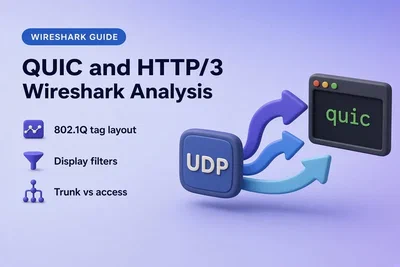
Analyze QUIC and HTTP/3 Traffic with Wireshark
Spot QUIC and HTTP/3 in Wireshark, filter Initial and Handshake packets, load SSLKEYLOGFILE secrets to decrypt streams, and compare UDP QUIC with TCP HTTPS on the same service.
networking
Analyze 802.1Q VLAN Tags in Wireshark
Find and filter 802.1Q VLAN IDs in Wireshark, compare trunk and access captures, and explain when the VLAN header is missing because the tag was stripped before the frame reached your NIC.
networking
Configure a DNS Caching Server with dnsmasq on RHEL 10
Install dnsmasq on RHEL 10, cache DNS on loopback, point upstream resolvers at a dedicated file, persist 127.0.0.1 through NetworkManager, and verify cache behavior with dig and tcpdump.
networking
Troubleshoot DNS Failures with Wireshark
Read Wireshark when DNS fails: NXDOMAIN vs NODATA, SERVFAIL, REFUSED, missing responses, retransmitted queries, and slow answers using dns.time and dns.response_missing.
networking
Troubleshoot TCP Connection Failures with Wireshark
Read Wireshark captures when TCP will not connect: healthy SYN/SYN-ACK/ACK, immediate RST/ACK, repeated SYN retransmissions, and SYN-ACK retransmissions when the final ACK is missing.
networking
TCP Previous Segment Not Captured in Wireshark
Wireshark flags TCP Previous segment not captured when sequence numbers jump in your trace; learn how to tell late capture, real packet loss, and capture drops from ACK and retransmission evidence.
networking
Integrate FreeRADIUS with Active Directory Using Winbind
Join FreeRADIUS to Active Directory with Samba Winbind, authenticate MSCHAPv2 through ntlm_auth, and return a different reply for each AD group.
networking
Wireshark IP Filters Cheat Sheet
Paste Wireshark display filters for an IPv4 or IPv6 host, a two-host conversation, a CIDR subnet, and an exclusion, plus short checks for fragments, the Don't Fragment bit, and TTL.
networking
Remote Packet Capture with Wireshark over SSH
Capture packets on a remote Linux host from local Wireshark over SSH with SSHDump, without installing Wireshark on the server.
networking
Analyze IP Fragmentation and MTU Problems with Wireshark
Match IPv4 fragments in Wireshark by Identification and offset, confirm reassembly, and separate a DF path-MTU failure from a large offload capture.
networking
Detect Log4Shell Exploit Traffic with Wireshark
Open a Log4Shell training capture in Wireshark, find the JNDI lookup, and follow the LDAP callback and class download.
networking
Analyze Kerberos Authentication with Wireshark
Read a Windows Kerberos capture in Wireshark and tell a normal pre-authentication exchange from a failed TGT or service-ticket request.
networking
Install and Configure Windows NPS as a RADIUS Server
Install and configure Windows NPS as a RADIUS server, register it in Active Directory, and confirm Access-Accept with a RADIUS client, shared secret, and network policy.
networking
FreeRADIUS LDAP Authentication and Group Authorization
Point FreeRADIUS at OpenLDAP, test PAP with radtest, and return a different RADIUS reply for each LDAP group.
networking
Find a Network Loop with Wireshark
A forwarding loop repeats the same broadcast frame until the VLAN fills up, and Wireshark shows that repetition before you hunt for the switch port.
networking
Configure and Test FreeRADIUS PAP and CHAP Authentication
Configure a FreeRADIUS user, then test PAP and CHAP with radtest and see why CHAP fails without a cleartext password.
networking
Configure Windows NPS RADIUS for Cisco AAA
Use Windows NPS as the RADIUS server for Cisco administrative AAA, return shell:priv-lvl from a Network Policy, and read Access-Accept, Access-Reject, and accounting in Wireshark.
networking
Decrypt HTTPS and LDAPS Traffic in Wireshark with SSLKEYLOGFILE
Decrypt HTTPS and LDAPS in Wireshark with SSLKEYLOGFILE, see which TLS libraries actually write the key log, and fix an empty or mismatched session-secret file.
networking
Analyze and Decrypt RDP TLS Traffic in Wireshark
Read the RDP negotiation in Wireshark, see why port 3389 becomes TLS, and learn what CredSSP decryption can and cannot show.
networking
Analyze TLS and mTLS Handshakes with Wireshark
Compare TLS and mTLS in Wireshark, find CertificateRequest and the client certificate, and learn why TLS 1.3 hides them until the handshake is decrypted.
networking
Analyze HTTP Responses in Wireshark: Status Codes, Time and Reassembly
Find an HTTP response in Wireshark, filter 4xx and 5xx status codes, jump to the matching request, spot requests with no reply, read http.time, and see how a large body is reassembled from TCP segments.
networking
How to Create and Use Wireshark Configuration Profiles
Learn how Wireshark configuration profiles save custom columns, filters and coloring rules, then build a DNS profile, auto-switch to it, and export it for another workstation.
networking
TCP Sequence and Acknowledgment Numbers in Wireshark
Read TCP sequence and acknowledgment numbers in Wireshark with Seq, Next Seq, Ack, and Len columns, learn the two formulas that explain most forum confusion, and apply the math to your own TCP capture.
networking
Detect a Rogue DHCP Server with Wireshark
Find a rogue DHCP server in Wireshark by filtering DHCPOFFER packets, comparing Server Identifier and gateway options against your authorized list, then tracing the rogue MAC through the switch CAM table.
networking
Find a Duplicate IP Address with Wireshark
Find duplicate IPv4 addresses in Wireshark with arp.duplicate-address-detected or Expert Information, then filter the conflicted IP to compare the MAC addresses claiming it.
networking
Analyze LDAP Traffic in Wireshark
Use Wireshark display filters to find LDAP bind failures, inspect the bind DN and search filter, read resultCode errors, and spot slow directory responses on ports 389 and 636.
networking
How to Edit Packets in Wireshark and PCAP Files
Current Wireshark cannot arbitrarily edit decoded fields in the GUI. Use editcap for capture-file changes, Scapy or tcprewrite for header rewrites, and verify every edit back in Wireshark.
networking
TTL in Wireshark — Analyze Hop Distance and TCP RST Source
A TCP reset looks like it came from the server—but did it? Use Wireshark TTL and RST filters to compare normal packets and identify resets likely injected by a firewall or other middlebox.
networking
Measure Bandwidth and Throughput in Wireshark
See when bandwidth spikes in Wireshark, then identify the host, TCP conversation, and protocol responsible using I/O Graphs, Endpoints, and Conversations.