
| Tested on | Kali GNU/Linux Rolling 2026.2 (kali-rolling) |
|---|---|
| Package | nessus 10.12.4 |
| Lab environment | Pentest lab |
| Cert prep | CompTIA PenTest+ PT0-003 — vulnerability scanning, result validation, and false-positive triage |
| Privilege | Normal user for the web UI; sudo for package install and systemctl |
| Scope | Nessus Essentials install on Kali, registration, plugin initialization, Host Discovery vs Basic Network Scan, uncredentialed scan walkthrough, reading plugin evidence, credentialed vs uncredentialed differences, false-positive workflow, and Essentials export limits. Does not cover Nessus Manager, Security Center, or enterprise policy libraries. |
| Related guides | Vulnerability scanning concepts Learn hacking using Metasploitable 2 |
Nessus matches live hosts and services against Tenable plugin checks and returns findings with evidence you can challenge before you escalate. This walkthrough installs Nessus Essentials on Kali, registers the scanner, waits for plugins to finish compiling, runs a Basic Network Scan against Metasploitable 2, and shows how to read plugin output instead of trusting the severity chart alone.
What Nessus does and which edition this tutorial uses
Nessus is a vulnerability scanner, not an exploit framework. Each plugin encodes a check (banner match, missing patch signature, unsafe configuration, or credentialed package query) and returns structured fields: severity, CVE references, synopsis, solution text, and plugin output that shows what the engine actually observed.
| Edition | Best for | Scan limit | Reporting in UI | Export / PDF / HTML |
|---|---|---|---|---|
| Nessus Essentials | Short lab evaluations, students, hobbyists | 5 IPs | Yes | No |
| Nessus Essentials Plus | Ongoing home lab with basic reports | 20 IPs | Yes | PDF / HTML |
| Nessus Professional | Consultants and production assessments | Unlimited (licensed) | Yes | PDF / HTML / CSV |
This chapter targets Nessus Essentials. The install package is the same across editions; your activation code selects the product tier.
Install Nessus on Kali Linux
Download the current Debian package from Tenable, install it with dpkg, and confirm nessusd listens on TCP 8834 before you open the browser wizard.
Set lab variables once so commands stay copy-friendly:
export TARGET=192.168.56.127
export KALI_IP=192.168.56.120
Replace the IPs with your Metasploitable and Kali addresses from pentest lab setup.
Confirm the target responds before you install a 70 MB scanner package:
ping -c 2 "$TARGET"Sample output:
PING 192.168.56.127 (192.168.56.127) 56(84) bytes of data.
64 bytes from 192.168.56.127: icmp_seq=1 ttl=64 time=1.26 ms
64 bytes from 192.168.56.127: icmp_seq=2 ttl=64 time=1.14 ms

--- 192.168.56.127 ping statistics ---
2 packets transmitted, 2 received, 0% packet loss, time 1437ms
rtt min/avg/max/mdev = 1.136/1.197/1.259/0.061 ms
Both replies mean the vulnerable lab VM is reachable on the same segment as Kali.
Tenable publishes one Debian package path for current Nessus builds. Download it to /tmp:
curl -L -o /tmp/Nessus-latest-debian10_amd64.deb \
  "https://www.tenable.com/downloads/api/v2/pages/nessus/files/Nessus-latest-debian10_amd64.deb"
The redirect should name a versioned file such as Nessus-10.12.4-debian10_amd64.deb.
Install the package and start the service:
sudo dpkg -i /tmp/Nessus-latest-debian10_amd64.deb
sudo systemctl enable --now nessusd
dpkg may warn about dependencies; if it does, run sudo apt -f install once and re-check the service.
Confirm the installed build matches what you downloaded:
dpkg -l nessus | tail -1
/opt/nessus/sbin/nessuscli --version
Sample output:
ii  nessus         10.12.4      amd64        The Nessus Vulnerability Scanner
nessuscli (Nessus) 10.12.4 [build 20038]
Copyright (C) 1998 - 2026 Tenable, Inc.
The version string is what you will cite when a plugin behavior differs from an older tutorial.
Verify the daemon is active and bound to port 8834:
systemctl is-active nessusd
ss -tlnp | grep 8834
Sample output:
active
LISTEN 0      1024         0.0.0.0:8834       0.0.0.0:*    users:(("nessusd",pid=6947,fd=18))
LISTEN 0      1024            [::]:8834          [::]:*    users:(("nessusd",pid=6947,fd=19))
active plus listeners on 0.0.0.0:8834 means the web UI is ready locally.
If Kali uses an HTTP proxy, unset it before you curl the local UI or the status API:
unset http_proxy https_proxy HTTP_PROXY HTTPS_PROXY ALL_PROXY all_proxy
curl -skI https://127.0.0.1:8834/ | head -3
Sample output:
HTTP/1.1 200 OK
Server: NessusWWW
Date: Tue, 01 Sep 2026 04:31:00 GMT
Your browser will warn about a self-signed certificate on first connect. That is expected for a fresh Nessus install. Proceed to https://127.0.0.1:8834/ (or https://localhost:8834/) and accept the exception for this lab host only.
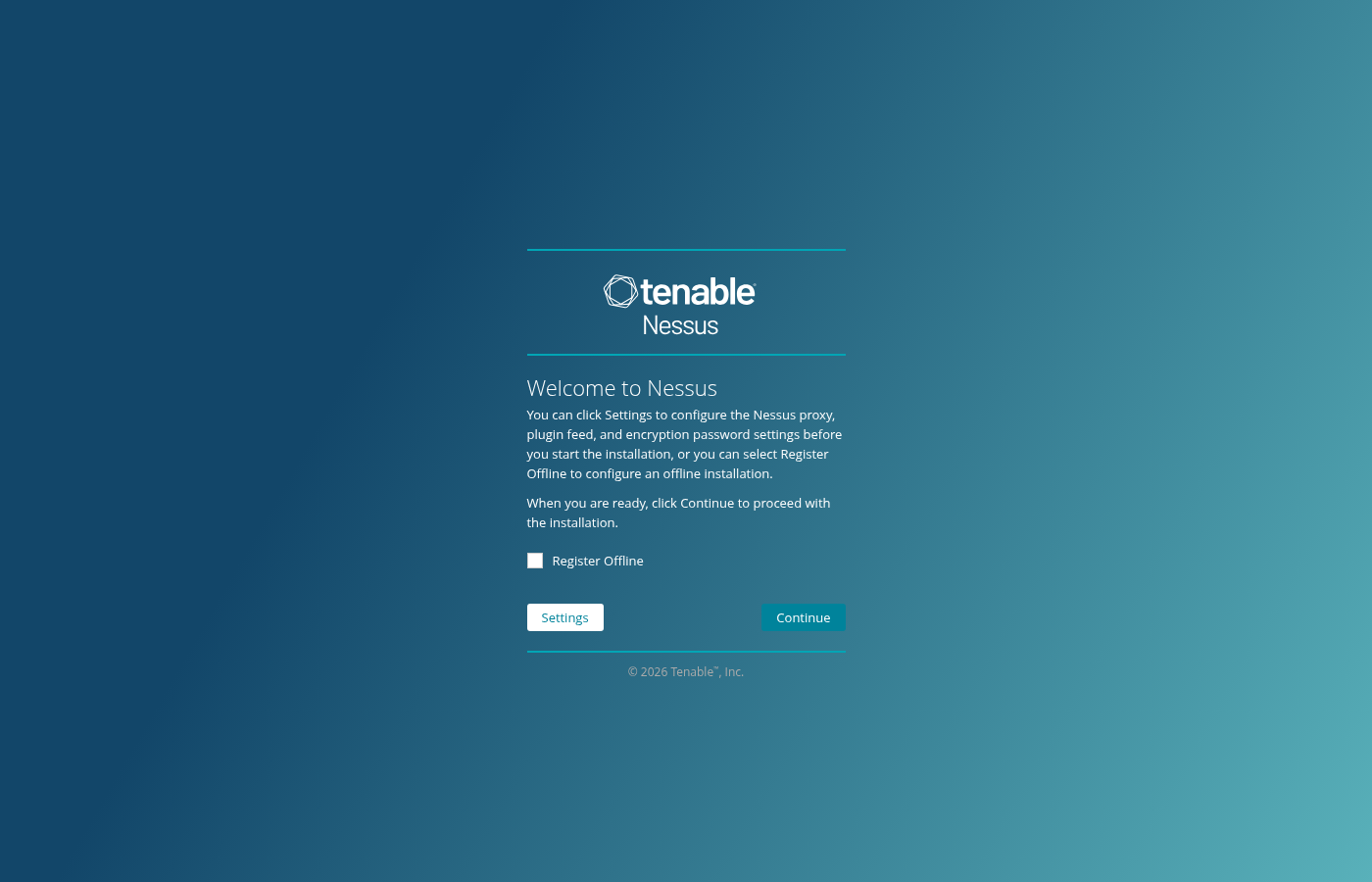
The welcome screen lets you tune proxy and offline registration before you continue into product selection.
Activate Nessus and wait for plugin initialization
Nessus cannot scan until you register an activation code and the plugin feed finishes downloading and compiling. On a fresh install the status API reports "status": "register" until registration completes.
Check registration state from the CLI:
curl -sk https://127.0.0.1:8834/server/status | python3 -m json.toolSample output on an unregistered scanner:
{
    "code": 503,
    "detailed_status": {
        "login_status": "allow",
        "feed_status": {
            "progress": 100,
            "status": "ready"
        },
        "db_status": {
            "status": "register"
        },
        "engine_status": {
            "progress": 100,
            "status": "ready"
        }
    },
    "pluginSet": false,
    "pluginData": false,
    "status": "register"
}
"status": "register" and "pluginSet": false mean you must finish activation before launching scans. Do not start a scan while the UI still shows plugin compilation in progress.
How to get a Nessus Essentials activation code
- Open Nessus Essentials on Tenable and complete the registration form with a real email address (disposable inboxes are rejected).
- Verify your email when Tenable sends the confirmation message.
- Copy the activation code from the email or from your Tenable Connect account.
- Alternatively, request the code inside the Nessus wizard: Continue → Register for Nessus Essentials → sign in or Skip to enter the code manually.
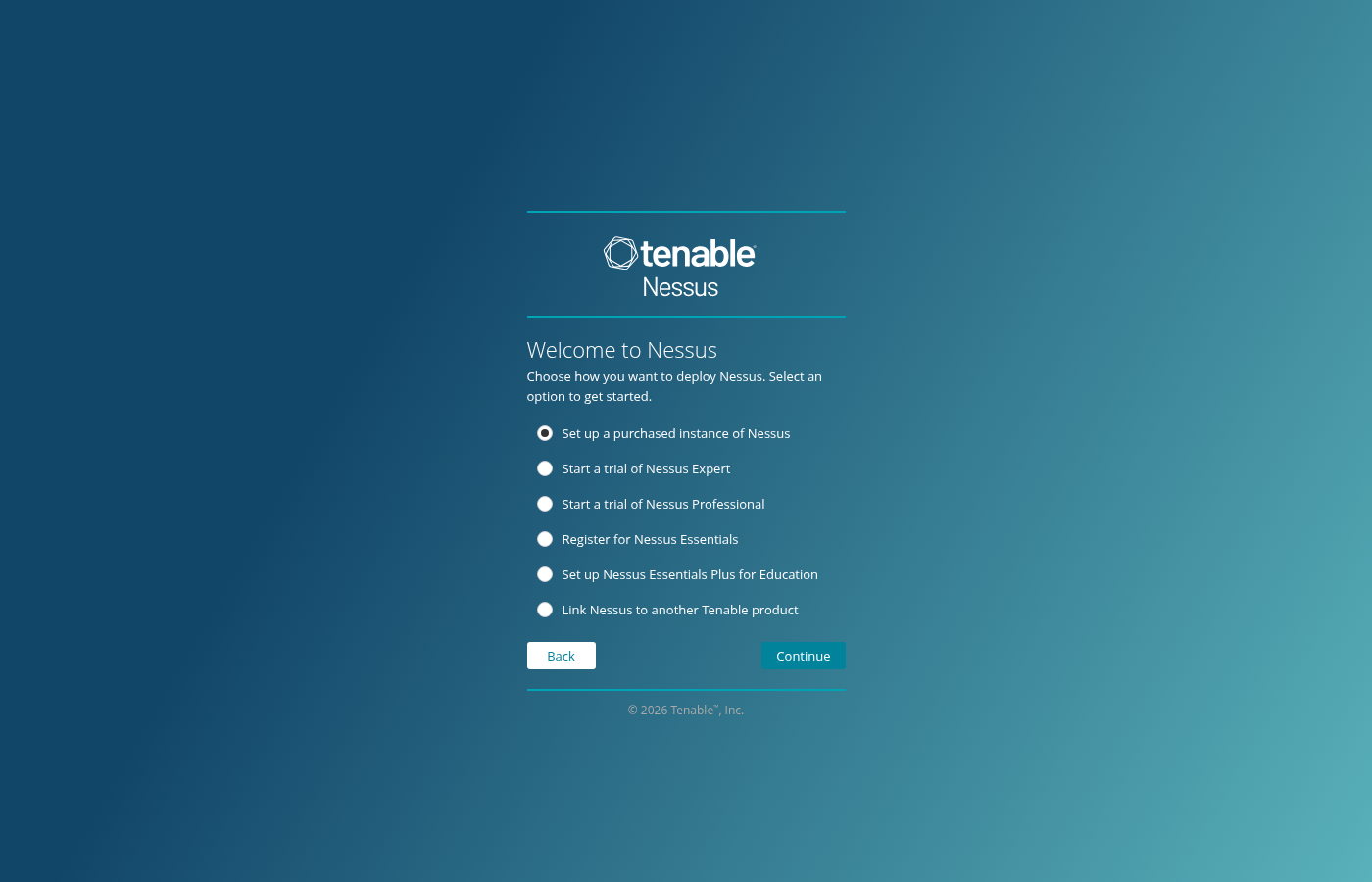
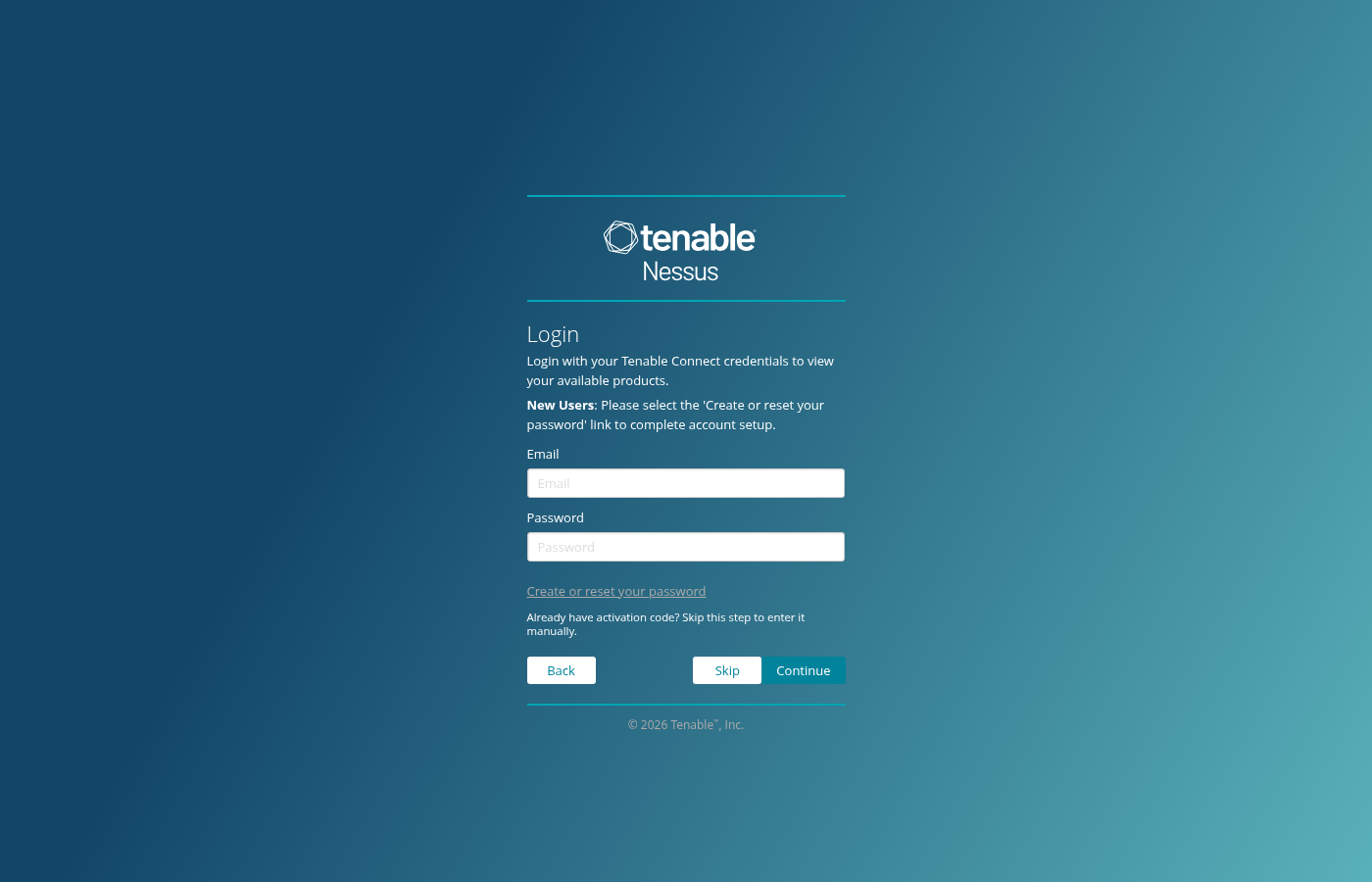
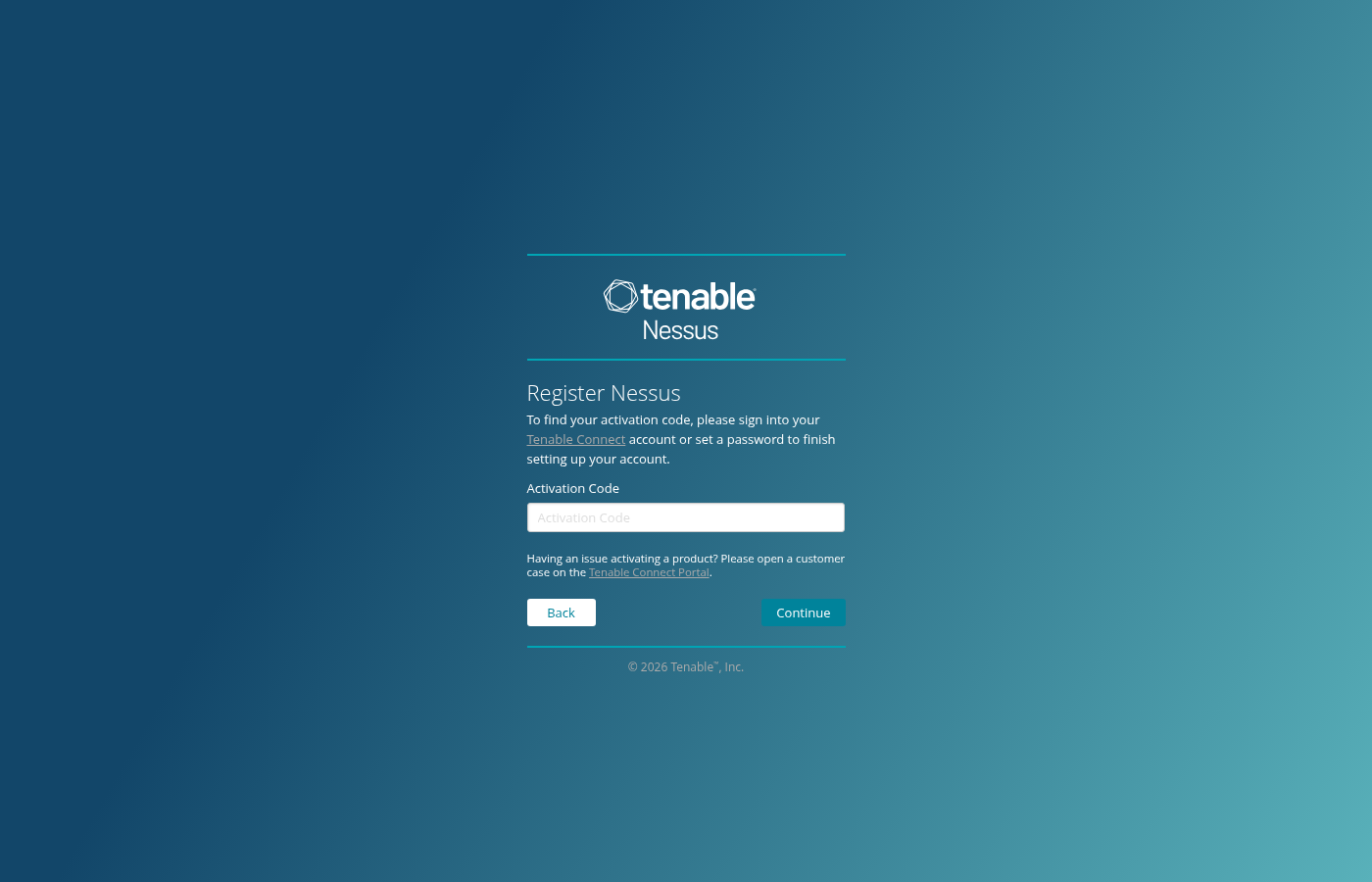
Paste the code in the wizard or register from the shell:
sudo /opt/nessus/sbin/nessuscli fetch --register XXXX-XXXX-XXXX-XXXXReplace the placeholder with your Essentials code. For air-gapped labs, generate a challenge and upload it at plugins.nessus.org offline registration:
/opt/nessus/sbin/nessuscli fetch --challengeAfter registration, create the Nessus administrator account in the wizard, then wait on the Initializing screen. Plugin download and compilation commonly takes 15–45 minutes on a lab VM and needs several gigabytes of free disk space under /opt/nessus. Scan only when the UI shows plugins are ready and pluginSet becomes true in the status JSON.
Host Discovery vs Basic Network Scan
Beginners often run the wrong template and then wonder why Nessus returned no vulnerabilities.
| Template | Question it answers | Typical use |
|---|---|---|
| Host Discovery | What hosts are alive on this subnet? | Map lab targets before a heavy scan |
| Basic Network Scan | What vulnerabilities or misconfigurations do these targets expose? | First full vulnerability pass on known IPs |
Host Discovery is a ping-and-port sweep mindset: you learn which addresses respond. Basic Network Scan adds plugin execution against detected services. For Metasploitable 2 you already know the IP from network reconnaissance with Nmap, so start with Basic Network Scan.
Create your first Nessus scan
After plugins finish initializing, open Scans → New Scan → Basic Network Scan.
Fill only the fields that matter for a first lab pass:
| Field | Lab value | Notes |
|---|---|---|
| Name | ms2-basic-lab |
Any descriptive label |
| Targets | $TARGET or 192.168.56.127 |
Essentials allows up to five IPs |
| Discovery / ports | Default | Leave defaults for the first run |
| Credentials | Empty | Uncredentialed scan first |
| Schedule | Off | Launch manually |
Click Save, then Launch. A Basic Network Scan against Metasploitable 2 typically runs 10–30 minutes uncredentialed, depending on plugin set age and VM resources.
Credentialed checks come later. SSH or SMB credentials let plugins read installed packages and configuration files; without them Nessus only sees what a remote attacker could probe.
Analyze Nessus scan results
When your scan completes, open it and read the severity bar as a triage queue, not a scoreboard.
| Severity | How to treat it in a lab report |
|---|---|
| Critical | Investigate first; confirm exploit path and exposure |
| High | Likely real on Metasploitable; still read plugin output |
| Medium | Often outdated services or weak crypto; validate reachability |
| Low | Informational misconfigurations; may be accepted risk |
| Info | Recon data (banner, traceroute); rarely a standalone finding |
Click one finding that maps to a service you already saw with Nmap, such as an outdated FTP or HTTP daemon on Metasploitable 2. On a completed Basic Network Scan against that target, the plugin detail pane is where exam-style analysis happens. Read these fields together:
- Plugin ID — stable identifier for the check (useful for rescan and false-positive notes)
- Name — short title; not proof by itself
- Severity / CVSS — vendor scoring; your RoE may prioritize differently
- CVE — public identifier when the plugin maps to one
- Synopsis — one-line summary
- Description — what condition the plugin tests for
- Solution — vendor remediation guidance
- Plugin output — evidence Nessus collected (banner, version string, missing KB, config snippet)
- Host / port — where the check fired
- Exploit information — when present, links to known exploit modules; still validate in lab
A Critical icon without readable plugin output is a weak finding. A Medium finding with a clear version banner and CVE reference is often enough to justify the next manual test.
Understand plugin output before you trust the finding
Plugin output is the difference between “Nessus said so” and “here is what the scanner observed.”
Common evidence types:
- Banner or version string —
vsFTPd 2.3.4style service fingerprints - Missing patch / package check — compares detected version against a vulnerable range
- Remote configuration probe — anonymous FTP allowed, SSL cipher accepted, and similar
- Credentialed package query — only appears when SSH or SMB credentials succeed
The finding title is a headline. Plugin output is the body. If you patch a system and Nessus still reports the issue, open the plugin output and check whether the test keys off a version string that your distribution backported. RHEL and Debian families often fix CVEs without changing the upstream version number exposed in a banner.
Credentialed vs uncredentialed Nessus scans
| Mode | Viewpoint | Strength | Blind spot |
|---|---|---|---|
| Uncredentialed | Remote attacker without passwords | Fast, safe first pass; matches external scanning | Misses local packages, pending reboots, and config files |
| Credentialed | Authenticated inspection | Finds missing patches, weak local settings, and compliance drift | Needs valid SSH, SMB, or SNMP credentials and target hardening exceptions |
Run uncredentialed first in the lab, then add SSH credentials for Metasploitable (msfadmin / msfadmin on the lab image) in Credentials → SSH on a second scan. Compare counts: credentialed Linux checks often surface package-level findings that banner-only tests miss.
Validate false positives and rescan
Use this workflow before you close a ticket or write “vulnerable” in a report:
- Read plugin output and note the exact test (version, file path, banner).
- Verify on the host (
dpkg -l,rpm -q,ss -tlnp, or the relevant config file). - Cross-check the vendor advisory or distribution security notice.
- Account for backported fixes on Linux (fixed package, old-looking version).
- Confirm whether a reboot or service restart is required after patching.
- Run a rescan or targeted re-test after changes.
- Document a false positive only with evidence (advisory ID, package NEVRA, plugin ID).
Read results and export limits by edition
On Nessus Essentials, review and filter findings in the web UI. You can copy text manually for lab notes, but Essentials does not offer scan export or built-in PDF/HTML report generation in current Tenable 10.12 documentation.
Nessus Essentials Plus adds basic PDF and HTML reports. Nessus Professional adds CSV export and broader reporting options. If you do not see an Export or Report menu item on Essentials, that is an edition limit—not a broken install.
Common Nessus problems
| Symptom | Likely cause | Fix |
|---|---|---|
https://localhost:8834 does not open |
nessusd stopped or blocked |
sudo systemctl start nessusd; confirm ss -tlnp | grep 8834 |
| Browser shows connection reset | Proxy env vars intercepting localhost | unset http_proxy https_proxy HTTP_PROXY HTTPS_PROXY |
| Plugins still initializing | Feed download or compile in progress | Wait; ensure 4+ GB free under /opt/nessus |
| Host not discovered | Wrong subnet or target powered off | ping "$TARGET"; verify lab NIC |
| Scan returns few or no results | Host Discovery template used, or scan started before plugins ready | Use Basic Network Scan; confirm pluginSet: true in status JSON |
| Credentials failed | Wrong SSH account or sudo requirement | Test ssh msfadmin@$TARGET; fix credential type in scan settings |
| Patched system still flagged | Version-based plugin, backported fix, or service not restarted | Read plugin output; verify package NEVRA; rescan after reboot |
| Scanner severity disagrees with vendor | CVSS vs environmental priority | Document both; triage with exposure and asset value |
| False positive suspected | Banner-only check on backported OS | Follow validation workflow above; record plugin ID |
| No Export / Report menu on Essentials | Edition limitation | Use UI review only, or upgrade to Essentials Plus / Professional for reports |
Nessus vs OpenVAS
| Topic | Nessus (Essentials) | OpenVAS / Greenbone |
|---|---|---|
| Onboarding | GUI wizard, Tenable account, plugin compile wait | Heavier install; self-hosted feed |
| License | Free Essentials tier; paid Pro for commercial work | Open source core; support subscriptions optional |
| Plugin ecosystem | Tenable commercial feed | Community Greenbone feed |
| GUI | Polished single-scanner UI | GSA web UI; more admin overhead |
| Credentialed scans | SSH, SMB, SNMP, and more | Supported with configuration |
| Reporting | UI only on Essentials; PDF/HTML on Plus/Pro | Built-in reports in GSA |
| Learning curve | Gentle for first scan | Steeper setup; strong for open-source purists |
Both tools answer “what might be wrong on this host?” Nessus Essentials is faster to stand up on Kali for PenTest+ lab work; OpenVAS suits teams that want a fully open-source scanner stack.
Summary
You installed Nessus 10.12 on Kali and confirmed nessusd on port 8834. Registration, plugin initialization, and the first Basic Network Scan are the steps most beginners rush past—this page shows where they live in the UI and CLI. Host Discovery maps alive addresses; Basic Network Scan is the right first vulnerability template when you already know the Metasploitable IP from earlier Nmap work.
The durable skill is reading plugin output: severity queues your attention, but evidence (banner, version, credentialed package data) decides whether a finding survives triage. Essentials shows results in the UI only; plan lab notes accordingly, and remember that Linux backports can leave version-based plugins firing until you verify the distribution advisory.
After you validate a finding, carry the same target into the Metasploit tutorial to practice controlled exploitation inside scope.
References
- Tenable Nessus Essentials
- Install Nessus Essentials, Professional, Expert, or Manager (Nessus 10.12)
- Nessus scan report formats and edition limits (Nessus 10.12)
- Nessus CLI
nessusclireference - Manage activation code (Nessus 10.12)
Frequently Asked Questions
How do I get a Nessus Essentials activation code?
Register at the Tenable Nessus Essentials page with your name and a real email address. Tenable sends a verification message; after you confirm, you receive an activation code by email or through Tenable Connect. Enter that code in the Nessus wizard or with nessuscli fetch --register.
How long does Nessus plugin initialization take?
First-time plugin download and compilation often takes 15 to 45 minutes on a lab VM. The UI shows an initializing progress bar. Wait until it completes; scanning against an empty or partial plugin set produces unreliable results.
Why does Nessus show localhost:8834 as insecure?
Nessus ships with a self-signed HTTPS certificate for the web UI. Trust the exception only on your lab host. Do not expose port 8834 to untrusted networks.
Which Nessus scan template should I use for Metasploitable 2?
Use Basic Network Scan when you already know the target IP. Use Host Discovery when you need to learn which addresses respond on a subnet before you run plugins.
Can Nessus Essentials export PDF or HTML reports?
No. Current Nessus 10.12 documentation states that Nessus Essentials cannot create scan exports or reports. Review findings in the web UI, or upgrade to Nessus Essentials Plus or Professional for reporting features.
Why does Nessus still report a vulnerability after I patched?
Open the plugin detail and read plugin output. Version-only checks often miss distribution backports. Verify the installed package against the vendor advisory, restart services if required, and rescan.
What is a plugin ID in Nessus?
A plugin ID is the numeric identifier for a specific check in the Tenable feed. Use it in rescan notes, false-positive documentation, and when you compare results across scans.
