
Browse by distribution
RHEL family tutorials
Covers RHEL, Rocky Linux, AlmaLinux, CentOS, CentOS Stream, Fedora, Oracle Linux.
Ubuntu tutorials
Ubuntu Linux guides for LTS and interim releases. apt and snap installs, Netplan networking, systemd services, and desktop or server setup.
Debian tutorials
Debian Linux guides for stable, testing, and unstable. apt and dpkg workflows, systemd, networking, and server or desktop configuration.
Kali Linux tutorials
Kali install, repository, and package guides live in the ethical hacking section—VirtualBox, USB, Android, Apple Silicon, and day-to-day apt tasks on Kali.

Linux Mint tutorials
Linux Mint guides built on the Ubuntu LTS base. apt and dpkg installs, Cinnamon desktop configuration, Update Manager, and driver setup.

Arch Linux tutorials
Arch Linux guides — pacman, AUR workflows, and rolling-release administration.
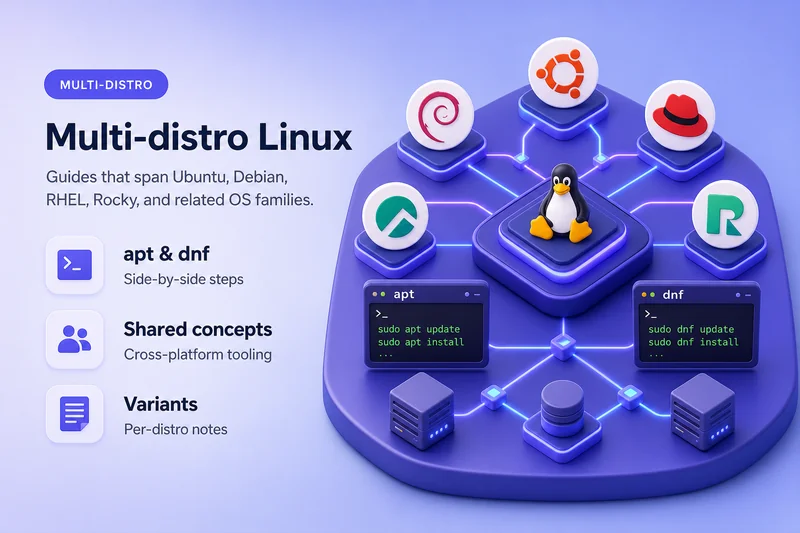
General Linux guides
Distribution-neutral Linux tutorials—systemd, networking, security, and administration concepts that apply across RHEL-family, Debian-family, and other platforms.
Featured in this section



All Linux articles
389 Directory Server Tutorial: Complete Administration Guide
Free 389 Directory Server course: dscreate, dsconf and dsidm, TLS, ACIs, password policy, replication, and LMDB tuning, tested on 389-ds-base 3.2.
Keytool & Java Keystore Tutorial for Beginners
Free keytool tutorial for Java keystores and truststores: PKCS12, CSRs, chain imports, cacerts, PKIX fixes, and Spring Boot and Tomcat HTTPS on JDK 21.
OpenLDAP Tutorial for Beginners - Install, Configure, Replicate
Free OpenLDAP tutorial for Linux admins: cn=config and MDB, TLS, ACLs, password policy, SSSD clients, replication, and backup, tested on OpenLDAP 2.6.
OpenSSL & PKI Certificates Tutorial for Beginners
Free OpenSSL and PKI tutorial: generate keys and CSRs, build a root and intermediate CA, issue SAN certificates, set up mTLS, then renew and revoke.
OpenSSH Tutorial: Keys, Certificates, Hardening and Remote Access
Free OpenSSH course: SSH keys, certificate authentication with a CA, sshd hardening, port forwarding, and file transfer, tested on RHEL and Ubuntu.
RHCSA Tutorial: Red Hat Certified System Administrator Course
Free RHCSA course mapped to the Red Hat EX200 objectives on RHEL 10, with hands-on labs for storage, LVM, users, networking, systemd, and SELinux.
Fix userauth_pubkey: key type ssh-rsa not in PubkeyAcceptedKeyTypes
Fix userauth_pubkey: key type ssh-rsa not in PubkeyAcceptedKeyTypes by using rsa-sha2 with the same RSA key, or Ed25519, before any legacy ssh-rsa exception.
Revoke SSH Keys and Certificates with OpenSSH KRL
Create and update an OpenSSH Key Revocation List (KRL), revoke SSH certificates by serial, Key ID, or fingerprint, revoke plain public keys, and make sshd enforce RevokedKeys.
How to Configure OpenSSH Certificate Authentication with an SSH CA
Set up OpenSSH user certificate authentication with an SSH CA: create TrustedUserCAKeys, sign keys with principals and expiry, verify login, revoke with a KRL, then map principals with AuthorizedPrincipalsFile.
Configure SSH Key Authentication in Linux
Set up SSH public key authentication with ssh-keygen, ssh-copy-id, and authorized_keys—connect with a specific identity, use ssh-agent, fix permissions and SELinux, and troubleshoot publickey failures.
SSH Authentication Methods in sshd_config (Password, Public Key, PAM)
Configure OpenSSH authentication in sshd_config: password, public key, keyboard-interactive, host-based, GSSAPI, AuthenticationMethods, and Match blocks on Linux.
How to Migrate Redis to Valkey on Ubuntu 26.04
Migrate Redis 8 to Valkey 9 on Ubuntu 26.04 when RDB format 12 and DUMP/RESTORE fail, valkey-redis-compat is gone, and you need a logical cutover with a full key verify.
Redis Removed in RHEL 10: Migrate to Valkey
Why Redis packages are gone on RHEL 10, how to install Valkey, and how to migrate a real Redis OSS RDB dump into Valkey with ownership and SELinux fixes.
How to Install Redis on Ubuntu
Install Redis on Ubuntu with sudo apt install redis-server from universe, or add the official packages.redis.io repo for Redis 8.x. Start redis-server with systemd, test with redis-cli ping, set a password, and harden …
Install Redis Server on Rocky Linux 9 [Step-by-Step]
Step by step instructions to install redis on Rocky Linux 9
dhclient Removed in RHEL 10: Use NetworkManager for DHCP
Why dhclient and dhcp-client are gone on RHEL 10, what replaces them, how to configure and reacquire DHCP with NetworkManager, and how to fix old dhcp=dhclient settings.
OpenSSH PerSourcePenalties: Block Repeated Failed SSH Connections
OpenSSH PerSourcePenalties on Linux: how sshd temporarily refuses noisy source addresses, how to read defaults with sshd -T, how to fix Not allowed at this time, and how exemptions and MaxAuthTries differ from Fail2ban.
RHEL 10 RPM Signing: Sequoia PGP, RPMv6 and PQC
Understand RPM signing changes on RHEL 10 and 10.1: Sequoia PGP verification, RPMv6 signatures, multiple signatures, OpenPGP v6, and hybrid ML-DSA-87+Ed448 post-quantum signing with tested commands.
Fix Fatal glibc Error: CPU Does Not Support x86-64-v3 on RHEL 10
Fix Fatal glibc error CPU does not support x86-64-v3 on RHEL 10 by checking the CPU microarchitecture baseline and correcting VM EVC, CPU models, or VirtualBox when hardware already supports x86-64-v3.
How to Use systemd Soft Reboot on RHEL
Use systemctl soft-reboot on RHEL 10.1+ to restart userspace while the kernel keeps running, and verify SoftRebootsCount, boot_id, uptime, and service PIDs.
How to Install Docker on RHEL
Install Docker Engine Community (Docker CE) on RHEL 8, 9, and 10 from the official DNF repository, enable docker.service, verify with hello-world, optionally add the docker group, upgrade, and uninstall cleanly.
Fix "watchdog: BUG: soft lockup - CPU stuck" on Linux
Diagnose watchdog BUG soft lockup CPU stuck on Linux from the kernel journal and stack trace. Separate VM starvation, workload pressure, storage stalls, and real driver bugs before changing watchdog_thresh.
How to Write and Run a Bash Script in Linux
Learn how to write and run a Bash script in Linux, make it executable with chmod, understand the shebang, and fix common script errors.
Metasploit Tutorial: From Vulnerability to Meterpreter Session
Walk from an Nmap finding to a Metasploit module, payload, handler, and Meterpreter session on Kali Linux with msfconsole, msfvenom, and exploit/multi/handler against Metasploitable 2.
RHEL 10 TigerVNC Alternative: Configure GNOME Remote Desktop
TigerVNC server was removed from RHEL 10. Configure GNOME Remote Desktop with RDP on RHEL, Rocky Linux, AlmaLinux, and CentOS Stream 10 as the supported replacement.
Install Kali Linux on VirtualBox [step-by-step screenshots]
Step by step instructions to install kali linux in virtualbox with screenshots. 2 different methods to install Kali Linux on Oracle VirtualBox
Install and Trust a CA Certificate in the Linux System Trust Store
Install a private CA certificate into the Linux system trust store with update-ca-certificates on Debian and Ubuntu or update-ca-trust on RHEL and Fedora, verify the anchor landed, remove it again, and fix the …
Troubleshoot High Memory Usage in Linux
Troubleshoot Linux high memory usage by reading free and MemAvailable, ranking processes with ps and pidstat, checking swap and memory pressure, inspecting kernel slab usage, and deciding when low free RAM is normal …
Troubleshoot High I/O Wait in Linux
Troubleshoot Linux high iowait with mpstat and top, find the busy disk with iostat, name I/O-heavy processes with pidstat, check D state and swap activity, and match symptoms to the real storage bottleneck.
Troubleshoot High CPU Usage in Linux
Troubleshoot Linux high CPU usage with top, ps, mpstat, and pidstat to find runaway processes, read per-core utilization, split user and system time, inspect threads, and decide whether the workload is legitimate or a …