
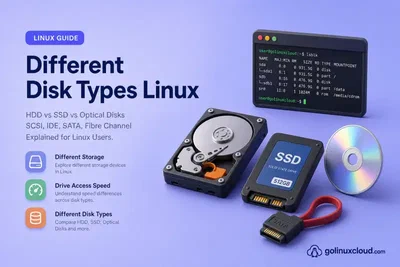
Disk Types and Interface Types in Linux
Learn how Linux disk media types (HDD, SSD, optical) differ from interface and transport types (SATA, SAS, NVMe, Fibre Channel, USB), and how device names such as sda and nvme0n1 map to each layer.
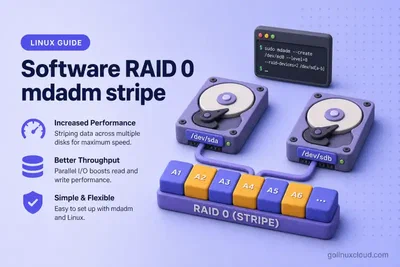
Configure Software RAID 0 in Linux with mdadm
Configure software RAID 0 (striping) in Linux with mdadm on two partitions, format with ext4, mount the volume, and persist it across reboot.
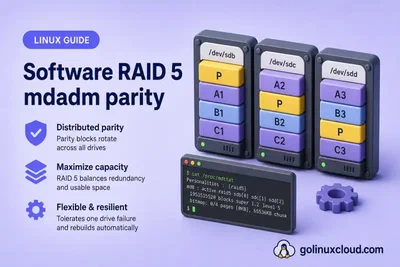
Configure Software RAID 5 in Linux with mdadm
Configure software RAID 5 in Linux with mdadm on three partitions — distributed parity, left-symmetric layout, initial recovery, and creating larger arrays with spares.
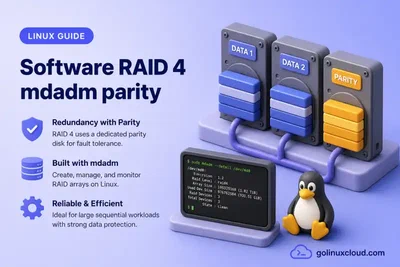
Configure Software RAID 4 in Linux with mdadm
Configure software RAID 4 in Linux with mdadm on three partitions — dedicated parity disk, parity initialization, format with ext4, and mount.
Configure Linear RAID in Linux with mdadm
Configure linear RAID (append mode) in Linux with mdadm on two partitions — fdisk setup, create the array, format with ext4, mount, and persist across reboot.
Configure Software RAID 10 (1+0) in Linux with mdadm
Configure software RAID 10 (RAID 1+0) in Linux with mdadm by mirroring two disk pairs into RAID 1 arrays, striping them with RAID 0, and mounting the resulting volume.
How to Check Disk Type in Linux: HDD, SSD, NVMe and SATA
Check disk type in Linux with lsblk ROTA and TRAN, sysfs rotational, udevadm, lspci, and optional smartctl or nvme tools to tell HDD from SSD, NVMe from SATA, and when virtual or RAID storage hides the real media.
Backup and Restore a Linux Partition Table with sfdisk
Back up and restore GPT or MBR partition tables in Linux with sfdisk --dump, clone a layout to another disk, and save raw partition-table sectors with --backup-pt-sectors without touching filesystem data.
How to Extend or Resize a Root Partition (Non-LVM) in Linux
Extend or resize a non-LVM root partition in Linux with parted or fdisk when unallocated space exists after the target partition, then grow ext4 with resize2fs without reformatting.
Configure autofs to Automount NFS Shares in Linux
Install autofs on a Linux client, configure indirect and direct NFS maps in auto.master, trigger mounts on path access, set idle timeout, reload maps, and troubleshoot automount failures.
Configure an NFS Server and Client in Linux
Install nfs-utils, export a directory from an NFS server, open firewalld for NFSv4, mount the share on a Linux client with vers=4.2, persist it in /etc/fstab, and troubleshoot common NFS errors.
Mount Linux Filesystems with UUID and Labels
Mount filesystems persistently with /etc/fstab using UUID and LABEL, validate with mount -a and findmnt --verify, and recover when a bad entry blocks boot.
Configure LVM in Linux Step by Step
Create LVM physical volumes, volume groups, and logical volumes, format with XFS or ext4, mount by UUID, extend a VG with vgextend, and remove layers safely.
Extend an LVM Logical Volume and Filesystem
Extend a logical volume with lvextend, grow PV capacity with pvresize or vgextend when the volume group is full, grow XFS with xfs_growfs or ext4 with resize2fs, and verify both layers.
Configure LDAP Users with NFS Home Directories and autofs
Configure OpenLDAP users with NFS home directories using SSSD and autofs on RHEL, Rocky Linux, AlmaLinux, Oracle Linux, and CentOS Stream.
Migrate an Existing LVM Root Filesystem to LUKS Online
Migrate an already-installed Ubuntu LVM root volume group onto a new LUKS2 physical volume with pvmove, then configure crypttab with initramfs, regenerate the initramfs, and update GRUB for boot-time unlock.
Enroll TPM2, FIDO2, and Recovery Keys on LUKS2 with systemd-cryptenroll
Use systemd-cryptenroll on LUKS2 volumes to add TPM2, FIDO2, PKCS#11, and recovery-key unlock methods, store token metadata in the LUKS2 JSON area, and wire boot unlock through crypttab.
How to Resize a LUKS Partition (Extend or Shrink) in Linux
Extend or shrink a LUKS2 ext4 volume on Linux: grow the partition first, run cryptsetup resize on the mapper, then resize2fs; for shrink, reverse the order with offline resize2fs and --size in 512-byte sectors.
How to Open and Unlock a LUKS Disk on Another Linux Machine
Unlock and mount a LUKS USB or moved disk on another Linux host: cryptsetup open by device, UUID=, or /dev/disk/by-uuid, ext4 or LVM inside LUKS, read-only rescue mount, and close the mapper.
Network-Bound Disk Encryption with Clevis and Tang on Linux
Configure LUKS NBDE with Clevis and Tang on RHEL/CentOS: two-VM lab with Tang server, LUKS root client, dracut rebuild, and video—boot without typing a passphrase when Tang is reachable.
How to Auto Mount and Unlock LUKS Encrypted Partitions at Boot
Configure crypttab and fstab to unlock and mount a secondary LUKS data partition at boot on Ubuntu or Debian.
How to Back Up and Restore a LUKS Header in Linux
Back up and restore a LUKS2 header with cryptsetup luksHeaderBackup and luksHeaderRestore, use a detached header file, and understand when a header copy cannot recover a forgotten passphrase.
Change LUKS Passphrase, Volume Key, and Cipher on Linux
Rotate LUKS passphrases and key slots, change cipher or volume key with cryptsetup reencrypt on LUKS2, and back up the header before destructive operations.
How to Encrypt a Disk Partition with LUKS in Linux
Encrypt a new Linux disk partition with LUKS2 using cryptsetup: partition the disk, run luksFormat, open the mapper, create ext4 on /dev/mapper, and mount the volume.
How to clone or backup Linux partition using fsarchiver
Steps to backup partition in LInux, clone your partition or hard drive, logical volume using fsarchiver Exclude files and directories encrypt backup
How to configure iSCSI target on Ubuntu
In this tutorial I will share the steps to create iSCSI target using Ubuntu 22.04 VM installed on Oracle VirtualBox.
Advanced Tips to Improve Disk IO Performance in Linux
Explore comprehensive strategies to improve disk IO performance, from optimizing kernel parameters to leveraging virtualization tools. Unlock the full potential of your system and achieve faster, more efficient disk …
Create & Manage Striped Logical Volume Linux [Step-by-Step]
How to create striped logical volume, How to convert striped to linear logical volume and vice versa, How to extend the size of existing striped logical volume
Create Mirrored Logical Volume in Linux [Step-by-Step]
LVM supports mirrored volumes. A mirror maintains identical copies of data on different devices. LVM ensures that data written to an underlying physical volume is mirrored onto a separate physical volume.
Manage Logical Volume in Linux - One STOP Solution
The Logical Volume Manager is a collection of one or more physical devices called Volume Group (VG), each physical device on the VG called a Physical Volume (PV)


