
Browse by distribution
RHEL family tutorials
Covers RHEL, Rocky Linux, AlmaLinux, CentOS, CentOS Stream, Fedora, Oracle Linux.
Ubuntu tutorials
Ubuntu Linux guides for LTS and interim releases. apt and snap installs, Netplan networking, systemd services, and desktop or server setup.
Debian tutorials
Debian Linux guides for stable, testing, and unstable. apt and dpkg workflows, systemd, networking, and server or desktop configuration.
Kali Linux tutorials
Kali install, repository, and package guides live in the ethical hacking section—VirtualBox, USB, Android, Apple Silicon, and day-to-day apt tasks on Kali.

Linux Mint tutorials
Linux Mint guides built on the Ubuntu LTS base. apt and dpkg installs, Cinnamon desktop configuration, Update Manager, and driver setup.

Arch Linux tutorials
Arch Linux guides — pacman, AUR workflows, and rolling-release administration.
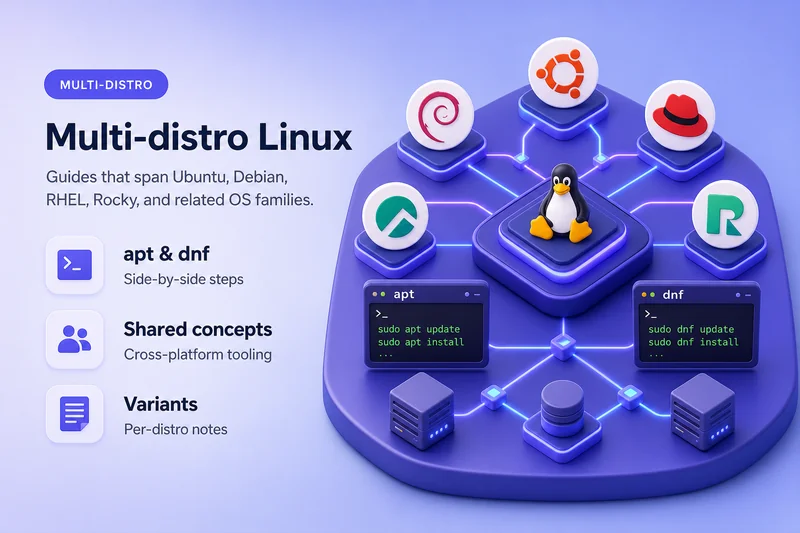
General Linux guides
Distribution-neutral Linux tutorials—systemd, networking, security, and administration concepts that apply across RHEL-family, Debian-family, and other platforms.
Featured in this section


All Linux articles
Fix LDAP Unwilling to Perform Error 53 in 389 Directory Server
Fix LDAP error 53 in 389 Directory Server by reading the additional info line, then checking password policy, read-only mode, RootDN Access Control, TLS SSF, and access logs.
Fix LDAP Invalid Credentials Error 49 in 389 Directory Server
Fix LDAP error 49 in 389 Directory Server by checking the password, bind DN, account state, access logs, application secrets, and replication credentials.
389 Directory Server Password Storage Schemes Explained
Understand how 389 Directory Server hashes LDAP passwords, inspect userPassword prefixes, change the global storage scheme, migrate legacy hashes after successful binds, and test application compatibility.
Analyze Linux Performance with perf and debuginfod
Use perf stat, perf record, and perf report on Linux to find CPU bottlenecks, collect call graphs, and resolve symbols with debuginfod on Rocky Linux, RHEL, Debian, Ubuntu, and other distributions.
Fix LDAP Working but LDAPS Failing in 389 Directory Server
Fix LDAP works but LDAPS fails in 389 Directory Server by checking port 636, the TLS handshake, client CA trust, hostname matching, server certificates, and access logs.
Install LEMP Stack on Rocky Linux, AlmaLinux, and RHEL
Install Nginx, MariaDB, PHP, and PHP-FPM on Rocky Linux, RHEL, AlmaLinux, or Oracle Linux, then verify the complete LEMP stack with a PHP database test.
Fix LDAP Object Class Violation Error 65 in 389 Directory Server
Fix LDAP error 65 in 389 Directory Server by reading the additional info line, then checking object class MUST and MAY rules, entry state, custom schema, plug-ins, and replica schema parity.
Install LAMP Stack on Rocky Linux, AlmaLinux, and RHEL
Install Apache, MariaDB, PHP, and PHP-FPM on Rocky Linux, RHEL, AlmaLinux, or Oracle Linux, then verify the complete LAMP stack with a PHP database test.
Install PHP 8.4 on Rocky Linux, RHEL, AlmaLinux, and Oracle Linux
Install PHP 8.4 from native AppStream php8.4-* packages on RHEL 10.2+, Rocky Linux, AlmaLinux, Oracle Linux, or CentOS Stream 10 when dnf info php8.4 confirms availability, then configure php-fpm and verify Apache or …
Upgrade PHP 8.3 to 8.4 on Rocky Linux, RHEL, AlmaLinux, and Oracle Linux
Replace native PHP 8.3 packages with php8.4-* RPMs on EL 10, back up configuration, check application compatibility, migrate PHP-FPM settings, verify web applications, troubleshoot failures, and roll back if required.
Fix LDAP Insufficient Access Error 50 in 389 Directory Server
Fix LDAP error 50 in 389 Directory Server by checking ACIs on the target and its parents, group membership, deny rules, Get Effective Rights, and access logs.
Configure BIND DNS Server on RHEL, Rocky Linux, and AlmaLinux
Install and configure BIND on RHEL, Rocky Linux, or AlmaLinux with forward and reverse zones, controlled recursion, NetworkManager clients, and dig testing.
Install PostgreSQL 18 on RHEL, Rocky Linux, and AlmaLinux
Install PostgreSQL 18 on RHEL, Rocky Linux, AlmaLinux, Oracle Linux, or CentOS Stream using native packages or PGDG, then initialize and verify the server.
Configure Apache LDAP Authentication with 389 Directory Server
Configure Apache LDAP authentication with 389 Directory Server using mod_authnz_ldap, StartTLS, group authorization, and troubleshooting.
Store SSH Public Keys in 389 Directory Server with SSSD
Store SSH public keys in 389 Directory Server, configure SSSD and OpenSSH key lookup, and test key addition, rotation, and revocation.
Configure Linux LDAP Authentication with 389 Directory Server and SSSD
Configure Linux LDAP authentication with 389 Directory Server and SSSD on Rocky Linux 10: POSIX users, TLS, authselect, identity lookup, login, and offline caching.
Migrate Network Scripts and ifcfg Files to NetworkManager
Migrate legacy network-scripts and ifcfg profiles to NetworkManager keyfiles on RHEL, Rocky Linux, AlmaLinux, Oracle Linux, and CentOS Stream before upgrading to a release that no longer reads ifcfg files.
Troubleshoot 389 Directory Server Replication Errors and Synchronization Failures
Troubleshoot 389 Directory Server replication errors: capture a baseline, diagnose connectivity TLS and bind failures, enable debug logging, and choose retry repair or reinitialize.
Monitor 389 Directory Server Replication and Lag with dsconf
Monitor 389 Directory Server replication with dsconf: check agreement status, topology, CSNs and lag, analyze access logs, and configure alerts.
Remove Stale Replica IDs in 389 Directory Server with CleanAllRUV
Remove stale supplier replica IDs from the 389 Directory Server RUV with dsconf repl-tasks cleanallruv, monitor tasks, abort safely, and understand force-cleaning risks.
Post-Quantum Cryptography in Linux: ML-KEM, ML-DSA, TLS, and SSH
Learn how to check ML-KEM support in TLS, create ML-DSA signatures, and verify post-quantum SSH key exchange on Linux, with tested Rocky Linux examples.
Manage, Trim, and Encrypt the 389 DS Replication Changelog
Manage the 389 Directory Server replication changelog with dsconf set-changelog, trim retention, compact-db, export and import, and encryption while preserving recoverability.
Configure DNS over TLS with NetworkManager on RHEL 10
Enable DNS over TLS on RHEL 10.1 or later with NetworkManager, dnsconfd, and unbound, then verify upstream DNS uses encrypted TCP port 853.
Configure Fractional Replication in 389 Directory Server
Configure fractional replication in 389 Directory Server with dsconf. Exclude attributes from incremental and total updates and prevent empty updates.
Safely Remove a Server from a 389 DS Replication Topology
Remove a consumer, hub, or supplier from a 389 Directory Server replication topology without losing updates, isolating replicas, or leaving stale RUV metadata.
Promote or Demote a 389 Directory Server Replica
Promote or demote a 389 Directory Server replica with dsconf, then verify replica IDs, agreements, replication health, client routing, and rollback.
Initialize and Reinitialize a 389 Directory Server Replica
Initialize or reinitialize a 389 Directory Server replica online or offline, monitor status, tune timeouts, and avoid overwriting destination data.
Secure 389 DS Replication with Certificate-Based Authentication
Replace password-based 389 Directory Server replication with certificate-based authentication using certmap.conf, a replication bind group, temporary bootstrap credentials, and SSLCLIENTAUTH agreements over LDAPS.
Manage 389 Directory Server Replication Agreements with dsconf
Manage 389 Directory Server replication agreements with dsconf repl-agmt to create, inspect, modify, schedule, verify, and delete individual agreements.
Configure Cascading Replication in 389 Directory Server
Configure a 389 Directory Server supplier, read-only hub, and consumer with dsconf, then initialize both replication hops and verify end-to-end cascading replication.