
JavaScript Math.tan() returns the tangent of an angle expressed in radians, not degrees—convert with π/180 (or a helper) before calling if your inputs are in degrees. It is the ratio of sine to cosine for that angle, so it blows up near odd multiples of π/2 where cosine crosses zero. If you are deriving an angle from coordinates, JavaScript Math.atan2 is usually the better entry point than tan alone.
Environment: Node.js v20.18.2. Each snippet is plain JavaScript; the line after it states the expected console output.
Math.tan Syntax
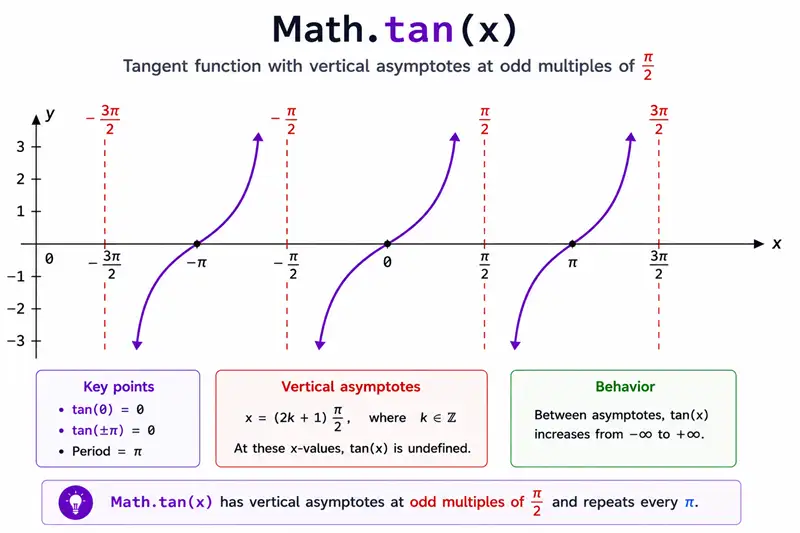
Math.tan(angleInRadians)The return value is the tangent of the angle.
Method 1: Calculate Tangent in Radians
console.log(Math.tan(0));
console.log(Math.tan(Math.PI / 4));You should see 2 lines, in order: 0, 0.9999999999999999.
Math.PI / 4 is 45 degrees. The tangent is mathematically 1; the small difference is normal floating-point behavior.
Method 2: Convert Degrees to Radians Before Math.tan()
const degrees = 60;
const radians = degrees * (Math.PI / 180);

console.log(Math.tan(radians));You should see one line logging 1.7320508075688767.
Common Questions About Math.tan
Does Math.tan use degrees or radians?
Math.tan() uses radians. Convert degrees with degrees * Math.PI / 180.
What does Math.tan return?
It returns the tangent of the input angle.
Summary
Math.tan is sin/cos in radians—large inputs lose precision; reduce angles first when doing many steps.
JavaScript Math.tan() calculates tangent for an angle in radians. Convert degrees before calling it, and expect small floating-point differences for values that are mathematically exact. Use Math.tan() for trigonometry, slopes, geometry, graphics, and physics calculations.
