
JavaScript Map objects store key-value pairs, and the number of entries is available through the size property. If you are searching for javascript map size, js map size, javascript map length, or javascript length of map, the key point is this: use map.size, not map.length. A JavaScript Map is not an array, so it does not expose a length property.
Environment: Node.js v20.18.2. Each snippet is plain JavaScript; the line after it states the expected console output.
JavaScript Map Size Syntax
Use the size property to get the number of entries in a Map.
map.sizesize is a read-only accessor property. It returns an integer count of key-value pairs currently stored in the Map.
const users = new Map([
  ["ana", 32],
  ["bo", 27],
]);

console.log(users.size);You should see one line logging 2.
Method 1: Check Map Size with map.size
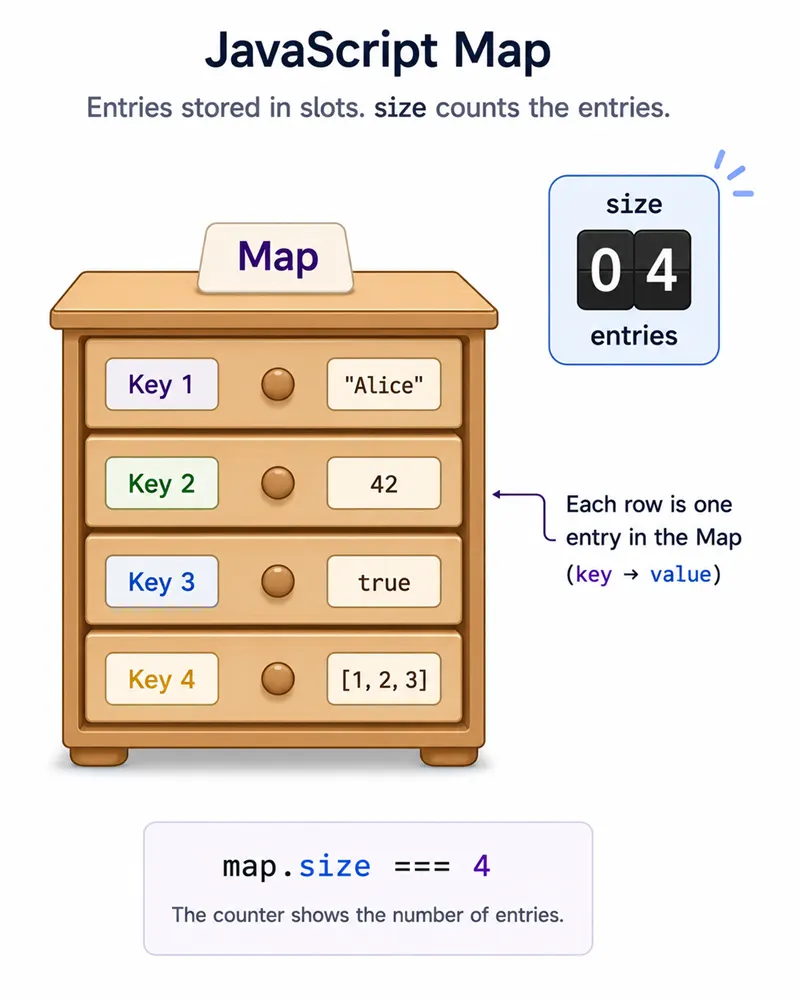
The direct way to check JavaScript Map size is to read the .size property.
const users = new Map([
  ["ana", 32],
  ["bo", 27],
]);

console.log(users.size);You should see one line logging 2.
This Map has two entries: one for "ana" and one for "bo".
Method 2: Do Not Use map.length
A common mistake is trying to use map.length. That works for arrays and strings, but not for JavaScript Map objects.
const users = new Map([
  ["ana", 32],
  ["bo", 27],
]);

console.log(users.length);You should see one line logging undefined.
If you need the size of a Map in JavaScript, use users.size. If you need the length of an array created from a Map, convert it first.
const map = new Map([
  ["x", 1],
  ["y", 2],
]);

const entries = Array.from(map);

console.log(entries.length);You should see one line logging 2.
Map size vs Array length
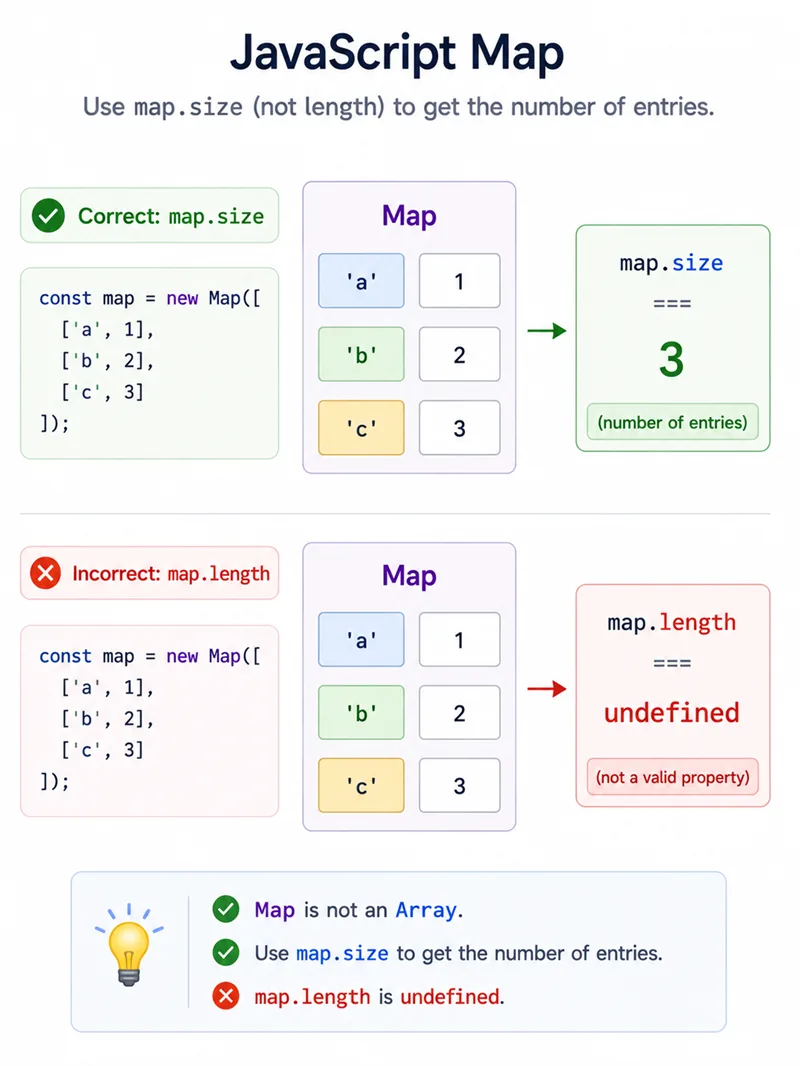
Use .size for Map and Set objects. Use .length for arrays and strings.
const map = new Map([["a", 1]]);
const array = ["a"];

console.log(map.size);
console.log(array.length);You should see 2 lines, in order: 1, 1.
Method 3: Check How set(), delete(), and clear() Affect Map Size
The size property updates automatically when entries are added or removed.
const users = new Map([
  ["ana", 32],
  ["bo", 27],
]);

users.set("cy", 41);
console.log(users.size);

users.delete("bo");
console.log(users.size);

users.clear();
console.log(users.size);You should see 3 lines, in order: 3, 2, 0.
set() adds a new entry when the key does not exist. delete() removes one entry when the key exists. clear() removes all entries from the Map.
Method 4: Duplicate Keys Do Not Increase Map Size
A Map stores unique keys. If you call set() with an existing key, JavaScript updates the value for that key instead of adding a new entry.
const scores = new Map([["a", 1]]);

scores.set("a", 2);

console.log(scores.size);
console.log(scores.get("a"));You should see 2 lines, in order: 1, 2.
The Map size remains 1 because the key "a" already existed. Only its value changed from 1 to 2.
Method 5: Object Keys Count as One Map Entry
Unlike plain objects, JavaScript Maps can use objects as keys. Each object key counts as one Map entry.
const objKey = { id: 1 };
const byObject = new Map([[objKey, "saved"]]);

console.log(byObject.size);
console.log(byObject.get(objKey));You should see 2 lines, in order: 1, saved.
The Map has one entry because it contains one object key. The key is matched by object identity, so the same object reference must be used to retrieve the value.
Method 6: Check If a Map Is Empty
Use map.size === 0 to check whether a JavaScript Map is empty.
const empty = new Map();

console.log(empty.size === 0);You should see one line logging true.
This is clearer than converting the Map to an array just to check whether it contains entries.
Common Questions About JavaScript Map Size
How do I get the size of a Map in JavaScript?
Use the size property: myMap.size. It returns the number of key-value entries in the Map.
Does JavaScript Map have length?
No. A JavaScript Map does not have a length property. map.length returns undefined; use map.size instead.
Is map.size a function?
No. map.size is a property, not a function. Use map.size, not map.size().
Does updating an existing key increase Map size?
No. Updating an existing key changes the value but does not add another entry, so the Map size stays the same.
How do I check if a Map is empty?
Use map.size === 0. This returns true when the Map has no entries.
Summary
map.size is the O(1) entry count on a Map; never use length (that is for arrays and strings). set on an existing key replaces without growing the count.
JavaScript Map size is available through the map.size property. Use it when you need the number of entries in a Map, whether you are checking a small lookup table, validating an empty Map, or tracking entries after set(), delete(), and clear(). Do not use map.length, because JavaScript Maps are not arrays and length returns undefined. The size property updates automatically, duplicate keys do not increase the count, and object keys count as normal Map entries. For searches like javascript map size, js map length, or javascript length of map, the correct built-in answer is always Map.prototype.size.
