
An infinite loop is any while, for, or recursive pattern whose exit condition never becomes true, so execution never reaches the code below it. That is useful to recognize because it can freeze a browser tab or block a Node process on the main thread. Many “run forever” workloads—polling, animation, background work—are better expressed with setInterval, requestAnimationFrame, or async scheduling primitives; MDN’s Loops and iteration guide is a good companion read.
A true infinite loop never reaches the line after it; the main thread stays busy, so the browser tab or Node process can freeze. The runnable samples below use the same syntax as endless loops but add a break or a guard so automated runs always finish. Treat them as syntax demos, not production patterns.
Tested on: Node.js v20.18.2. A short note after each runnable snippet describes what you should see in the console.
while (true) forever loop (bounded demo)
let count = 0;
while (true) {
  console.log(1);
  if (++count >= 3) break;
}You should see 3 lines, in order: 1, 1, 1.
Without break, return, throw, or an asynchronous suspension, this would print forever.
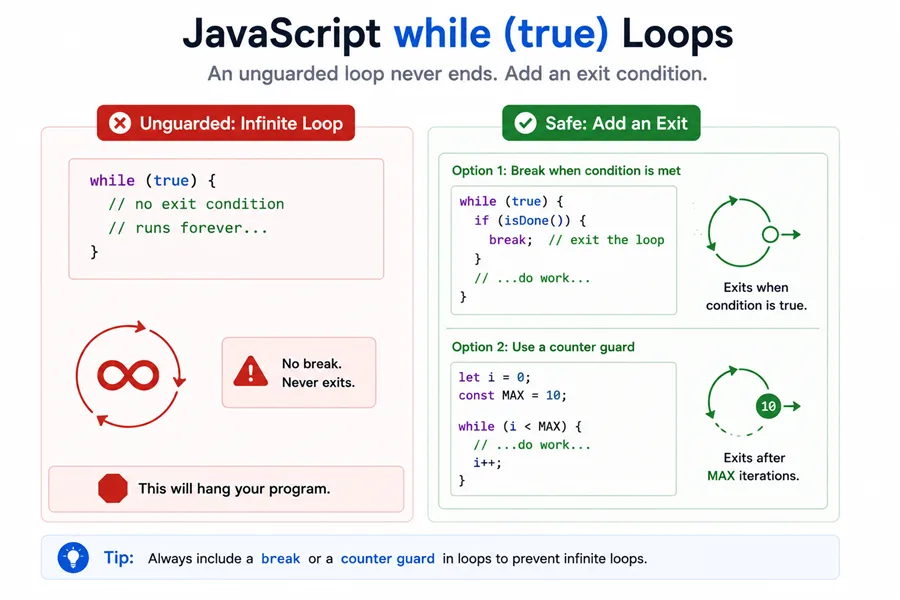
while with a condition that never progresses
If the body never moves i toward the exit test, i < 10 stays true forever. Here a guard stops the demo after three prints:
let i = 1;
let guard = 0;
while (i < 10) {
  console.log(i);
  if (++guard >= 3) break;
}You should see 3 lines, in order: 1, 1, 1.
The fix is to mutate i (or another driving value) so the condition can eventually fail.
for (;;) “for ever” syntax
C-style infinite for omits init, test, and update. Again, a break ends the sample:
let n = 0;
for (;;) {
  console.log(n);
  if (++n >= 4) break;
}You should see 4 lines, in order: 0, 1, 2, 3.
for with a literal true test
let index = 0;
for (let j = 0; true; j++) {
  console.log(j);
  if (++index >= 4) break;
}You should see 4 lines, in order: 0, 1, 2, 3.
The update clause (j++ here) still runs, but you still need a real stop condition unless you intentionally build a worker loop around break / async waits.
Healthy terminating for loop
for (let i = 0; i < 10; i++) {
  console.log(i);
}You should see 10 lines, in order: 0, 1, 2, 3, 4, 5, 6, 7, 8, 9.
Every part matters: initializer, condition, and update.
Missing update clause (bounded demo)
let i = 0;
let guard = 0;
for (; i < 10; ) {
  console.log(i);
  if (++guard >= 3) break;
}You should see 3 lines, in order: 0, 0, 0.
Without the guard, i never changes, so the loop would never exit.
Stopping a runaway loop in the browser or Node
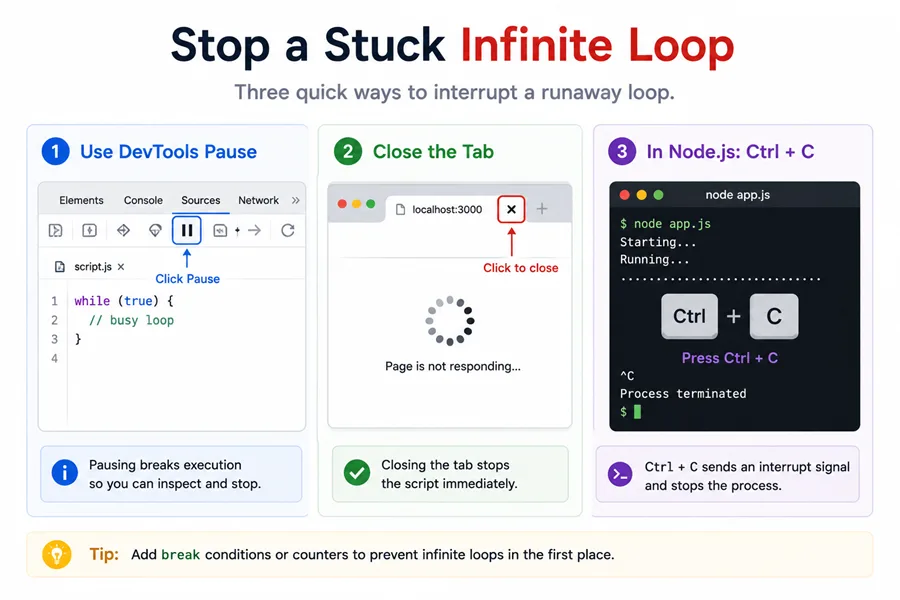
Chrome, Edge, and Firefox let you open DevTools and pause script execution, or you can close the tab entirely. In Node, press Ctrl+C in the terminal where the process runs. Prevention still beats recovery: keep loop progress obvious, add temporary maximum-iteration guards while debugging, and prefer scheduling APIs such as setInterval or setTimeout for recurring work instead of busy-waiting.
Summary
Javascript infinite loop searches mix teaching examples with real incidents: while (true) or a missing update clause can stall the event loop in browsers or freeze a Node process until you interrupt it. The practical FAQ is how to stop one—DevTools pause, tab close, or Ctrl+C in Node—and how to avoid accidental loops by always advancing the induction variable or using break guards while prototyping.
For intentional polling, prefer setInterval, requestAnimationFrame, or async iterators so work yields to the host; busy-waiting on Date.now() is almost never the right pattern in JavaScript. Pair this article with structured logging when you diagnose rare hangs in production, because the root cause is often network or database waits rather than a literal while (true).
References
- Loops and iteration - MDN
- How do you stop an infinite loop in JavaScript? - Stack Overflow
